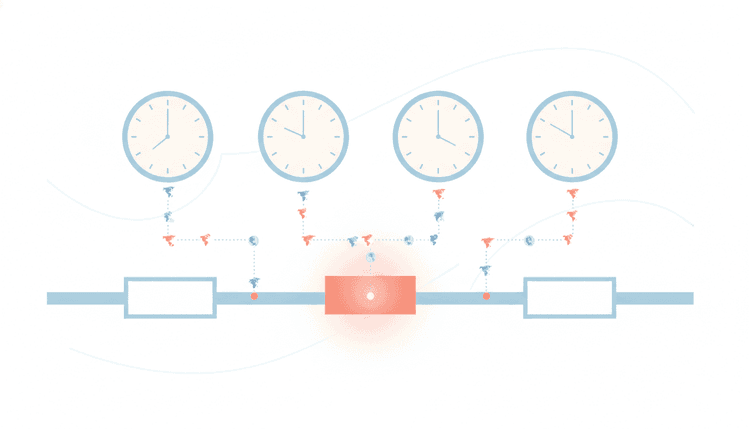
Nothing exposes a distributed team faster than a recurring meeting that lands at 6:00 a.m. for one person and 9:00 p.m. for another. Scheduling across time zones looks like simple arithmetic until daylight saving, half-hour offsets and school pickups turn a single calendar invite into a week of "can we move this?" replies.
September sharpens the problem. Summer coverage ends, a new quarter starts, and teams rebuild their recurring cadence on top of whatever slot somebody picked in a hurry back in March. This post covers the practical version: map real availability, find genuine overlap, rotate fairly when the overlap runs thin, and decide what to do when no shared hour exists at all.
Why scheduling across time zones is so error-prone
Four things break time zone math, and they break it quietly.
Offsets move, and they move on different dates. In 2026, clocks across the European Union go back on Sunday 25 October, while most of the United States falls back a week later on Sunday 1 November. During that one week, London sits four hours ahead of New York instead of the usual five, so every recurring call between the two shifts by an hour for one side. Australia runs the other direction: New South Wales and Victoria start daylight saving on Sunday 4 October 2026, pulling Sydney further from Europe in the same month. Anyone locking a permanent slot in September inherits three separate changes before mid-November. The IANA time zone database tracks these rules because governments keep changing them, sometimes with a few weeks of notice.
Not every offset lands on the hour. India runs at UTC+5:30, Nepal at UTC+5:45, the Northern Territory and South Australia at UTC+9:30, and the Chatham Islands at UTC+12:45. Round to the nearest hour and you hand a real colleague an invite that is thirty minutes wrong, every single week.
Free time on a calendar is not the same as available time. A calendar shows 8:00 a.m. as open, but the school run finishes at 8:45. Another shows 7:00 p.m. as open because nobody blocks dinner in Outlook. Calendar overlays flatter the edges of the day and hide exactly the hours you are about to spend. If your personal commitments sit on a separate calendar, our guide to keeping work and personal calendars from double booking covers how to cover both behind one booking link.
People convert in their heads, and the head is wrong roughly one time in five. Someone reads 3:00 p.m. Central European Time, subtracts nine, lands on 6:00 a.m. Pacific, and books it without noticing that the two zones sat eight hours apart that particular week. The invite itself stores a fixed instant, but humans remember a wall-clock number, so the mismatch only surfaces when half the room joins an hour late.
None of this is exotic. It is the ordinary background noise of running a team across three continents, and it compounds every time you add a person. If you want the general playbook first, our guide on how to schedule a meeting with multiple people covers the single-zone version of the same problem. Time zones are only half the courtesy problem, though — pair it with our scheduling link etiquette rules for sending a booking link without sounding presumptuous.
Find overlapping hours before you pick a time
Most teams pick a time and then check whether it works. Reverse that. Establish the overlap first, then choose inside it.
Step one: ask for real windows, not contract hours. Two numbers per person. The hours they will genuinely take a call, and the hours they will accept once a month if it matters. Someone in Bengaluru might work 9:00 to 18:00 but accept 20:00 for a quarterly review. Write both down.
Step two: convert everything to UTC once. Convert each person's window to UTC and never convert again during the search. Every mental conversion after that point is a chance to be wrong.
Step three: intersect the windows. Here is a real four-person team in mid-September 2026, when San Francisco runs at UTC-7, London at UTC+1, Bengaluru at UTC+5:30, and Sydney at UTC+10. Each person offers a stretch window of 8:00 to 19:00 local.
| Location | Local stretch window | Same window in UTC |
|---|---|---|
| San Francisco (UTC-7) | 8:00 to 19:00 | 15:00 to 02:00 next day |
| London (UTC+1) | 8:00 to 19:00 | 07:00 to 18:00 |
| Bengaluru (UTC+5:30) | 8:00 to 19:00 | 02:30 to 13:30 |
| Sydney (UTC+10) | 8:00 to 19:00 | 22:00 previous day to 09:00 |
The intersection of all four is empty. That is not a failure of effort; it is geometry. San Francisco and Bengaluru simply do not share a civilised hour.
Step four: read what the empty set tells you. Look at the subsets instead. London, Bengaluru and Sydney share 07:00 to 09:00 UTC, which lands at 8:00 a.m. in London, 12:30 p.m. in Bengaluru and 5:00 p.m. in Sydney. San Francisco and London share 15:00 to 18:00 UTC, comfortable on both sides. So the honest answer for this team is two meetings and one written summary, not one heroic call at 6:00 a.m. Pacific that nobody enjoys.
Doing this once, properly, saves a quarter of rescheduling. Publish the result somewhere the whole team can read it, with each window written in every relevant local time, so nobody has to redo the arithmetic.
Once you identify suitable hours, our guide on how to share your availability helps you turn those options into a clear email, booking-link message, or poll invitation.
Rotate meeting times so no one time zone always loses
When a genuine overlap does not exist, somebody absorbs an awkward hour. The only real question is whether the same person absorbs it every week.
Default meeting times drift toward whichever zone holds the most seniority, and then quietly stay there for two years. The person joining at 10:00 p.m. stops contributing, misses the informal part of the conversation, and eventually stops attending. That is a retention problem wearing a calendar costume.
A rotation fixes it if you make it boring and visible:
- Alternate on a fixed pattern. Odd weeks favour the Americas, even weeks favour Asia Pacific. Publish the pattern for the whole quarter so nobody negotiates it every fortnight.
- Keep a fairness ledger. Count how many calls each person takes outside 8:00 to 19:00 local per quarter and cap it. A number in a shared doc settles arguments that vibes cannot.
- Rotate the recording duty with the slot. Whoever gets the friendly hour writes the notes. The person who joined at 6:00 a.m. should not also be on scribe duty.
- Move decisions out of the room. If the meeting is the only place decisions happen, the rotating loser loses influence too. Post decisions in writing within an hour, and treat the written version as the record.
- Protect the edges. Nobody schedules recurring meetings inside another person's evening without an expiry date. Set a review date on every awkward slot.
Rotation also plays well with focus time. Awkward-hour calls tend to eat the exact hours people reserve for concentration, so check the rota against your team's best hours for deep work before you lock it in. The gaps between calls deserve the same attention — our guide to buffer time between meetings covers how much to add and how to enforce it.
Tools that handle scheduling across time zones for you
Three categories of tool show up here, and they solve different problems.
Clock converters show you what 15:00 UTC means in six cities. Useful for checking a single instant, useless for finding a slot across ten people.
Calendar overlays show free and busy blocks from connected calendars. They work well inside one company on one calendar system, and they fall apart the moment your group includes contractors, clients or anyone whose calendar you cannot see.
Availability polls ask people directly. Doodle, When2meet and Calendly's meeting polls all sit in this category, and each renders proposed times in the viewer's own zone rather than the organiser's. That is the feature that matters most for scheduling across time zones, because it removes every mental conversion from the participant's side.
WhenNOT takes the same idea from the opposite direction. You pick a date range for the group event, share one link, and every participant marks the days or time slots they cannot make. The days with the fewest conflicts rise to the top, so the best window emerges from the constraints instead of from optimistic guessing. Participants in different zones each see the times in their own zone, which is exactly the property that stops the 6:00 a.m. accident. Events handle whole days and time-of-day slots, "maybe" answers, and multi-day windows, and the results view shows who is out on which day.
The practical part for distributed teams: guests answer without an account and without logging in, so contractors, clients and colleagues in other companies respond in seconds. Organisers only need an email address. There are no caps on participants or events, and the tool is free. If your team lives in Slack, you can run the same poll natively with the Slack availability poll, where /whennot in any channel creates the poll, people answer with buttons inside Slack, response counts update live, and reminders go out by Slack DM and email. Curious what the results look like before you commit? Open the live sample event and click around.
If you are currently wrestling with a grid-style tool or an ad-supported free tier, we have written up the trade-offs in detail in our When2Meet alternative comparison and our Doodle alternative comparison.
Async alternatives when there's no good overlap
Sometimes the correct answer is that the meeting should not exist at that size. A four-continent team with a two-hour partial overlap does not need a weekly all-hands; it needs a written cadence with occasional synchronous punctuation.
Swap these first:
- Status meetings become written updates. One thread, one format, everyone posts within their own working day. Nobody sets an alarm.
- Reviews become async with a deadline. Share the document on Monday, comments close Wednesday, decision published Thursday. The clock does the coordinating.
- Demos become recordings. A five-minute screen recording plus a comment thread beats a live demo that three people watch at midnight.
- Decisions get a written default. State the proposal and the date it takes effect unless someone objects. Silence becomes agreement instead of a blocker.
Keep the synchronous time for what genuinely needs it: hard conversations, planning that requires argument, and human connection. Then schedule those rarely, rotate them properly, and record them. Our post on why scheduling asynchronously works goes deeper on the mechanics, and if you want the connection half of the equation, our roundup of team building event ideas for remote and hybrid teams covers activities that survive a six-hour spread.
One warning. Async only works when the written record is genuinely the source of truth. If the real decisions still happen in the call, async becomes a second-class channel and the person in the worst time zone loses twice.
Your September time zone reset checklist
Early autumn is the natural moment to fix all of this, because everyone's cadence is already in flux. Work through this once:
- List every recurring meeting with its current time in UTC and the local time for each regular attendee.
- Flag the ones that break. Mark any slot that falls outside 8:00 to 19:00 local for anyone who attends every week.
- Check the upcoming clock changes. For 2026 that means 4 October in south-eastern Australia, 25 October across the European Union and the United Kingdom, and 1 November in most of the United States. Decide for each meeting whether you hold the UTC instant steady or hold the local wall-clock time steady, then tell people which one you chose.
- Re-collect availability rather than assuming. People changed jobs, moved cities and had children over the summer. Send one poll instead of eight direct messages.
- Cancel one meeting. There is always at least one that a written update replaces entirely.
- Publish the rota for the rest of the year, with local times spelled out for each location.
Step four is where a poll earns its keep. Instead of chasing replies, share one link, let people mark the days and slots they cannot make from wherever they are, and read the ranked result. You can create an availability poll in about a minute, and guests answer without signing up for anything.
The short version
Scheduling across time zones stops being painful when you do three things in order: collect real constraints instead of guessing at calendars, find the overlap in UTC before you propose anything, and rotate the awkward hours on a published schedule when no overlap exists. Everything else, including the tooling, follows from those three.
Ready to schedule your next group event without the headache? Find the perfect dates in minutes with WhenNOT.
FAQ
What is the best time of day to schedule a meeting across time zones?
There is no universal answer, because the best slot depends entirely on which zones are in the room. Convert everyone's acceptable working window to UTC, intersect them, and choose from what remains. For a Europe and Americas group, 15:00 to 17:00 UTC usually works. For Europe and Asia Pacific, 07:00 to 09:00 UTC tends to be the sweet spot. When both extremes sit in the same meeting, no comfortable slot exists and you should rotate or split the meeting.
How do I handle daylight saving when scheduling recurring meetings?
Decide explicitly whether you are anchoring to a fixed UTC instant or to a local wall-clock time, then tell everyone which one you picked. If you anchor to UTC, the local time changes for people whose clocks shift. If you anchor to one location's wall clock, the meeting moves for everyone else. Both are defensible; the failure mode is not choosing. Calendar tools keep recurring events anchored to the organiser's zone by default, which surprises people twice a year.
Does WhenNOT show times in each participant's own time zone?
Yes. Participants in different time zones each see the proposed days and time slots in their own zone, so nobody converts anything manually. The organiser sets the date range and the slots once, and the results view ranks the best windows based on who marked themselves unavailable.
Do participants need an account to answer an availability poll?
No. Guests answer through one shared link without creating an account and without logging in, which matters when your group includes contractors, clients or people at other companies. Organisers do not need an account either, only an email address. There is no cap on the number of participants or events, and the tool is free.
How many time zones is too many for one meeting?
As a rough rule, once your group spans more than about eight hours of offset, a comfortable slot for everyone stops existing. At that point you have three honest options: split into two regional meetings with a shared written record, rotate the time so different people take the hit each cycle, or move the content to async entirely. Pretending a single convenient hour exists usually results in the same person joining at 6:00 a.m. forever.
What is the fastest way to collect availability from a distributed team?
Send one link and let people answer asynchronously. Marking the days you cannot make is faster than nominating the ones you can, because most people know their blockers immediately but need to check a calendar to confirm availability. Set a response deadline, let automatic reminders chase the stragglers by email or Slack DM, and read the ranked result rather than assembling a spreadsheet by hand.