Ask any organizer why they went looking for a When2Meet alternative and you tend to hear the same short list: the grid confuses half the group, the results turn into a squint-and-guess exercise on a phone, and nobody ever chases the four people who did not answer. When2Meet solved a real problem when it launched, and it still does the basic job at no cost. It just stops short of what most groups need now.
This post compares the options honestly. No affiliate spin, no invented feature lists. Where a competitor's plans or limits could change, go check that vendor's own page before you commit your group to anything.
Why People Search for a When2Meet Alternative
The search volume around this term keeps growing, and the reasons cluster into five recurring complaints.
The grid asks for too much precision. When2Meet wants each person to paint the blocks they are free across a week. That sounds simple until you try it on a phone with a thumb, or until a participant paints Tuesday when they meant Thursday. One misread column can send a whole group to the wrong date.
The interface shows its age. Plenty of people love the retro look. Plenty of others send the link to a client, a school board or a group of parents and immediately field three replies asking whether the site is safe to use.
Nobody nudges the stragglers. When2Meet collects answers. It does not chase people who ignore the link, so the reminder work lands back on the organizer, usually in a group chat that nobody reads.
The results need interpretation. A heat map tells you where overlap is densest. It does not hand you a ranked list of the best windows, and it does not make it obvious who exactly is out on the day you were leaning toward.
It lives outside the tools teams actually use. If your group coordinates in Slack, every poll means leaving Slack, opening a browser, painting a grid and coming back. Small friction, repeated weekly, is why so many teams give up and go back to the dreaded "does Thursday work for everyone?" thread.
If that last one sounds familiar, our breakdown of how to schedule a meeting with multiple people walks through five methods and where each one breaks down at scale.
What When2Meet Does Well (and Where People Hit Its Limits)
Credit where it belongs. When2Meet gets three things genuinely right.
It is free, and it stays free. No trial clock, no upgrade nag in the middle of your poll.
It asks nothing of participants. No account, no password, no email verification. You send a link, people answer. That single design choice explains most of its staying power, and it is the reason so many replacement tools fail: they ask twelve people to sign up for something so that one organizer can pick a date.
It handles fine-grained time. If your group needs to nail down a 90-minute window rather than a whole day, the grid gives you that resolution.
The limits show up once your group grows past a handful of people or your event spans more than a week. Painting availability across a ten-day window is tedious. Reading the result on a small screen is worse. And the model itself carries a quiet assumption: that people know their free time. Most of us do not. We know our conflicts. We know the Wednesday standup, the school run, the flight home. Asking someone to declare every free block is asking them to do subtraction in their head, which is exactly where errors creep in.
What to Look for in a When2Meet Alternative
Before you compare products, get clear on what actually matters for your group. Six criteria decide almost every switch.
No account for participants. The single biggest predictor of response rate. Every signup wall costs you answers, and the people who drop off are usually the ones whose schedules you needed most.
Real cost, not headline cost. Some tools advertise a free tier and then cap participants, cap events, or bolt ads onto the answer page your guests see. Read the limits, not the badge.
Input that matches how people think. Marking conflicts takes seconds. Mapping out free time takes minutes and invites mistakes.
Results you can act on. A ranked list of workable windows beats a color gradient you have to interpret. You also want to see who is out on a given day, because sometimes the answer is not a different date, it is one conversation with one person.
Reminders that are not your job. Response chasing is the unglamorous half of group scheduling. A tool that nudges non-responders for you removes the part organizers hate.
Time zone handling. If anyone joins from another country, every participant needs to see times in their own zone without doing arithmetic. Time zone math is where distributed teams lose hours, as our guide to coordinating busy schedules across multi-day events covers in more detail.
Weigh those six against your situation. A five-person team picking a lunch slot needs almost nothing. A forty-person community group picking a weekend three months out needs all six.
How WhenNOT's Anti-Scheduler Poll Compares to When2Meet
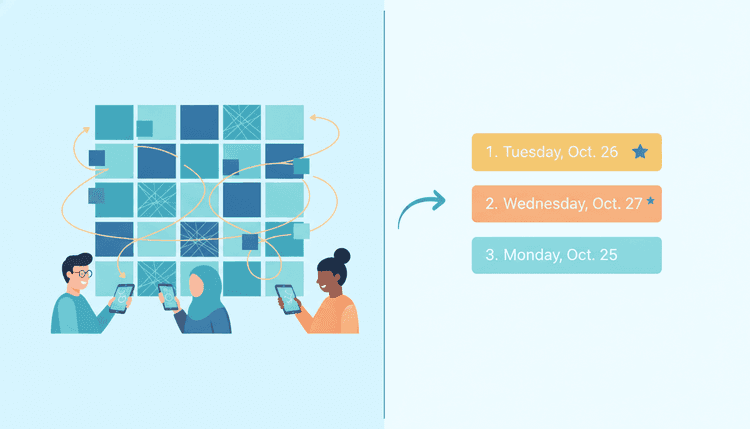
WhenNOT flips the question. Instead of asking everyone to mark when they are free, it asks them to mark the days they cannot make. The days with the fewest conflicts rise to the top as the best windows.
That inversion sounds like a small thing. In practice it changes response rates, because answering takes a few taps. Most people can list their conflicts from memory in under a minute. Very few can accurately reconstruct their free time from the same memory.
Here is how the pieces line up against the When2Meet workflow:
Setup. You pick a date range and share one link. Participants answer with no account and no login. Organizers need an email address and nothing else.
Input. Participants mark the days that do not work. "Maybe" answers are supported, so someone who might be able to move a conflict does not have to lie in either direction.
Granularity. Events support whole days and time-of-day slots, so you can run a week-long retreat poll or a Tuesday-afternoon meeting poll from the same tool.
Results. The results view ranks the best windows and shows who is out on which day. You get the decision and the reason behind it in one screen. If you want to see that before you create anything, there is a live sample event you can click through.
Reminders. Reminders go out by email, and by Slack for Slack events, so chasing non-responders stops being your evening job.
Time zones. Participants in different zones each see times in their own.
Scale and cost. No caps on participants or events, and a free tier with no paid plan today.
Slack. Type /whennot in any channel to create an availability poll in that channel or a group DM. Team members answer with buttons without leaving Slack, response counts update live, and the full availability view stays on the web dashboard. The WhenNOT Slack integration is the piece that has no When2Meet equivalent, and for teams that live in Slack it is usually the deciding factor.
One honest caveat: if your group genuinely needs to compare arbitrary 15-minute blocks across a full week, the paint-the-grid model gives you a resolution that a conflict-first poll does not aim for. Most groups do not need that. Some do. Pick accordingly.
If you are staring at a group chat right now with nine people and no agreed date, you can create an availability poll in about a minute and have answers before lunch.
When2Meet vs Doodle vs WhenNOT at a Glance
| When2Meet | Doodle | WhenNOT | |
|---|---|---|---|
| Account needed to answer | No | No for basic polls | No |
| Organizer signup | No | Account required | Email address only |
| Cost | Free | Free tier plus paid plans | Free, no paid plan today |
| Ads on the site | Yes | Ads on the free tier | None |
| Input model | Paint free time on a grid | Tick workable options | Mark the days you cannot make |
| Results | Overlap heat map | Response table | Ranked best windows, plus who is out |
| Maybe answers | No | Yes | Yes |
| Multi-day windows | Awkward past a week | Supported | Supported |
| Time-of-day slots | Yes | Yes | Yes |
| Time zone handling | Yes | Yes | Each participant sees their own zone |
| Automated reminders | No | Available, check current plan | Email, plus Slack for Slack events |
| Slack poll creation | No | Integrations offered, check current list | Yes, via /whennot |
| Participant limits | None stated | Varies by plan | None |
Vendor plans change, sometimes quietly. Before you move a group, open each vendor's own pricing and feature pages and confirm the rows that matter to you. The WhenNOT column reflects what ships today on the WhenNOT site, and features that do not exist yet are not listed.
Which When2Meet Alternative Fits Your Group?
Different groups have different failure modes, so the right answer is not universal. When2Meet is not the only scheduling poll people replace — our comparison of the best Doodle alternative options covers the other tool groups switch away from most often.
Small team, one meeting, everyone in one office. Honestly, a message in the channel works. Reach for a poll when the thread hits round three.
Distributed team scheduling recurring sessions. You want Slack-native creation, automatic reminders and per-person time zones. This is where the Slack flow earns its keep.
Community group or club with forty-plus members. No account for participants becomes non-negotiable, and so do uncapped participant counts. Ranked windows matter more here than anywhere, because with forty people perfect attendance does not exist and you are choosing the least-bad day on purpose.
Family or friend group planning a trip. Multi-day windows and maybe answers do the heavy lifting. Our guide to finding common free time for group events covers the human side of that conversation, which usually matters more than the tool.
Anyone allergic to signups. Tools that ask nothing of guests consistently pull higher response rates, a pattern we dug into in the advantages of no-signup tools for event planners.
Switching Your Group From When2Meet to WhenNOT
Moving a group takes about ten minutes if you do it in this order.
Pick one upcoming event as the pilot. Do not migrate everything at once. Choose the next thing you need to schedule anyway.
Set a realistic date range. Wider ranges give the ranking more room to work. Three weeks beats three days for anything that is not urgent.
Choose whole days or time slots. Whole days for trips, retreats and weekend events. Time-of-day slots for meetings.
Send one link, and say what you want. The message matters more than people expect. "Mark the days you cannot make, takes 30 seconds, no signup" outperforms "here is the poll" by a wide margin. Tell people the deadline too.
Let the reminders run. Resist the urge to chase manually on day one. Email reminders, and Slack DMs for Slack events, handle the first pass for you.
Read the ranking, then look at the exceptions. The top window is your default. Before you lock it, check who is out. Sometimes moving one person's conflict unlocks a much better date than the runner-up.
Announce the decision in the same place you asked. Closing the loop where the poll started is what makes the group trust the next poll you send.
For recurring team meetings, install the Slack app once and the whole sequence collapses into a slash command. For one-off community events, the shareable link is usually enough.
Ready to schedule your next group event without the headache? Find the perfect dates in minutes with WhenNOT.
FAQ
Is When2Meet free?
Yes. When2Meet is free to use and does not require participants to create accounts. The site carries ads, which is how it stays free. If ads on the page your guests see bother you, that is one of the more common reasons people look for a When2Meet alternative.
What is the best free When2Meet alternative that does not require signups?
Look for tools where guests answer without an account and organizers do not hit participant caps. WhenNOT fits both: guests need nothing at all, organizers need only an email address, there are no caps on participants or events, and there is no paid plan today. Doodle also lets people answer basic polls without an account, though its free tier shows ads and some features sit behind paid plans.
How is marking conflicts different from marking free time?
When2Meet asks you to paint the blocks you are available. WhenNOT asks you to mark the days you cannot make, and then ranks the days with the fewest conflicts. Most people recall their conflicts faster and more accurately than their free time, so conflict-first answers tend to come back quicker and with fewer mistakes.
Can I schedule a specific time, not just a whole day?
Yes. WhenNOT events support both whole days and time-of-day slots, so the same tool covers a Tuesday afternoon meeting and a four-day offsite window.
Does it work across time zones?
Yes. Participants in different time zones each see times in their own zone, so nobody does mental arithmetic and nobody joins an hour late.
Can my team answer inside Slack?
Yes. Type /whennot in any channel to create an availability poll in that channel or a group DM. Team members answer with buttons inside Slack, response counts update live, reminders go out by Slack DM and email, and the full availability view stays on the web dashboard.
How many people can join one poll?
There are no caps on participants or on the number of events you create. That matters for community groups, school events and clubs, where forty or more responses is normal.
Can I see who is unavailable on a specific day?
Yes. The results view ranks the best windows and shows who is out on which day, so you can decide whether to pick the next window or have one conversation with the one person blocking the best one.
Should I still use When2Meet for anything?
If your group is small, comfortable with the grid, and needs to compare narrow time blocks across a single week, When2Meet still does that job at no cost. Switch when your group grows, when your window spans more than a week, when you need reminders you do not have to send yourself, or when your team would rather answer inside Slack.
