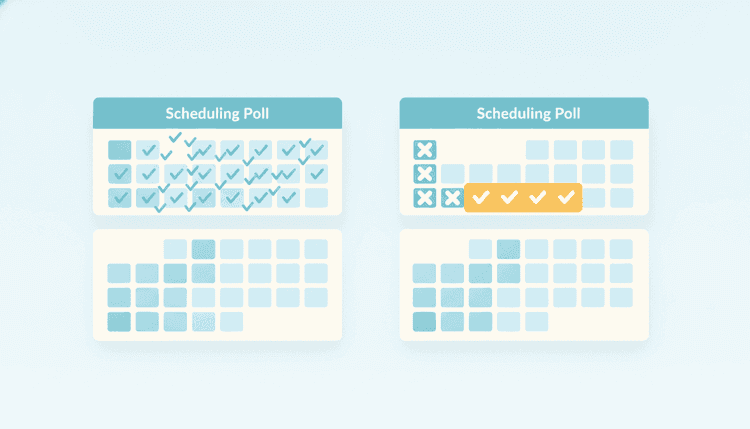
Doodle Alternative: Free Group Scheduling Without Ads or Account Limits

12 min readPublished August 25, 2026
WhenNOT Team
The WhenNOT team writes about event planning, scheduling tips, and making group coordination easier.
Doodle Alternative: Free Group Scheduling Without Ads or Account Limits

Searching for a Doodle alternative usually starts with a small annoyance. An ad lands on the voting page. A feature you used last year now sits behind a plan. Or three people in your group refuse to create yet another account just to say "Tuesday works for me." Whatever pushed you to look, the job stays identical: find one date most of your group can actually make, without burning a week on reply-all.

This post covers what people genuinely want from a scheduling poll, how the main approaches differ, and how WhenNOT handles the same job by flipping the question. Instead of asking everyone when they are free, it asks when they are not.

What Doodle Does Well (and Where People Look for a Doodle Alternative)

Doodle built this category. It popularized the idea that you propose a handful of dates, send one link, and let people tick the ones that work. Millions of groups learned scheduling etiquette from that grid, and plenty of teams still run it happily every week. Any honest comparison should start there.

Doodle also handles the classic office case well. Five to ten colleagues, four candidate slots, one clear winner. If that describes your entire scheduling life, you may not need to change anything.

So why does "Doodle alternative" stay such an active search? A few reasons come up again and again in forums and in the 2026 roundup posts covering this topic:

  • Ads on the free tier. Doodle runs a free tier supported by ads and paid plans that remove them. Plans and packaging change, so check Doodle's own pricing page before you commit a team to it.
  • Account friction. Organizers often want to send a link that a guest can answer in ten seconds, on a phone, with no signup step in the middle.
  • Feature gating. Anything that moves between tiers over time creates a hunt for something with a simpler promise.
  • Long date ranges. Voting on six proposed slots feels fine. Voting on a three week window for a retreat or a family reunion feels like homework.
  • Chat-native workflows. Teams that live in Slack want the poll where the conversation already happens, not on a tab someone forgets to open.

None of that makes Doodle a bad tool. It makes it one tool with one shape, and plenty of groups need a different shape.

What to Look for in a Doodle Alternative

Before you compare logos, get clear on what your group actually struggles with. Most scheduling pain traces back to one of five things.

Does answering require an account?

Every signup screen costs you responses. If half your invitees are parents, volunteers, clients or extended family, an account requirement quietly turns a 20 person poll into an 11 person poll. Look for a tool where guests answer straight from the link. Our post on the advantages of no-signup tools for event planners goes deeper on how much that single friction point costs you.

Can it handle a wide date range?

A meeting poll with four options and a holiday window with 21 candidate days are different problems. If you regularly plan multi day events, retreats or trips, you want a view that stays readable across weeks, not a grid that scrolls sideways forever.

Does it show you the why, not just the count?

Knowing that Thursday got seven votes helps. Knowing that the two people missing on Thursday are your speaker and your treasurer helps far more. A good results view names who is out on which day so you can make the judgment call yourself.

Does it respect privacy and attention?

Ads, tracking and mandatory marketing emails all arrive at the same moment your invitees are trying to help you. Fewer distractions on the answer page means more completed answers.

Does it live where your group already talks?

For work teams, that usually means Slack. For families and community groups, it usually means a link they can paste into WhatsApp or a group text.

Score your candidates against those five questions and the shortlist gets short fast.

The Anti-Scheduler Approach: Mark the Days You Cannot Make

Here is the structural difference behind WhenNOT. Classic polls ask people to mark availability. That sounds reasonable until you watch what people do with a 15 day range. They scan every square, hedge, get tired, and mark three days they are confident about while leaving the rest blank. Blank reads as "no" to the organizer, so perfectly good dates die of neglect.

WhenNOT asks the opposite question. You pick a date range, and every participant marks only the days they cannot make. Most people know their blockers instantly, because blockers have names: a trip, a shift, a wedding, a school holiday. Answering takes seconds instead of minutes, and the days with the fewest conflicts rise to the top on their own.

The wider your range, the bigger that advantage gets. Marking four conflicts in a month beats evaluating 30 days one at a time.

WhenNOT as a Doodle Alternative: Free, No-Account, No-Ads Group Scheduling

Here is what WhenNOT does today, stated plainly so you can check every line against the product.

  • You share one link. Guests answer without an account and without logging in. Organizers need only an email address.
  • Participants mark conflicts, not availability. The best windows surface automatically, ranked by how few people they exclude.
  • Whole days and time of day slots both work. Use days for a retreat, slots for a two hour workshop.
  • "Maybe" answers exist. Real schedules contain soft conflicts, and forcing a yes or no throws away useful signal.
  • Multi day windows are first class. You can find the best three day stretch, not just the best single date.
  • Time zones sort themselves out. Everyone sees times in their own zone, which matters once your group spans more than one country.
  • No caps. No limit on participants, no limit on how many events you run.
  • Reminders go out by email, and by Slack for Slack events, so you stop chasing the last three people by hand.
  • Free tier only. There is no paid plan today, and no ads on the answer page.

If you want to see the shape of the output before you create anything, open the live example event. It shows the results view exactly as your group would see it, including who is out on which day.

Stuck in a thread that has been going for four days about one date? That is the exact problem WhenNOT was built to end. One link, a few taps per person, and a ranked answer the same afternoon.

Other Doodle Alternative Options, and Which Job They Fit

A fair comparison post should tell you when something else fits better.

When2meet uses a drag and paint grid over a week or two, needs no account, and costs nothing. Groups who love precise hourly detail often stick with it. Groups who find the grid fiddly on a phone tend to bounce. We wrote a longer breakdown in our When2Meet alternative comparison if that is the tool you are actually replacing.

Rallly is open source, which appeals to teams who want to self host their scheduling.

Calendly and similar booking tools solve a different problem entirely. They hand out your personal availability so one person can book time with you. That is one to one booking, not group consensus. If what you need is a booking page, a group poll of any brand will frustrate you. We cover when a scheduling link is the wrong tool for a group in a separate post.

Spreadsheets and email threads still run a surprising share of group scheduling. They work for four people who all reply quickly and fail badly beyond that.

Whatever shortlist you land on, verify current pricing and limits on each vendor's own page at the moment you decide. Packaging in this category changes often, and a roundup written last year is not evidence about this year.

How to Run Your First Poll on WhenNOT Instead of Doodle

Switching costs about three minutes. Here is the whole flow.

  1. Open the create page. Head to create a group availability poll and name your event. Keep the name concrete, because it is the first thing invitees read: "Q3 planning offsite" beats "Meeting."
  2. Pick a generous date range. This is where the anti-scheduler model pays off. Where you might have proposed four dates on a classic poll, propose three weeks here. Wider ranges cost your participants almost nothing and give you far better answers.
  3. Choose days or time slots. Full days suit trips, retreats and family events. Time of day slots suit meetings and workshops.
  4. Share the single link. Paste it in Slack, WhatsApp, a group text or an email. Nobody creates an account to answer.
  5. Ask for conflicts, not availability, in your message. One line does it: "Mark the days you definitely cannot make. Everything you leave blank counts as workable."
  6. Let reminders handle the stragglers. Email reminders, and Slack DMs for Slack events, chase the quiet ones so you do not have to.
  7. Read the ranked results and commit. Look at the top windows, check who the remaining conflicts belong to, decide, and announce the date. Announce it once, clearly, and stop taking new votes.

That last step matters more than any tool choice. Polls do not decide anything. Organizers do. For more on running that decision cleanly across a bigger group, see our walkthrough of how to schedule a meeting with multiple people.

For Slack Teams: Polls That Live in the Channel

If your team already coordinates in Slack, moving the poll into the channel removes the last bit of friction. The WhenNOT Slack integration adds a /whennot command to any channel. Run it, and you get an availability poll in that channel or a group DM. Teammates answer with buttons without leaving Slack, response counts update live, and reminders arrive as Slack DMs and email. The full availability view stays on the web dashboard when you want the detailed picture. The Slack page states it plainly: free forever, no credit card, no limits.

For distributed teams, this pairs well with time zone handling. Everyone sees their own local times, which prevents the classic "wait, is that 9am your time or mine" round trip.

When a Doodle Alternative Is Not the Fix You Need

Honesty helps more than a feature list here. WhenNOT does not do everything.

It has no personal booking page or scheduling link, so it will not let a client pick a slot from your calendar. It does not sync two ways with Google, Outlook or iCloud. There is no round robin routing, no buffers or availability windows, no paid bookings, no embeds and no API. If those sit at the top of your list, a group poll tool of any brand is the wrong category, and you should shop for booking software instead.

What WhenNOT does cover is the group consensus problem: many people, one date, no accounts, no ads, no cost. If that is your actual pain, the switch is quick and the results view usually surprises people who expected a grid.

Ready to schedule your next group event without the headache? Find the perfect dates in minutes with WhenNOT.

FAQ

What is the best free Doodle alternative?

It depends on the shape of your problem. For wide date ranges, groups that will not create accounts, and teams that want Slack native polls, WhenNOT covers all three on a free tier with no participant caps and no ads. For precise hourly grids over a short window, When2meet remains popular. For self hosting, people look at Rallly. Check each vendor's current pricing page before you decide, since packaging changes.

Do participants need an account to answer a WhenNOT poll?

No. Guests open the link and answer, with no signup and no login. Organizers need only an email address to create and manage an event.

Does WhenNOT show ads?

No. The answer page stays clean, and there is a free tier only with no paid plan today.

How is the anti-scheduler model different from a normal availability poll?

A normal poll asks people to mark when they are free, which gets tedious across a long range and produces lots of blank squares. WhenNOT asks people to mark only the days they cannot make. Blockers are easier to recall, answering takes seconds, and the days with the fewest conflicts rank themselves as the best windows.

Can WhenNOT handle time slots, not just whole days?

Yes. Events support both whole days and time of day slots, so you can use it for a two hour workshop or a five day retreat.

Does it work across time zones?

Yes. Participants in different zones each see times in their own zone, so nobody converts anything by hand.

Is there a limit on participants or events?

No. There are no caps on the number of participants or on how many events you create.

Can I use it inside Slack?

Yes. Type /whennot in any channel to create an availability poll in that channel or a group DM. Teammates answer with buttons in Slack, counts update live, and reminders go out by Slack DM and email.

Does WhenNOT sync with my Google or Outlook calendar?

Not today. There is no two way calendar sync and no personal booking page. WhenNOT focuses on group consensus scheduling, so you copy the winning date into your own calendar once the group settles it.

How do I get people to actually respond?

Ask for conflicts rather than availability, keep the window generous, give a clear deadline, and let automated email or Slack reminders chase the last few. Then announce the chosen date once and close the poll. For a longer playbook on wrangling responses across a big group, our guide on finding common free time for group events covers the messaging side in detail.

Ready to Start Planning?

Put these tips into practice with WhenNOT's smart scheduling approach.

Create Your Event
Previous
Scheduling Across Time Zones: How to Find a Meeting Time That Works for Everyone
All Posts
Next
When2Meet Alternative: Free Group Scheduling Without the Grid Headache