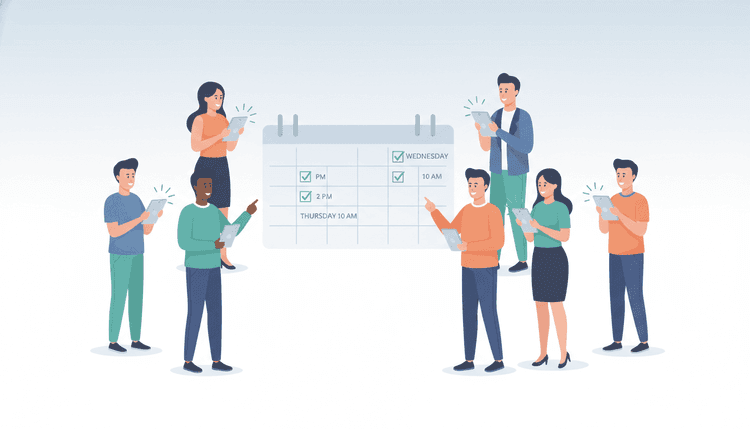
You need to schedule a meeting with eight people. You send a message asking "When works for everyone?" and then... silence. Or worse, everyone replies with different times, nobody reads what others said, and you spend an hour cross-referencing availability.
Sound familiar? You are not alone. Scheduling meetings with large groups is one of the most common productivity drains in workplaces, communities, and social groups. But it does not have to be painful.
Here are five methods to find a meeting time for everyone, ranked by how well they work for different situations.
Before collecting availability, decide whether you need the whole group together or whether round-robin scheduling could assign the meeting to one eligible teammate.
Before sending your request, use our guide on how to share your availability to choose between specific email slots, a booking link, and a group poll.
For client consultations and stakeholder workshops, learn when to use a booking page or a group poll before choosing your scheduling approach.
Why Scheduling Meetings With Multiple People Is So Hard
The core problem is simple math. With two people, you only need to compare two calendars. Add a third person and the possible conflicts triple. By the time you reach 8 or 10 participants, the number of potential scheduling conflicts grows exponentially.
But math is only part of the story. Here is what really makes group meeting scheduling tips hard to follow:
- Different communication styles — Some people reply instantly. Others take days.
- Calendar fragmentation — People use different tools, or no tools at all.
- Time zone gaps — Remote and hybrid teams span multiple time zones.
- Decision paralysis — Nobody wants to be the one to "pick" the time and upset others.
- Lack of a single source of truth — Information lives in scattered messages, emails, and group chats.
The good news? Each of the five methods below solves one or more of these problems.
Method 1 — The Availability Poll (Best for Groups of 5+)
This is the fastest and most democratic way to find a meeting time for everyone. Instead of asking an open-ended question, you give people a short list of options and let them vote.
An availability poll works by:
- The organizer picks a few candidate dates or time slots.
- Participants mark which times work (or which times do NOT work).
- The tool shows you the date with the most overlap.
This method removes decision paralysis because nobody has to "choose." The group's collective input does the choosing.
How Inverse Availability Polling Works
Traditional polls ask "when are you free?" But a smarter approach flips the question: "when are you NOT available?"
This is the approach WhenNOT uses. Instead of forcing people to think about every possible free slot, participants simply mark the dates they cannot make. Everything else counts as available. If the grid-painting approach keeps tripping up your group, compare it against a free When2Meet alternative that asks people to mark conflicts instead.
Why does this work better?
- It is faster to answer. People know their conflicts immediately.
- It reduces overthinking. No need to evaluate every hour of every day.
- It scales to large groups. Even with 20+ participants, the results stay clear.
- No accounts or sign-ups required. Everyone can participate in seconds.
For groups of 5 or more, an inverse availability poll is the most efficient method. You can create a scheduling poll in minutes and share it with your group through any channel.
If your current poll tool is part of the problem, our guide to picking a Doodle alternative walks through what to compare before you switch.
Method 2 — The Round-Robin Email Thread (and Why It Fails)
This is the most common approach, and also the least effective.
It goes like this: Someone sends an email saying "Let's meet next week. When works?" People reply, but not to everyone. Others reply-all with different suggestions. Side conversations start. By Thursday, nobody knows what was decided.
Why it fails:
- No central view of everyone's availability
- Information gets buried in long threads
- Quiet participants never respond
- It favors whoever replies first or loudest
- Takes 3-5x longer than structured methods
When it sort of works:
- Groups of 2-3 people who communicate regularly
- Quick, informal catch-ups where exact timing is flexible
For anything beyond three participants, skip this method and use one of the structured approaches below. Before you send a personal booking page to a whole thread, it helps to know the scheduling link etiquette that decides whether your link reads as helpful or presumptuous.
Method 3 — Shared Calendar Overlays
If everyone in your group uses the same calendar platform, you can overlay multiple calendars to visually spot gaps in everyone's schedules.
How it works:
- Each participant shares their calendar (or at least free/busy status).
- One person views all calendars at once.
- They identify open slots that work for everyone.
Pros:
- Shows real-time availability
- Works well for recurring meetings
- No extra tools needed if everyone uses the same platform
Cons:
- Requires everyone to use the same calendar system
- People must opt in to sharing (privacy concerns)
- Breaks down with external participants, clients, or volunteers
- Someone still has to manually scan and interpret the overlap
- Does not work well for groups over 6-7 people
Shared calendar overlays work best for internal teams who already share a platform. For mixed groups or community event management involving volunteers and varied schedules, you need something more flexible.
Method 4 — Designated Time Blocks
This is a preventive approach. Instead of scheduling meetings one at a time, you reserve specific blocks each week when your team is available for group meetings.
How it works:
- The team agrees on 2-3 "open meeting" windows each week (e.g., Tuesday 10-12, Thursday 2-4).
- All group meetings get scheduled within those blocks.
- Individual focus work goes in the remaining hours.
Pros:
- Eliminates the back-and-forth entirely
- Protects deep work time
- Creates a predictable rhythm
Cons:
- Requires upfront agreement from everyone
- Harder with part-time team members or shifting schedules
- Not suitable for one-off events or cross-team meetings
Designated time blocks work well for teams who meet regularly. They pair nicely with a solid event planning workflow and simple framework to keep recurring sessions organized.
Method 5 — Async Scheduling for Cross-Time Zone Teams
When your group spans multiple time zones, synchronous meetings become expensive. Async scheduling means finding the smallest possible overlap window, or removing the need for real-time attendance entirely. If your attendees sit in different countries, the same five methods still apply, but you also need a plan for scheduling across time zones before you propose any slot.
How it works:
- Identify the critical decisions that truly need a live meeting.
- For everything else, use recorded updates, shared documents, or async video.
- For the remaining live meetings, use a time-zone-aware scheduling tool to find the best window for the most people.
Pros:
- Respects everyone's working hours
- Reduces meeting fatigue
- Works for globally distributed teams
Cons:
- Some discussions still need real-time interaction
- Requires discipline and clear documentation habits
- Can feel slow if the team culture values quick decisions
For cross-time zone scheduling, combining async practices with an availability poll gives you the best of both worlds. People mark their unavailability on their own time, and the tool calculates the best overlap automatically.
Comparison Table — 5 Methods at a Glance
| Method | Best For | Group Size | Effort Level |
|---|---|---|---|
| Availability Poll | One-off meetings, events, large groups | 5-50+ | Low |
| Round-Robin Email | Tiny informal groups | 2-3 | High |
| Shared Calendar Overlays | Internal teams on one platform | 3-7 | Medium |
| Designated Time Blocks | Recurring team meetings | 4-15 | Low (after setup) |
| Async Scheduling | Cross-time zone distributed teams | Any | Medium |
Tips to Speed Up Group Scheduling
No matter which method you choose, these group meeting scheduling tips will save you time:
- Set a deadline for responses. Give people 24-48 hours to reply. After that, schedule based on who responded.
- Offer fewer options. Three to five time slots work better than ten. Too many choices cause decision fatigue.
- Use the right channel. Send the poll or request where your group already communicates (Slack, WhatsApp, email).
- Include context upfront. Tell people the meeting purpose, expected duration, and whether attendance is optional.
- Pick the "good enough" time. Waiting for 100% attendance often means the meeting never happens. Aim for 80%+ and record for those who miss it.
- Automate the reminders. If your tool sends nudges to non-responders, turn that feature on.
Once the required attendees agree on a time, send a meeting confirmation email with joining details and any outstanding attendance actions.
When plans change after everyone agrees, these reschedule meeting email templates help you coordinate the replacement and clarify what happens to the original invitation.
For social committees planning team activities, these tips make the difference between an event that happens and one that stays stuck in the planning phase.
FAQ
What is the fastest way to schedule a meeting with multiple people?
The fastest method is an availability poll. You create a poll with a few date or time options, share it with your group, and let everyone mark their availability. Tools like WhenNOT simplify this further by asking people to mark only the times they cannot attend, which takes seconds to complete.
How do I schedule a meeting when everyone has different schedules?
Start by collecting availability rather than asking open-ended questions. Use a polling tool to find overlapping free time. If no single slot works for everyone, prioritize required attendees and make attendance optional for others. Record the session for those who cannot join.
How many time options should I offer in a scheduling poll?
Three to five options work best. Fewer than three feels restrictive, and more than five causes decision fatigue. Pick options that span different days and times of day to maximize the chance of overlap.
What is inverse availability polling and how does it work?
Inverse availability polling asks participants to mark dates or times when they are NOT available, rather than when they are free. This approach is faster because people immediately know their conflicts. Everything not marked as unavailable counts as a possible meeting time. WhenNOT uses this method to make group scheduling quick and effortless.
How do I handle scheduling across multiple time zones?
Use a time-zone-aware scheduling tool that automatically converts times for each participant. Focus on finding overlap during reasonable working hours for all zones. If no good overlap exists, consider rotating meeting times or switching to async communication for most updates.
What should I do if some people never respond to scheduling requests?
Set a clear deadline (24-48 hours) when you send the poll. State upfront that the meeting will be scheduled based on responses received by the deadline. This creates gentle urgency without being pushy. Most tools also offer automatic reminders to nudge non-responders.
Ready to schedule your next group event without the headache? Find the perfect dates in minutes with WhenNOT.