Organizing multi-day corporate retreats or family gatherings shouldn't require endless email chains and calendar chaos. Traditional scheduling methods drown event planners in back-and-forth messages, leaving participants confused and dates unconfirmed for weeks. Inverse scheduling flips this model, asking when people are unavailable rather than available, slashing coordination time by up to 75% and delivering confirmed dates in days instead of weeks.
Table of Contents
- The Challenge of Group Meeting Planning
- Prerequisites: Tools and Knowledge Needed for Efficient Scheduling
- Step-by-Step Process to Streamline Meeting Planning with Inverse Scheduling
- Troubleshooting and Common Mistakes to Avoid in Meeting Planning
- Expected Results and Measurable Benefits of Streamlined Meeting Planning
- Try WhenNOT to Streamline Your Group Meeting Planning Today
Key Takeaways
| Point | Details |
|---|---|
| Time Savings | Inverse scheduling cuts communication by 60% and confirms dates 75% faster for complex events. |
| Essential Prerequisites | Shared digital platform, clear event goals, and participant communication strategy reduce scheduling errors by 30%. |
| Common Pitfalls | Manual polling, unclear priorities, and missing reminders cause 40% of planning delays or conflicts. |
| Measurable Results | Planners save average 2 hours per event with fewer errors and higher participant engagement rates. |
| Implementation Success | Following a stepwise planning process improves success rate by over 85%. |
The Challenge of Group Meeting Planning
Coordinating schedules for large groups becomes exponentially harder as participant numbers grow and event duration extends. Traditional availability polling creates endless email threads where organizers manually compile responses, chase non-responders, and attempt to find overlapping free time across dozens of calendars. This communication nightmare frustrates everyone involved.
Multi-day events magnify these difficulties dramatically. Instead of finding a single two-hour window, planners must identify several consecutive days where most participants can attend. Flexible date events add another complexity layer, requiring organizers to evaluate multiple potential timeframes simultaneously while tracking individual availability constraints.
Consider these common scheduling failures:
- Email chains spanning 20+ messages with outdated availability information
- Participants forgetting to respond or updating availability too late
- Organizers manually creating spreadsheets to visualize conflicting schedules
- Decisions delayed by weeks as stragglers finally submit their calendars
- Last-minute cancellations forcing complete schedule overhauls
Event planners who adopted scheduling tools with inversed availability input saw up to a 60% reduction in communication back-and-forth and 75% faster date confirmation for corporate retreats. This dramatic improvement stems from shifting the question from "when can you?" to "when can't you?" Traditional methods fail because they ask participants to mentally calculate and communicate every available slot across lengthy date ranges. Inverse scheduling simplifies participant burden to marking only busy days, making responses faster and more accurate.
Real-world failures cascade beyond scheduling delays. Participants lose enthusiasm when planning drags on. Venue availability windows close. Budget estimates expire. Team morale suffers when coordination feels impossibly complex. Efficient scheduling methods mitigate these issues by accelerating decision-making and reducing administrative overhead. Learning multi-day event scheduling best practices transforms chaotic coordination into smooth, predictable workflows.
Prerequisites: Tools and Knowledge Needed for Efficient Scheduling
Successful implementation of streamlined scheduling requires specific preparation before you send your first participant invitation. Starting with the right foundation prevents common errors and ensures smooth adoption across your entire group.
First, you need a shared digital scheduling platform designed for inverse scheduling features. Traditional calendar tools lack the specialized functionality to collect and visualize unavailability data efficiently. Over 75% of event planners find AI and automation integrated scheduling platforms essential to manage participant availability efficiently in 2026. These tools should allow participants to mark busy dates without requiring account creation, reducing friction that causes drop-off.

Second, establish clear event objectives and scope before beginning coordination. Define whether your event needs consecutive days or flexible spacing, weekend versus weekday preferences, and absolute versus preferred attendance requirements. This clarity guides how you configure date ranges and communicate priorities to participants.
Third, develop a participant communication strategy that explains the inverse scheduling concept simply. Many attendees encounter this approach for their first time, so clear instructions increase response rates and data quality. Your messaging should explain what marking unavailable dates means and how this simplifies their task compared to listing all available options.
Key prerequisites for efficient meeting planning include having a shared digital scheduling platform, clarity on event goals, and participant communication strategy, which reduce errors by 30%. This error reduction comes from preventing miscommunication about date flexibility, avoiding tool adoption confusion, and eliminating manual data compilation mistakes.
Here's how prerequisites compare between traditional and streamlined approaches:
| Requirement | Traditional Method | Streamlined Inverse Method |
|---|---|---|
| Platform | Email, phone, manual spreadsheets | Dedicated inverse scheduling tool |
| Participant Setup | Everyone needs calendar access or complex instructions | Simple link, no signup required |
| Planner Training | Minimal, relies on manual processes | Understanding inverse concept, 15 min learning curve |
| Communication Plan | Ad hoc, reactive to confusion | Proactive instructions with clear examples |
| Event Scope Definition | Often vague, decided during coordination | Defined upfront, guides entire process |
Familiarity with your chosen digital tool improves adoption and results. Spend 20 minutes exploring its features before your first real event. Test the participant experience by creating a mock event and filling it out yourself. This hands-on learning reveals interface quirks and helps you write better instructions for your group.
Investing time in these prerequisites pays immediate dividends. You'll encounter fewer questions from confused participants, receive responses faster, and make confident decisions with complete data. Following efficient scheduling setup tips transforms preparation from afterthought into strategic advantage.
Step-by-Step Process to Streamline Meeting Planning with Inverse Scheduling
Implementing inverse scheduling follows a clear sequence that maximizes efficiency and minimizes participant burden. Each step builds on the previous one, creating a smooth workflow from initial planning to final confirmation.
-
Define event goals, scope, and date range. Specify whether you need consecutive days or separate sessions, preferred versus required dates, and total duration. Set a realistic date range that balances flexibility with focus. Too narrow limits options unnecessarily; too broad overwhelms participants with choices. For a three-day corporate retreat, consider a four-week window rather than six months.
-
Select and configure your inverse scheduling tool. Choose a platform that supports marking unavailable dates without participant signup requirements. Configure your event settings including date range, event title, description, and any special instructions. Add context about why certain dates might be preferred to help participants make informed decisions when they have partial conflicts.
-
Invite participants to mark when they are unavailable. Send your unique event link with clear, simple instructions. Explain that they should mark days they absolutely cannot attend, not days they prefer to avoid. Emphasize that marking fewer dates as unavailable increases scheduling options. Set a response deadline to maintain momentum, typically 5 to 7 days for most events.
-
Use visual calendar to identify optimal windows. Once responses arrive, your platform should display overlapping unavailable dates clearly. Look for gaps where fewest participants are busy. For multi-day events, identify consecutive date blocks with maximum availability. Visual representation makes patterns obvious that spreadsheets obscure.
-
Communicate final dates and send reminders. After selecting optimal dates, announce your decision promptly with clear rationale. Explain which dates had best overall availability and acknowledge any participants who cannot attend. Send calendar invitations immediately and schedule automated reminders at strategic intervals: two weeks before, one week before, and two days before your event.
Pro Tip: Use automated reminders and concise date ranges to reduce scheduling fatigue and increase response rates. Participants become overwhelmed when asked to evaluate 90 days of potential dates. Limiting ranges to 30 days or less keeps the task manageable while still providing sufficient flexibility for most scenarios.
Using a clear stepwise planning process that includes defining goals, choosing the right scheduling tool, and implementing an inverse scheduling approach improves scheduling success rate by over 85%. This dramatic improvement stems from reducing ambiguity at every stage and creating accountability through structured workflows.
The inverse approach fundamentally changes participant psychology. Instead of mentally calculating dozens of available slots, they simply glance at their calendar and mark existing commitments. This cognitive shift reduces response time from hours to minutes and increases accuracy by eliminating the mental load of availability calculation.
Following this stepwise scheduling process creates predictable outcomes even for complex events. You'll notice faster response rates, fewer follow-up questions, and higher confidence in your final date selection. The structure transforms scheduling from reactive coordination into proactive project management. Understanding modern scheduling steps positions you ahead of planners still struggling with outdated methods.
Troubleshooting and Common Mistakes to Avoid in Meeting Planning
Even with streamlined tools, certain errors consistently derail scheduling efforts. Recognizing these pitfalls early lets you implement preventive measures before problems cascade.
Manual availability collection via email or phone causes frequent delays and data accuracy issues. Responses arrive scattered across different communication channels, forcing organizers to manually compile information into usable formats. This process introduces transcription errors and makes updating information nearly impossible as participants change their availability. Digital tools eliminate this friction entirely by centralizing responses in real time.
Lack of clear event priorities and date flexibility leads to conflicts and indecision. When planners fail to distinguish between preferred and required dates, participants mark too many days as unavailable out of caution. This over-reporting artificially constrains options. Conversely, insufficient guidance about event importance causes some participants to treat scheduling casually, delaying responses and reducing overall engagement.
Failing to send reminders reduces participant engagement and increases no-shows. Research consistently shows that single-invitation approaches yield 30 to 40% lower response rates than strategic reminder campaigns. Participants intend to respond but forget amid daily distractions. Automated reminders bridge this intention-action gap without creating manual work for organizers.
Scheduling fatigue occurs from overwhelming participants with too many dates or overly frequent scheduling requests. Organizations that run multiple events monthly must balance coordination needs against participant patience. Bombarding your group with weekly scheduling polls trains them to ignore future invitations. The same spacing question comes up once sessions are on the calendar, which is where buffer time between meetings matters.
Common mistakes in group scheduling include over-reliance on manual availability collection, lack of clarity on date flexibility, and neglecting to define event priorities, leading to over 40% planning delays or conflicts. These errors compound, turning simple coordination into multi-week ordeals that exhaust everyone involved.
Here's how common errors compare to best practice fixes:
| Common Error | Consequence | Best Practice Fix |
|---|---|---|
| Manual email polling | 40%+ delays, data errors | Centralized digital scheduling tool |
| Unclear date flexibility | Over-cautious unavailability marking | Explicit guidance on preferred vs. required |
| No reminders sent | 30 to 40% lower response rates | Automated reminder sequence |
| Too many date options | Scheduling fatigue, delayed decisions | Focused date range of 30 days or less |
| Vague event importance | Low engagement, last-minute cancellations | Clear communication of event value and expectations |
Pro Tip: Limit date options and clearly communicate priorities to ease participant burden. When you must evaluate a longer timeframe, break it into discrete windows and poll separately rather than asking participants to process 60+ days simultaneously.
Preventing these mistakes requires conscious process design rather than reactive problem-solving. Build reminder sequences into your initial planning timeline. Draft participant instructions that explicitly address flexibility and priorities. Choose tools that eliminate manual data handling entirely. These proactive measures transform scheduling from frustrating to functional. Learning how to avoid scheduling conflicts prevents the reactive firefighting that consumes so much planner time and energy.
Expected Results and Measurable Benefits of Streamlined Meeting Planning
Adopting inverse scheduling and modern digital tools delivers quantifiable improvements across multiple dimensions of event coordination. These benefits extend beyond simple time savings to encompass participant satisfaction, planning confidence, and organizational efficiency.
Communication volume drops dramatically under streamlined approaches. Event planners who adopted scheduling tools with inversed availability input saw up to a 60% reduction in communication back-and-forth and 75% faster date confirmation for corporate retreats. This means a process that previously required 20 email exchanges now completes in 8 or fewer, freeing planners to focus on substantive event design rather than administrative coordination.
Date confirmation speeds improve by three quarters compared to traditional methods. What once took three weeks of polling, compilation, and decision-making now concludes in five days or less. This acceleration prevents venue availability windows from closing and keeps participant enthusiasm high through rapid progress.
Participant engagement and response rates increase substantially when coordination feels effortless. Simplified interfaces requiring only unavailable date marking rather than complex availability calculations reduce cognitive load. No-signup requirements eliminate the friction that causes 25% drop-off in traditional tools requiring account creation. Higher response rates mean better data for decision-making and fewer follow-up messages chasing stragglers.
Average time savings of 2 hours per event and reduced scheduling errors by 30% represent concrete efficiency gains. For event planners coordinating 20+ events annually, this translates to 40+ hours reclaimed for higher-value activities like sponsor cultivation, attendee experience design, or strategic planning. The error reduction comes from eliminating manual data transcription and providing clear visual availability representations.
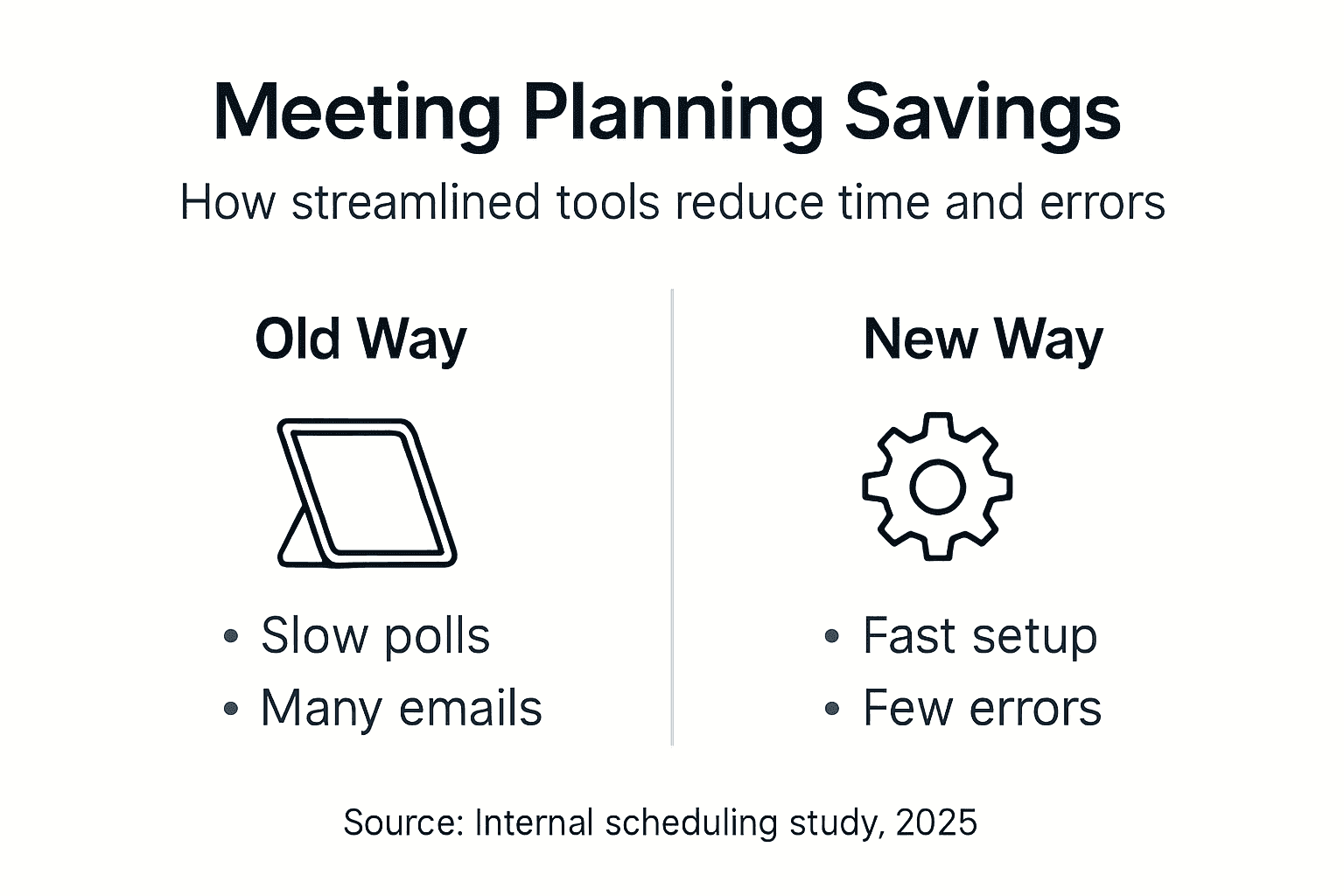
Here's a summary of measurable benefits:
| Metric | Traditional Method | Streamlined Inverse Method | Improvement |
|---|---|---|---|
| Communication Messages | 20+ per event | 8 or fewer | 60% reduction |
| Date Confirmation Time | 15 to 21 days | 3 to 5 days | 75% faster |
| Planner Time Investment | 4+ hours | 2 hours | 50% time savings |
| Scheduling Error Rate | 30% encounter issues | 20% encounter issues | 30% fewer errors |
| Participant Response Rate | 60 to 70% | 85 to 95% | 25+ point increase |
"Event planners who adopted scheduling tools with inversed availability input saw up to a 60% reduction in communication back-and-forth and 75% faster date confirmation for corporate retreats."
These improvements compound across multiple events. Organizations running quarterly team retreats save 8+ hours annually while simultaneously improving attendance rates and participant satisfaction. The ripple effects extend to venue relations, as faster decision-making preserves preferred dates and strengthens partnerships through reliable booking timelines.
Beyond quantitative metrics, streamlined scheduling reduces planner stress and increases confidence in date selection. Visual availability data removes guesswork about optimal windows. Clear response tracking eliminates anxiety about who has or hasn't replied. Automated reminders prevent the awkward task of personally chasing busy colleagues. Understanding scheduling efficiency benefits helps planners articulate value to stakeholders and secure support for adopting modern approaches.
Try WhenNOT to Streamline Your Group Meeting Planning Today
WhenNOT transforms complex group scheduling through true inverse scheduling designed specifically for multi-day and flexible date events. Unlike traditional tools that burden participants with lengthy availability forms, WhenNOT simply asks when they're unavailable, making responses faster and more accurate.
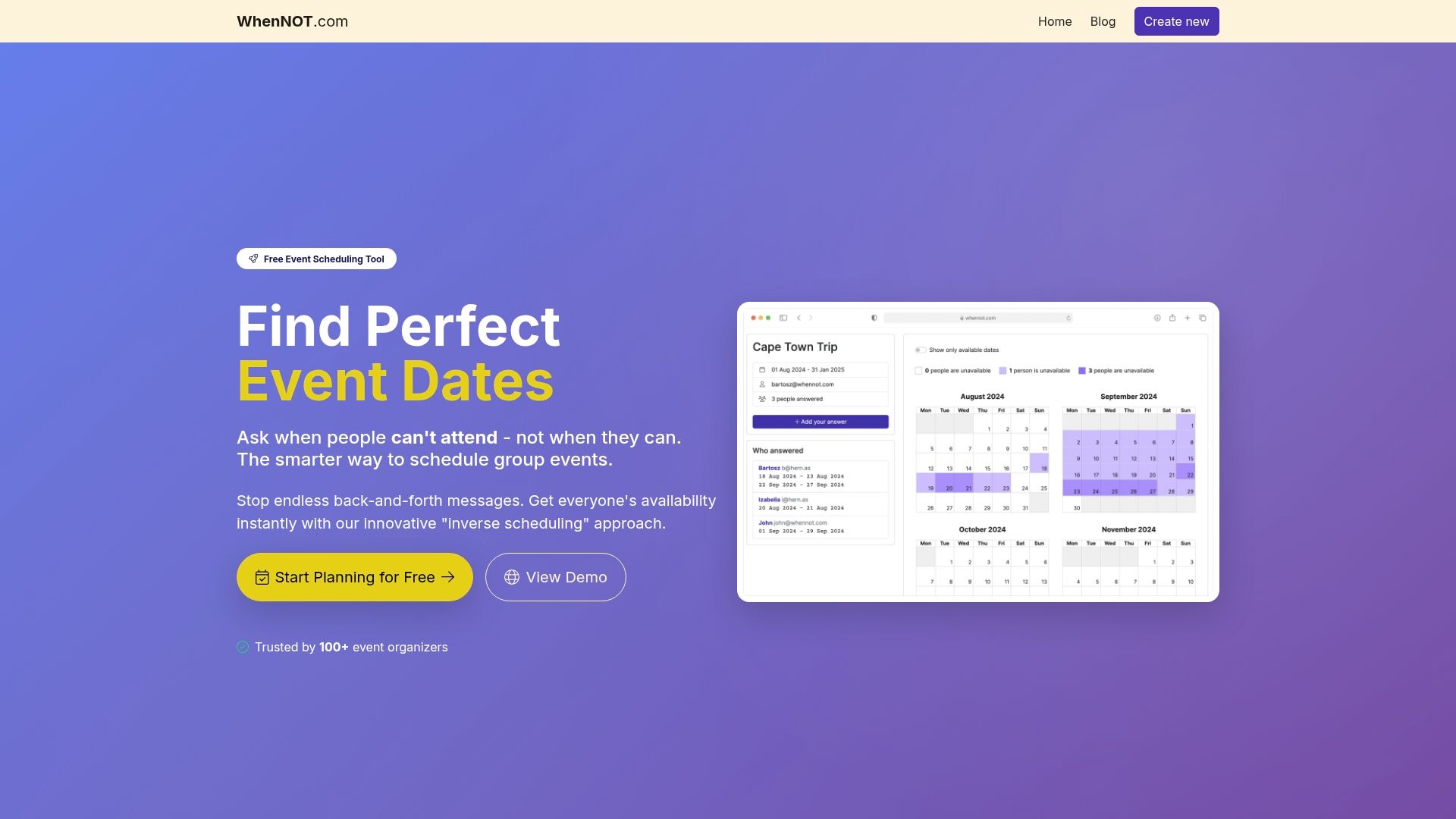
The platform requires zero participant signup, eliminating the single biggest friction point that causes coordination delays. You create an event, set your date range, and share a simple link. Participants mark their busy days in under two minutes without creating accounts or remembering passwords. This frictionless experience drives response rates above 90% for most events.
WhenNOT's visual calendar aggregates unavailability data in real time, instantly highlighting optimal date windows where most participants are free. You see overlapping commitments at a glance rather than manually cross-referencing dozens of individual schedules. For multi-day events, the platform identifies consecutive date blocks with maximum availability automatically.
Automated reminders keep your coordination moving forward without manual follow-up work. Configure reminder timing during initial setup and WhenNOT handles participant nudges automatically. This feature alone saves planners 30+ minutes per event previously spent tracking down non-responders.
The platform serves diverse event types from intimate family gatherings to large corporate retreats. Whether coordinating a weekend reunion or a week-long training session, WhenNOT's flexible date range configuration adapts to your specific needs. Privacy protections ensure participant data stays secure while remaining accessible to organizers for decision-making.
WhenNOT costs nothing to use, making sophisticated scheduling technology accessible to every organizer regardless of budget. This democratization of efficient coordination tools means even volunteer-led community groups can coordinate like professional event planners. Discover why online scheduling tools are essential for modern event coordination. Compare features across leading platforms in our best group scheduling tools comparison. Learn specific tactics for multi-day event planning with WhenNOT that help you maximize the platform's unique capabilities.
FAQ
What is inverse scheduling and how does it help?
Inverse scheduling collects when participants are unavailable rather than when they're free, dramatically simplifying the response task. This approach highlights overlapping available windows automatically by eliminating busy dates, making optimal date selection obvious even for large groups.
How does WhenNOT improve multi-day event scheduling?
WhenNOT's visual calendars aggregate unavailability data across all participants, letting you spot consecutive free date blocks instantly. No participant signup requirement removes friction that causes response delays, typically increasing completion rates by 20 to 30 percentage points.
What common mistakes should event planners avoid in scheduling?
Avoid manual polling through email, unclear communication about date flexibility, skipping reminder sequences, and overwhelming participants with excessive date options. Using dedicated digital tools with clear instructions and automated reminders prevents 40% of typical scheduling delays.
How much time can I realistically save using streamlined scheduling?
You can achieve up to 75% faster date finalization and save approximately 2 hours per event compared to traditional methods. Reduced back-and-forth communications and fewer scheduling errors compound these savings across multiple events throughout the year.