
Coordinating a family event feels like herding cats. Between conflicting work schedules, school commitments, and personal obligations, finding one date everyone can attend becomes a communication nightmare. Traditional methods stretch planning timelines by 40% compared to modern digital approaches, causing frustration and lower turnout. This guide reveals how inverse scheduling and smart digital tools can transform your family event planning, cutting coordination time and boosting attendance by up to 25%.
Table of Contents
- Understanding The Inverse Scheduling Method
- Prerequisites And Tools Needed Before You Start
- Step-By-Step Guide To Efficient Family Event Planning
- Common Mistakes And How To Fix Them
- Expected Outcomes And Benefits Of Efficient Planning
- Explore Whennot: Your Family Event Scheduling Solution
- Frequently Asked Questions
Key Takeaways
| Point | Details |
|---|---|
| Inverse scheduling simplifies coordination | Asking for unavailability instead of availability reduces communication by up to 40%. |
| No-account tools increase participation | Platforms requiring no signup encourage broader family involvement across all age groups. |
| Digital methods boost attendance significantly | Event attendance rates improve by 20-25% when using digital coordination tools. |
| Clear communication prevents delays | Incomplete responses cause over 30% of scheduling delays, fixable with reminders. |
| Visual tools accelerate decision-making | Seeing everyone's conflicts at once shortens multi-day planning to 7-14 days. |
Understanding the Inverse Scheduling Method
Most scheduling tools ask participants when they're available. That sounds logical until you realize people have clearer mental pictures of when they're busy than every single free moment across weeks. Inverse scheduling reduces wasted communication by flipping the script entirely.
Instead of collecting everyone's availability, you collect unavailability. Participants mark only their busy dates across your proposed event range. This shift eliminates the exhausting back-and-forth of comparing free slots.
Why This Method Works Better for Families:
- People remember conflicts more easily than tracking every free day
- Reduces responses from dozens of time slots to just a few blocked dates
- Works perfectly for multi-day events where flexibility exists
- Minimizes coordination emails by focusing only on obstacles
WhenNOT exemplifies this approach with a privacy-focused platform requiring no account creation. You set a date range, share a link, and participants mark their unavailable days. The visual display instantly reveals which dates work best for everyone.
Pro Tip: For large family gatherings spanning holidays or summer months, start with a 30-45 day range to give maximum flexibility while keeping options manageable.
"The inverse scheduling approach transforms multi-day event planning from a communication marathon into a simple visual exercise where optimal dates become immediately obvious."
This method particularly shines when coordinating across generations. Grandparents, parents, and adult children all have different schedules, but they know their conflicts. By optimizing event scheduling through unavailability collection, you cut planning time dramatically while respecting everyone's constraints. The result? Faster consensus and higher attendance because you've made participation effortless.
Families using inclusive event scheduling practices report less frustration and more enthusiastic participation when methods accommodate varying tech comfort levels and communication preferences.

Prerequisites and Tools Needed Before You Start
Efficient family event planning requires preparation before sending out scheduling requests. Rushing in without proper groundwork creates confusion and delays.
Essential Preparation Steps:
- Define a realistic date range covering all viable event periods
- Compile complete contact list with preferred communication methods
- Choose a digital tool meeting your family's accessibility needs
- Draft clear, simple instructions for marking unavailability
- Establish reminder schedule for non-responders
Selecting the right tool makes or breaks your coordination effort. Shared family calendar apps with color-coded scheduling improve coordination, but inverse scheduling platforms offer superior multi-day event flexibility.
Pro Tip: Test your chosen tool with a small group first. Send the link to two or three family members and ask for feedback on clarity before rolling out to everyone.
| Feature | WhenNOT | Traditional Polls | Standard Calendars |
|---|---|---|---|
| No account required | Yes | Usually no | No |
| Marks unavailability | Yes | No | No |
| Visual conflict display | Yes | Limited | No |
| Multi-day optimization | Excellent | Poor | Manual |
| Privacy focus | High | Variable | Medium |
| Cost | Free | Often paid | Variable |
Privacy and data security concerns make no-registration tools particularly attractive for family coordination. Older relatives or privacy-conscious members participate more readily when they don't need to create yet another account.
Your tool should visualize conflicts instantly. When Aunt Sarah marks she's unavailable July 10-12 and cousin Mike blocks July 15-17, you immediately see July 13-14 as optimal. This visual clarity beats endless email threads comparing availability.
Comparing family gathering scheduling tools reveals significant differences in ease of use and participation rates. Features like mobile accessibility, simple interfaces, and instant updates separate effective platforms from frustrating ones. Choose tools designed for non-technical users to maximize family-wide adoption.
Step-by-Step Guide to Efficient Family Event Planning
Implementing inverse scheduling requires a structured approach to maximize participation and minimize delays. Follow these steps for smooth coordination.
1. Define Your Event Date Range
Establish a realistic window covering all possible event dates. For weekend gatherings, include 4-6 weekends. For week-long vacations, span 6-8 weeks. Broader ranges increase scheduling success but require clearer parameters.
2. Create Your Event and Generate the Link
Set up your event in your chosen inverse scheduling tool. Include essential details: event name, date range, and brief description. Generate a unique sharable link that requires no login.
3. Distribute Clear Instructions
Send the link with straightforward guidance. "Please mark dates you're NOT available within this range" works better than lengthy explanations. Include a deadline for responses, typically 5-7 days.
4. Monitor Responses and Send Reminders
Failure to collect full participant input causes most scheduling delays. Track who has responded. Send friendly reminders to non-responders after 3-4 days.
5. Analyze Visual Data
Review the unavailability display to identify dates with fewest conflicts. Your tool should highlight optimal dates where maximum participants are available.
6. Confirm Final Date and Communicate Details
Once you've identified the best date, announce it to everyone with complete event information. Send calendar invitations and logistics details promptly.
Pro Tip: When communicating with less tech-savvy family members, offer a quick phone walkthrough of the tool. Five minutes of explanation prevents days of confusion.
Best Communication Practices:
- Use multiple channels: email, text, and family group chats
- Keep instructions under 50 words for clarity
- Provide visual examples or screenshots of marking unavailability
- Set clear response deadlines to create urgency
- Acknowledge submissions to encourage continued participation
Understanding event availability collection steps ensures you don't skip crucial coordination phases. Each step builds toward faster consensus and higher attendance.
When you collect member availability for group events using inverse scheduling, responses come faster because the cognitive load is lighter. People scan their calendars once for conflicts rather than analyzing every possible free slot. This efficiency compounds across larger families.
Selecting from best event scheduling software options requires evaluating your specific family dynamics, but the process remains consistent across platforms.
Common Mistakes and How to Fix Them
Even with the right tools, specific errors derail family event planning. Recognizing and avoiding these pitfalls saves time and frustration.
Mistake 1: Incomplete Response Collection
Incomplete availability submissions cause over 30% of scheduling delays. When Uncle Bob forgets to respond, you can't finalize dates confidently. Fix this with automated reminders and personal follow-ups to stragglers.
Mistake 2: Using Traditional Availability Polls
Asking "When are you free?" overwhelms participants with options. They struggle to remember every available slot across weeks. Switch to inverse scheduling where people mark only their busy dates.
Mistake 3: Requiring Account Creation
Forcing participants to sign up creates immediate resistance, especially among older family members or those concerned about privacy. Choose no-account platforms to eliminate this barrier entirely.
Mistake 4: Vague Instructions
Sending the scheduling link without clear guidance confuses participants. They might mark availability instead of unavailability, corrupting your data. Always include explicit, simple directions.
Mistake 5: No Response Deadline
Without a firm deadline, responses trickle in slowly or not at all. Set a specific date and communicate it clearly upfront.
Pro Tip: Create a one-page visual guide showing exactly how to mark unavailable dates in your chosen tool. Share this with your scheduling link to preempt confusion.
Common Errors and Solutions:
- Error: Participants marking availability instead of unavailability. Solution: Bold the word "unavailable" in all communications.
- Error: Family members missing the deadline. Solution: Send reminders at 50% and 75% of timeline.
- Error: Confusion about multi-day vs. single-day events. Solution: Clearly state event duration in initial message.
- Error: Technical difficulties on mobile devices. Solution: Test tool on multiple devices before distribution.
Avoiding scheduling mistakes requires proactive communication and tool selection that matches your family's technical comfort level. When everyone understands the process and finds participation easy, coordination flows smoothly.
Understanding event scheduling delays statistics helps you anticipate common bottlenecks and address them before they derail your planning timeline.
Expected Outcomes and Benefits of Efficient Planning
Adopting inverse scheduling and digital coordination tools produces measurable improvements in both planning efficiency and event success.
Quantifiable Benefits:
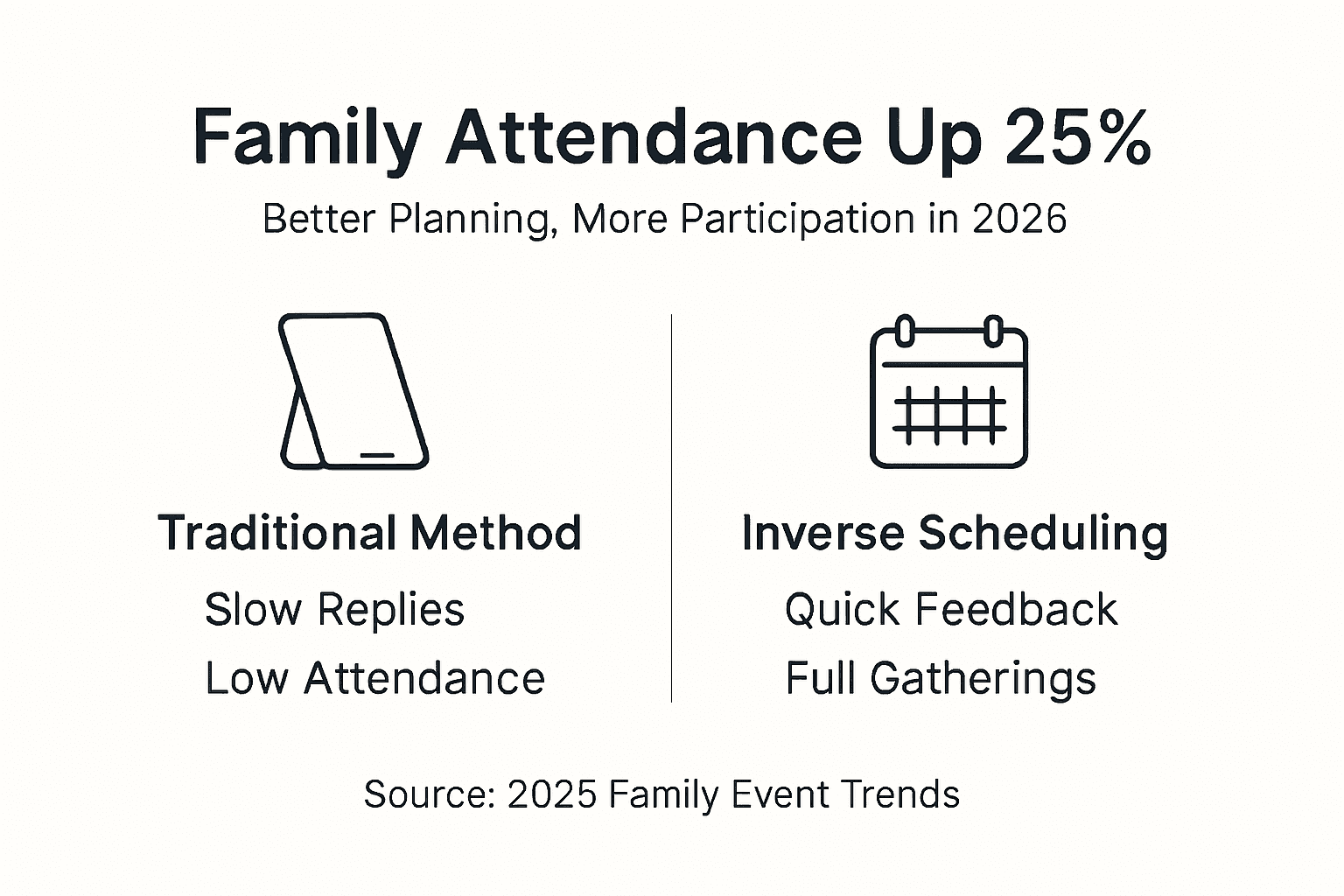
Digital inverse scheduling reduces total planning time by approximately 40% compared to traditional email and phone coordination. What previously took three weeks now requires just 7-10 days from initial outreach to confirmed date.
"Event attendance rates improve by 20-25% with digital coordination tools compared to traditional planning methods, resulting in fuller, more successful family gatherings."
These gains stem from reduced friction at every stage. Participants respond faster when the task is simple. You make decisions quicker when conflicts are visualized. Everyone commits more readily when the process feels effortless.
Timeline Improvements:
Multi-day planning timelines shrink to 7-14 days with inverse scheduling versus 21-30 days using traditional methods. This acceleration comes from eliminating endless back-and-forth communication rounds.
| Metric | Traditional Method | Inverse Scheduling | Improvement |
|---|---|---|---|
| Planning time | 21-30 days | 7-14 days | 50-67% faster |
| Response rate | 60-70% | 85-95% | 25-35% higher |
| Attendance rate | 65-70% | 85-90% | 20-25% higher |
| Communication rounds | 8-12 exchanges | 2-3 exchanges | 70-80% reduction |
| Participant satisfaction | Moderate | High | Significant increase |
Privacy and Participation:
No-account tools encourage wider participation, particularly among older relatives or those wary of creating more online accounts. When Grandma doesn't need to remember another password, she's far more likely to submit her availability promptly.
The visual nature of modern scheduling platforms also helps families make better decisions. Seeing everyone's conflicts simultaneously reveals patterns impossible to spot in email threads. You notice that most conflicts cluster around specific weekends, making alternative dates obvious.
Improved scheduling efficiency for group events translates directly to better attendance and more enjoyable gatherings. When planning feels easy rather than exhausting, organizers tackle events more frequently and with greater enthusiasm.
Data on event attendance improvements consistently shows that removing coordination friction produces fuller, more engaged gatherings where families actually enjoy the process of coming together.
Explore WhenNOT: Your Family Event Scheduling Solution
You've learned how inverse scheduling transforms family event planning. Now it's time to experience these benefits firsthand.
WhenNOT offers a free, privacy-focused inverse scheduling platform designed specifically for situations like yours. No account creation means your tech-wary relatives participate as easily as your digital-native cousins.
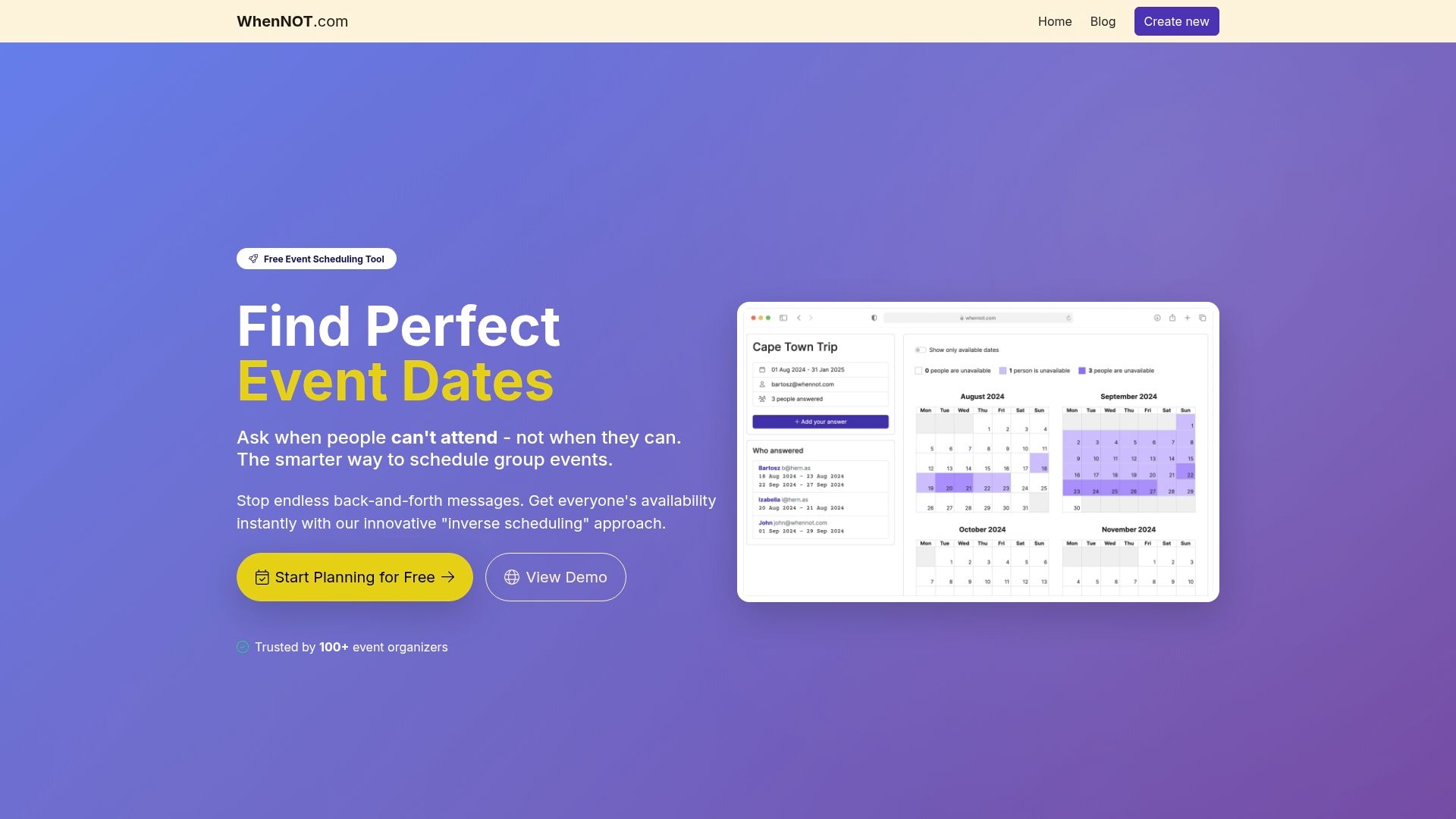
The visual interface displays everyone's unavailable dates simultaneously, making optimal date selection immediate and obvious. You'll spend minutes instead of weeks coordinating your next family gathering.
Our blog provides additional guidance on why online scheduling tools outperform traditional methods and specific strategies for multi-day event planning success. Visit WhenNOT today to create your first family event and experience the 25% attendance boost and 40% time savings yourself. Your next reunion deserves coordination that works as smoothly as the gathering itself.
Frequently Asked Questions
What is inverse scheduling and why is it better for family events?
Inverse scheduling asks participants to mark when they're unavailable rather than listing all their free times. This approach works better because people remember their conflicts more easily than tracking every available slot across weeks. For family events with flexible multi-day ranges, collecting unavailability reveals optimal dates faster and with less cognitive load on participants.
Can participants use inverse scheduling tools without creating accounts?
Yes, the best inverse scheduling platforms like WhenNOT require no account creation. Participants simply click a shared link and mark their unavailable dates directly. This no-signup approach dramatically increases participation rates, especially among older family members or privacy-conscious individuals who resist creating more online accounts.
How do I encourage all family members to submit their availability?
Send clear, simple instructions with the scheduling link and set a firm response deadline. Follow up with friendly reminders to non-responders after 3-4 days. Make the process as easy as possible by choosing tools with intuitive interfaces and offering quick phone walkthroughs to less tech-savvy relatives who need guidance.
What should I do if some participants don't respond in time?
Send personalized reminders via their preferred communication channel, whether email, text, or phone. If someone remains unresponsive near the deadline, contact them directly to ask if they need help with the tool. Sometimes a quick explanation removes barriers. For chronic non-responders, consider having another family member reach out on your behalf.
How much time can I realistically save using these tools versus traditional methods?
Digital inverse scheduling typically reduces planning time by 40% compared to traditional coordination. What normally takes 21-30 days of back-and-forth emails and calls shrinks to just 7-14 days. You'll also see 20-25% higher attendance rates because the simplified process makes participation effortless, resulting in fuller, more successful family gatherings.