
Coordinating schedules for family gatherings, corporate retreats, or group trips often feels overwhelming. Without a structured approach, conflicts multiply and critical deadlines slip. This article presents a sample time management plan framework, proven tools, and expert techniques to streamline your event scheduling in 2026. You'll discover actionable criteria for building effective plans, explore templates for five common event types, compare top digital scheduling platforms, and learn how advanced methods like Critical Path Method prevent delays and optimize outcomes.
Table of Contents
- Key Criteria For An Effective Time Management Plan
- Five Sample Time Management Plans For Event Types
- Comparing Top Scheduling Tools For Event Planners In 2026
- How Critical Path Method Improves Event Scheduling
- Discover Smarter Scheduling With WhenNOT
- Frequently Asked Questions
Key takeaways
| Point | Details |
|---|---|
| Time management plans improve event success | Clear structure and coordination lead to better outcomes and fewer conflicts. |
| Collaborative digital tools enhance productivity | Teams using project management platforms report up to 40% efficiency gains. |
| Start planning 4-6 months ahead | Early focus on critical tasks prevents last-minute chaos and vendor issues. |
| Mix varied activities and build in breaks | Engagement stays high when schedules avoid monotony and allow downtime. |
| Critical Path Method identifies bottlenecks | CPM reveals the longest task sequence to optimize timelines and resource allocation. |
Key criteria for an effective time management plan
Before selecting or building a time plan, you need to understand what separates effective frameworks from rushed templates. The best plans address event complexity, team dynamics, and participant needs simultaneously.
Start planning early, ideally four to six months before the event. This timeline gives you room to secure vendors, negotiate contracts, and handle unexpected changes without panic. Prioritize critical tasks such as venue bookings and speaker confirmations upfront to set a solid foundation.
Build a clear timeline with milestones to improve coordination and reduce last-minute surprises. Event planning timelines significantly improve success rates by providing structure and clarity across all stakeholders. Include buffer time within schedules for unexpected delays and vendor communication. Real-world events rarely follow perfect scripts.
Consider participant engagement by mixing activity types and avoiding monotonous sessions. When planning time-saving planning hacks group retreats, remember that variety keeps energy levels high and prevents dropoff during multi-day events.
Pro Tip: Create a master checklist that tracks dependencies between tasks. If venue selection must happen before catering contracts, mark that relationship clearly so nothing gets scheduled out of order.
Key criteria checklist:
- Early start date giving 4-6 months lead time
- Prioritized critical path tasks identified upfront
- Milestone markers at key decision points
- Buffer periods for communication and approvals
- Engagement mix with varied session formats
- Clear ownership assigned to each task
Five sample time management plans for event types
Different events demand different scheduling approaches. A family reunion needs flexibility while a corporate retreat requires precision. Here are five proven frameworks tailored to common scenarios.
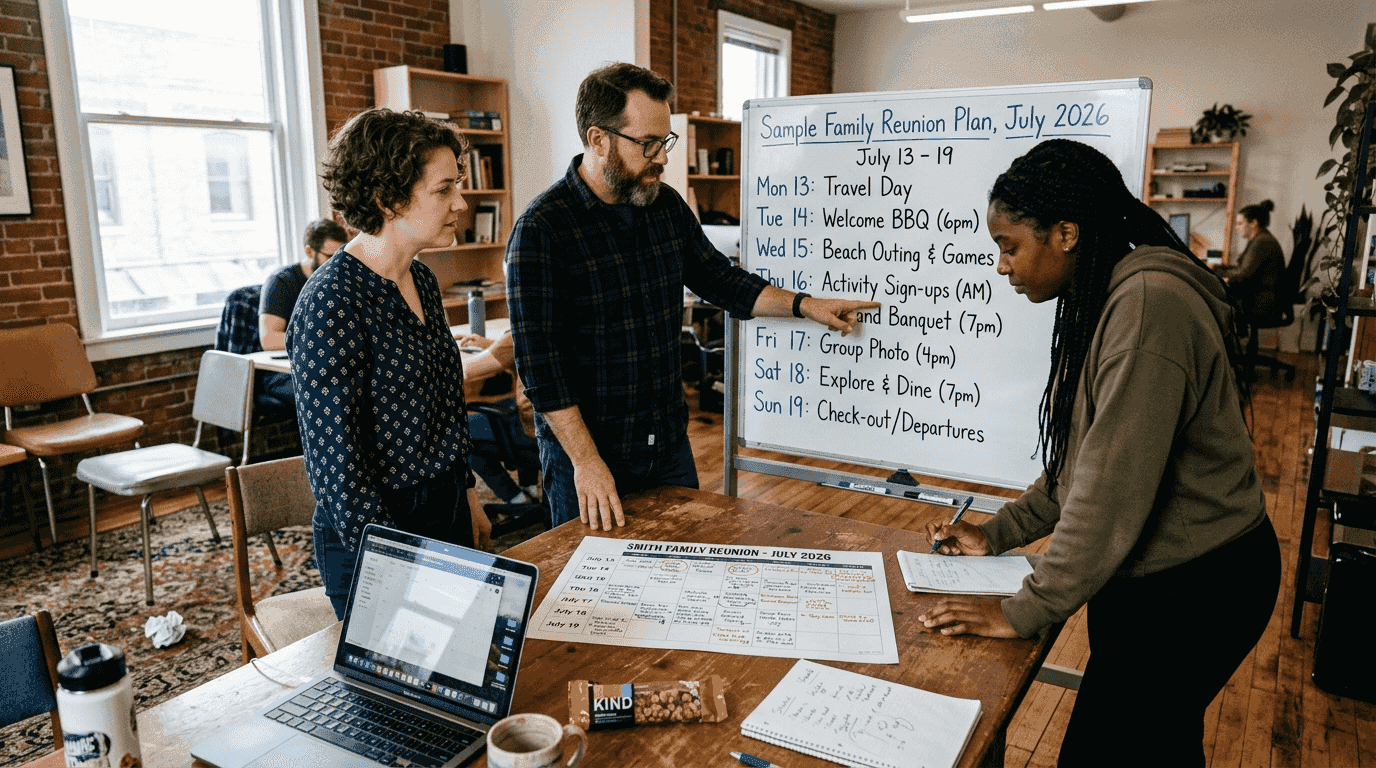
Family gatherings benefit from flexible schedules with downtime and shared meal times. Avoid over-programming. Build in free blocks where relatives can connect organically. Designate one anchor meal per day where everyone gathers, but let other activities flow naturally. Include options for different age groups so kids, adults, and seniors all find engaging activities.
Corporate retreats should prioritize team-building blocks and in-person collaboration sessions. Schedule intensive work sessions during peak energy hours, typically mid-morning. Reserve afternoons for interactive workshops and relationship building. In-person meetings are more effective for idea exchange compared to virtual formats, so maximize face-to-face time.
Group trips require detailed travel coordination with clear deadlines for bookings and check-ins. Create a pre-trip timeline covering passport deadlines, deposit dates, and final payment cutoffs. During the trip, balance structured activities with exploration time. Build travel days around realistic transit times, accounting for airport delays and road conditions.
Hybrid events need synchronized on-site and virtual schedules emphasizing engagement for all attendees. Stagger breaks so in-person participants don't disappear during virtual segments. Use interactive polls and Q&A features to keep remote attendees involved. Test all technology connections at least 48 hours before go-live.
Virtual meetings work best with focused agendas, frequent breaks, and interactive content to maintain attention. Limit continuous screen time to 90 minutes maximum. Insert five-minute breaks between sessions. Use breakout rooms for small group discussions to prevent Zoom fatigue.
For deeper guidance on corporate planning, explore efficient event planning corporate strategies. Multi-day events benefit from step by step event planning multi day retreats frameworks that break complex logistics into manageable phases.
Comparing top scheduling tools for event planners in 2026
Digital tools transform time management from spreadsheet chaos into visual, collaborative workflows. Choosing the right platform depends on your event size, team preferences, and required features.
Teams using project management tools report a 20% reduction in admin tasks and 15% better team coordination. User-friendly event planning tools with drag-and-drop and collaboration features boost productivity by 40%.
monday.com offers drag-and-drop scheduling, automation, and real-time collaboration. Its visual boards let you see task status instantly. Automations send reminders when deadlines approach. Integration with Slack, Zoom, and Google Calendar keeps communication centralized. Best for medium to large teams needing robust tracking.
ClickUp excels in task management, custom views, and integration capabilities. You can switch between list, board, timeline, and calendar views based on preference. Custom fields let you track vendor payments, attendee counts, or budget allocations in one place. Ideal for planners who want maximum flexibility and customization.
Office Timeline provides easy visual timeline creation for presentations and status updates. It integrates directly with PowerPoint and Excel, making executive reporting simple. Gantt-style views show dependencies clearly. Perfect for corporate planners who need polished visuals for stakeholder updates.
Miro is strong for brainstorming, flow charts, and remote team collaboration. Its infinite canvas supports creative planning sessions where teams map out event concepts visually. Sticky notes, voting features, and template libraries accelerate ideation. Best for early planning phases and creative teams.
| Tool | Best For | Key Strength | Price Range |
|---|---|---|---|
| monday.com | Medium/large teams | Automation and integrations | $8-16/user/month |
| ClickUp | Custom workflows | Flexible views and fields | Free-$19/user/month |
| Office Timeline | Executive reporting | PowerPoint integration | $149-399/year |
| Miro | Creative brainstorming | Visual collaboration | Free-$16/user/month |
Choosing the right tool depends on event size, team preferences, and required features. Test free trials before committing. For enhanced coordination strategies, review team coordination tips for smooth group planning.
Pro Tip: Don't adopt a tool just because it's popular. Run a one-week trial with your actual event data to see if the interface matches your team's workflow.
How critical path method improves event scheduling
Critical Path Method (CPM) identifies the longest sequence of dependent tasks, helping prevent bottlenecks and optimize event timelines. It's a game-changer for complex events with multiple moving parts.
CPM uses task durations, dependencies, and constraints to find the longest chain that sets project timeline. This longest path contains zero scheduling flexibility. Any delay on these tasks pushes back your entire event date.
CPM helps planners allocate resources effectively and foresee potential delays. When you know which tasks are critical versus flexible, you can shift team members to high-risk areas. Tasks off the critical path have some scheduling flexibility, allowing buffer inclusion where it matters most.
CPM was first developed in the late 1950s by DuPont and Remington Rand. Today's event planners use digital tools to automate CPM calculations, revealing hidden dependencies instantly.
CPM enhances communication and alignment across team members by clarifying scheduling priorities. Everyone understands which deadlines are non-negotiable and which have wiggle room. Applying CPM to event planning improves on-time delivery and reduces risk of cascading delays.
| CPM Component | Definition | Event Example |
|---|---|---|
| Critical Path | Longest task sequence | Venue booking → catering contract → menu finalization |
| Float/Slack | Extra time available | Decorations can be ordered anytime before setup day |
| Dependencies | Task relationships | Invitations can't be sent until venue is confirmed |
| Milestones | Key decision points | Final headcount deadline triggers catering order |
Practical CPM application steps:
- List all event tasks with estimated durations
- Identify dependencies between tasks
- Map tasks on a timeline showing relationships
- Calculate the longest path from start to finish
- Monitor critical path tasks closely throughout planning
For broader event optimization tactics, explore ways to improve event coordination that complement CPM methodology.
Discover smarter scheduling with WhenNOT
Managing complex event timelines doesn't have to drain your energy and resources. WhenNOT offers an innovative approach to group scheduling that flips traditional availability polls on their head.
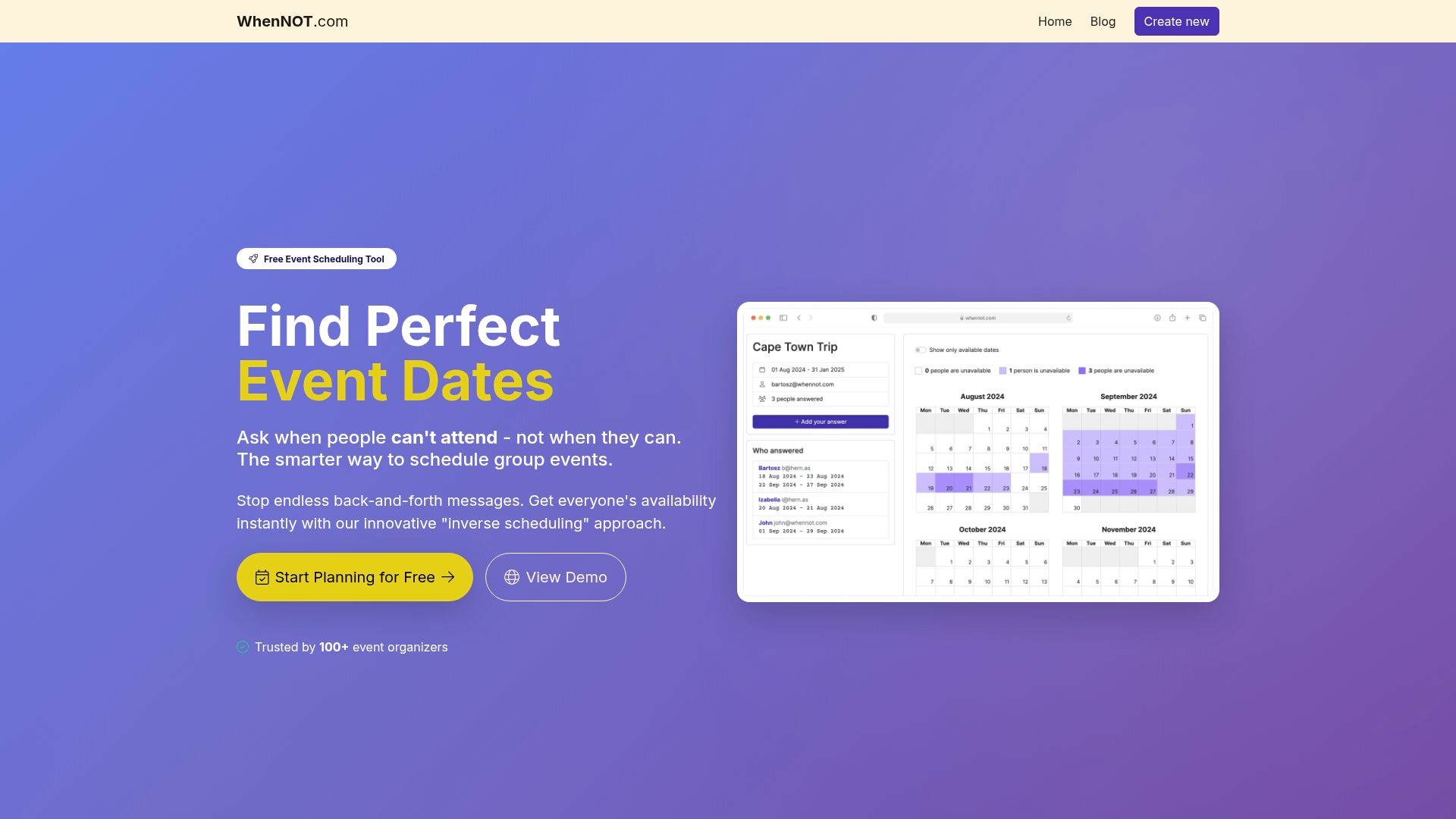
Instead of asking when people are free, WhenNOT asks when they're not available. This inverse scheduling approach cuts coordination time dramatically for multi-day events, family gatherings, corporate retreats, and group trips. Create an event, set your date range, and share a unique link. Participants mark their busy dates without signing up or creating accounts.
The platform visualizes everyone's unavailable days simultaneously, revealing optimal dates instantly. No endless email threads. No spreadsheet juggling. Just clear visibility into the best windows for your event. WhenNOT emphasizes simplicity, privacy, and accessibility with no costs and robust data security.
Explore WhenNOT scheduling solutions today to save time, reduce conflicts, and boost team coordination at your next event. The free platform adapts to any group size and event type, making professional-grade scheduling accessible to every organizer.
Frequently asked questions
What is the ideal timeline to start planning an event?
Most planners recommend starting 4-6 months in advance to handle major logistics effectively. Early focus on critical contracts and bookings helps avoid last-minute issues and vendor availability problems.
How can I keep attendees engaged during long corporate retreats?
Include varied activities and adequate breaks to break monotony. Mixing sessions with team-building and fun elements like GIFs keeps engagement high and prevents participant fatigue during extended programs.
What features should I look for in event scheduling software?
Look for intuitive interfaces with drag-and-drop scheduling. Automated reminders and notifications help keep tasks on track. Real-time collaboration supports team alignment and reduces errors across distributed planning teams.
How does Critical Path Method differ from regular timeline planning?
CPM identifies which tasks have zero scheduling flexibility versus those with buffer time. Regular timelines show all tasks equally, while CPM highlights the specific sequence that determines your minimum event completion time.
Can I use multiple scheduling tools for one event?
Yes, many planners combine tools for different phases. Use brainstorming platforms like Miro early, then transition to project management tools like ClickUp for execution tracking. Just ensure data transfers smoothly between platforms to avoid duplication work.