
Trying to coordinate a multi-day retreat often means endless emails, scheduling conflicts, and frustrated team members across time zones. For North American leaders, every hour spent sorting calendars is time away from real team building. Defining clear objectives and using smarter scheduling tools, like WhenNOT, transforms planning from a headache into an inclusive, highly attended experience. This guide walks you through proven strategies to clarify goals, quickly gather staff input, and choose optimal dates so every voice is heard and every participant is engaged.
Table of Contents
- Step 1: Define Event Objectives And Requirements
- Step 2: Set Up Your Event Using WhenNOT
- Step 3: Invite Participants And Gather Input
- Step 4: Analyze Scheduling Results And Select Dates
- Step 5: Confirm Details And Communicate With Attendees
Quick Summary
| Key Takeaway | Explanation |
|---|---|
| 1. Define clear event objectives | Establish specific goals using the SMART framework for a purposeful retreat. |
| 2. Use WhenNOT for scheduling | The WhenNOT platform simplifies finding suitable dates, maximizing attendance. |
| 3. Invite participants for input | Gather contributions to ensure inclusivity and improve retreat planning. |
| 4. Analyze availability results | Assess participant schedules to select optimal dates that accommodate most attendees. |
| 5. Communicate all details clearly | Provide comprehensive information to build anticipation and ensure readiness for the retreat. |
Step 1: Define event objectives and requirements
Defining clear objectives transforms your multi-day retreat from a generic gathering into a strategic team experience. This crucial first step ensures your event has purpose, direction, and measurable outcomes.
Start by conducting a focused stakeholder assessment to understand what different team members want from the retreat. Gather comprehensive insights about your team's expectations, challenges, and desired learning outcomes. Use the 5W framework (Who, What, When, Where, Why) to crystallize your event's core purpose. Ask specific questions like: What skills do we want team members to develop? What interpersonal dynamics need improvement? What business objectives will this retreat support?
Your objectives should follow the SMART framework: Specific, Measurable, Achievable, Relevant, and Time-bound. For corporate retreats, this might mean setting goals like increasing cross-department collaboration, developing leadership skills for mid-level managers, or creating a strategic roadmap for the next quarter. Document these objectives clearly and share them with all participants before the event to align expectations and create anticipation.

Pro tip: Create a one-page objectives summary that everyone can reference, transforming your retreat from a vague team event into a targeted professional development experience.
Use this reference table to identify key stakeholder groups and the unique objectives they may have for your retreat:
| Stakeholder Group | Potential Retreat Objectives | Engagement Strategy |
|---|---|---|
| Executives | Align business goals, set direction | Focused workshops, strategy talks |
| Mid-Level Managers | Develop leadership, improve collaboration | Peer learning sessions |
| Individual Contributors | Strengthen skills, boost teamwork | Skills training, team activities |
Step 2: Set up your event using WhenNOT
Creating your event in WhenNOT takes just minutes and dramatically simplifies the complex process of coordinating multi-day retreats. This step will help you leverage the platform to eliminate scheduling headaches and maximize participant engagement.
Start by revolutionizing event scheduling by entering your potential event dates into the platform. Unlike traditional scheduling tools, WhenNOT allows participants to mark their unavailable times instead of their availability. This innovative approach means you will quickly identify the optimal dates that work for everyone. When setting up your event, provide a clear title that communicates the retreat's purpose, select a potential date range that offers maximum flexibility, and prepare a shareable link you can distribute to team members.
Once you generate the event link, invite your participants by sending a simple email or message. Each team member can then quickly indicate their unavailable dates without creating an account or going through complex registration processes. The platform will automatically visualize everyone's busy times, making it easy to pinpoint the perfect retreat dates that maximize attendance and minimize scheduling conflicts.
Pro tip: Create your event during a low stress time of day and double check the potential date range to ensure you have provided sufficient options for all participants.
Here's a comparison of two popular event scheduling approaches and their impact on team retreat planning:
| Method | How Availability Is Tracked | Participant Experience | Impact on Scheduling Accuracy |
|---|---|---|---|
| Traditional Tools | Team marks available times | Often complicated, time-consuming | Moderate, may miss conflicts |
| WhenNOT Platform | Team marks unavailable times | Simple, fast, no account needed | High, quickly spots conflicts |
Step 3: Invite participants and gather input
Inviting participants and collecting their input is critical for creating an inclusive and effective multi-day retreat. Your goal is to ensure every team member feels heard and has an opportunity to contribute to the event planning process.
Planning inclusive event communications begins with crafting a clear and welcoming invitation. When sending out your event link, include context about the retreat's purpose, expected outcomes, and why each participant's input matters. Provide multiple ways for team members to share their perspectives including optional accessibility questions, preferred communication methods, and any specific requirements or constraints they might have. This approach demonstrates your commitment to creating an inclusive experience that respects individual needs and preferences.
When using WhenNOT to collect availability, encourage participants to mark not just their unavailable dates but also provide optional feedback about potential scheduling challenges. Some team members might have insights about group dynamics or logistical considerations that could improve your event planning. By creating an open communication channel, you transform the scheduling process from a mundane administrative task into an opportunity for collaborative engagement and team building.
Pro tip: Send a friendly reminder email 48 hours after your initial invitation to boost participation rates and ensure no team member misses the opportunity to provide input.
Step 4: Analyze scheduling results and select dates
After collecting participant availability, you are now ready to strategically analyze the scheduling results and select the optimal dates for your multi-day retreat. This critical phase transforms individual responses into a cohesive event timeline that maximizes team participation.
Selecting corporate event dates requires careful assessment of multiple factors beyond simple availability. Examine the WhenNOT visualization that shows everyone's unavailable periods and look for convergence points where the majority of participants are free. Pay attention to potential conflicts such as major work deadlines, personal commitments, or seasonal challenges that might impact overall attendance. Consider not just who can attend, but who needs to attend for the retreat to be most effective.
Once you have identified potential date ranges, cross reference them with practical considerations like venue availability, travel logistics, and team productivity patterns. The goal is finding a sweet spot that balances individual schedules with broader team and organizational needs. Communicate your proposed dates transparently, providing context about why these specific dates were selected and offering a brief window for final feedback before making a definitive decision.
Pro tip: Always have a backup set of alternative dates ready in case your first choice encounters unexpected scheduling complications.
Step 5: Confirm details and communicate with attendees
With your event dates finalized, it is time to craft a comprehensive communication strategy that builds excitement and ensures all participants are fully prepared. This critical step transforms your retreat from a theoretical plan into a tangible, anticipated experience.
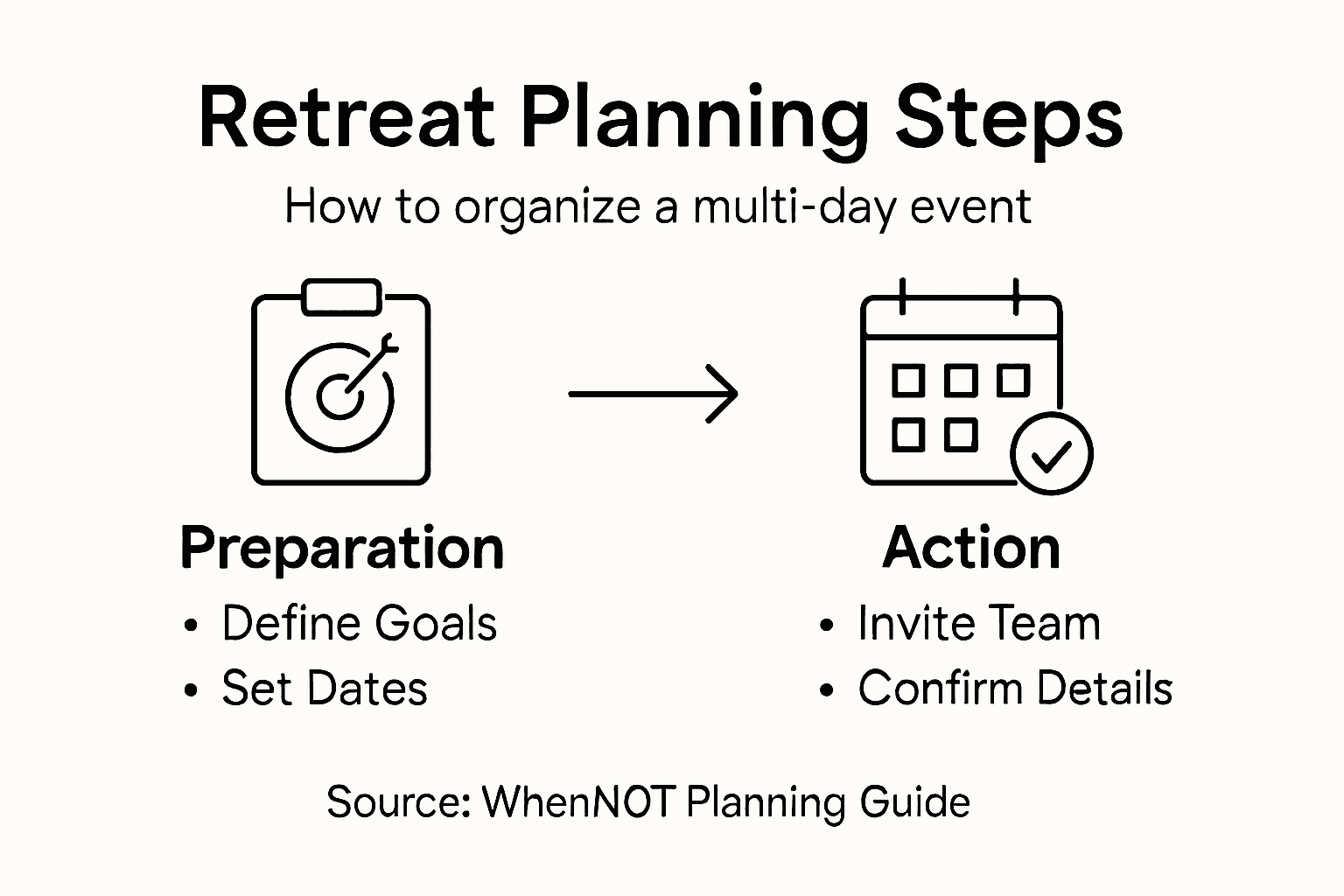
Designing effective event communication strategies requires a thoughtful approach that goes beyond simple logistical updates. Create a detailed communication package that includes the retreat agenda, travel instructions, accommodation details, and any preparatory materials participants need to bring or review beforehand. Your communication should be clear, comprehensive, and delivered through multiple channels to ensure no one misses important information. Consider using a combination of email, team messaging platforms, and potentially a dedicated event information page to reach all participants effectively.
Ensure your communication provides not just practical details, but also builds anticipation and clarity about the retreat's objectives. Include a welcome message that outlines the purpose of the retreat, what participants can expect, and how the event fits into broader team or organizational goals. Provide a clear point of contact for questions and create an open feedback channel that allows participants to feel heard and engaged even before the event begins.
Pro tip: Create a digital information packet that participants can easily reference on mobile devices, including a downloadable schedule, contact information, and key event details.
Simplify Multi-Day Retreat Planning with WhenNOT
Planning a multi-day retreat comes with challenges like aligning diverse schedules, gathering inclusive input, and selecting dates that suit everyone. The article highlights common pain points such as scheduling conflicts, participant engagement, and maintaining clear communication to ensure your event achieves its strategic objectives. WhenNOT's unique inverse scheduling approach directly addresses these by letting participants mark their unavailable times. This method streamlines the complex process of coordinating multiple dates and busy calendars, reducing stress and saving valuable planning hours.
Using WhenNOT, you gain clarity and control over your retreat planning with features designed for simplicity and privacy. Quickly visualize all team members' conflicts, encourage easy participation without account signups, and confidently select dates that maximize attendance and effectiveness. Experience a smarter way to transform vague event planning into a targeted, well-aligned team experience.
Start planning your multi-day team retreat effortlessly today with WhenNOT. Discover how this innovative scheduling tool can help you achieve strategic event goals while minimizing logistical headaches. Visit WhenNOT's official website now to unleash the power of inverse scheduling and make your next retreat seamless and successful.
[Image:cta_image]
Ready to ditch complicated scheduling and engage your entire team in planning? Try WhenNOT for free and experience how easy retreat coordination can become. Visit WhenNOT to create your event and share your unique link with participants today.
Frequently Asked Questions
How do I define clear objectives for my multi-day retreat?
Defining clear objectives involves conducting a stakeholder assessment to gather insights about your team's expectations and challenges. Use the 5W framework (Who, What, When, Where, Why) to clarify your goals and document them following the SMART criteria.
What is the best way to schedule an event using WhenNOT?
To schedule an event using WhenNOT, enter your potential event dates into the platform and ask participants to mark their unavailable times. This approach allows you to easily visualize the optimal dates that accommodate the majority of attendees, simplifying the scheduling process.
How can I effectively invite participants to my retreat?
Craft a clear and welcoming invitation that outlines the retreat's purpose, expected outcomes, and the importance of each participant's input. Use multiple channels for communication, and encourage team members to provide feedback on scheduling challenges they may face.
What factors should I consider when analyzing scheduling results?
When analyzing scheduling results, focus on participant availability while also considering major work deadlines, personal commitments, and logistical challenges. Look for convergence points where most participants are free and confirm the optimal dates against practical considerations like venue availability.
How should I communicate details with attendees after finalizing retreat dates?
After finalizing dates, create a comprehensive communication package that includes the retreat agenda, travel instructions, and any preparatory materials. Aim to deliver this information clearly through multiple channels, ensuring every participant can easily access and reference it before the retreat.