
Ever watched a perfectly planned multi-day retreat collapse because half your participants showed up a day late? Timezone confusion causes more scheduling disasters than you'd think. When coordinating group events across regions, traditional calendars often fail to handle the complexity of daylight saving time shifts, ambiguous time inputs, and participant availability. Cloud-based scheduling platforms solve these headaches by automating timezone conversions, preventing double bookings, and giving everyone real-time visibility into event details. For organizers managing family reunions, corporate retreats, or group travel in 2026, these tools transform chaotic coordination into seamless planning.
Table of Contents
- Understanding The Challenges In Multi-Day Group Event Scheduling
- How Cloud-Based Scheduling Solves Timing Conflicts And Boosts Efficiency
- Comparing Cloud-Based Scheduling Tools For Multi-Day Group Events
- Practical Tips For Implementing Cloud-Based Scheduling In Your Event Planning
- Explore Cloud-Based Scheduling Solutions With WhenNOT
- Frequently Asked Questions About Cloud-Based Scheduling For Events
Key takeaways
| Point | Details |
|---|---|
| Timezone accuracy prevents errors | Cloud schedulers use explicit timezone identifiers to handle daylight saving time changes automatically |
| Real-time updates eliminate confusion | All participants see schedule changes instantly across devices without manual notifications |
| AI assistance improves coordination | Smart features interpret availability patterns while requiring verification for ambiguous inputs |
| Multi-day event support streamlines planning | Purpose-built interfaces manage complex date ranges and participant conflicts efficiently |
Understanding the challenges in multi-day group event scheduling
Scheduling a single meeting is straightforward. Coordinating a three-day family reunion across five timezones? That's where traditional methods crumble. The root problem isn't just different timezones, it's that double-booking bugs stem from conflating timezone offsets with timezones themselves. An offset like UTC+5 tells you nothing about whether daylight saving time applies or when historical timezone boundaries changed. This technical distinction matters enormously when you're trying to schedule events months in advance.
Traditional calendar tools make dangerous assumptions. When someone types "3 PM PT" into a scheduler, does that mean Pacific Standard Time or Pacific Daylight Time? The ambiguity creates scheduling conflicts that ripple through entire event plans. Participants think they've confirmed attendance for Saturday afternoon, only to discover the organizer meant Friday evening in their timezone. These misunderstandings waste hours of back-and-forth emails and phone calls.
Event planners face additional layers of complexity with multi-day events:
- Participants joining from countries with different daylight saving schedules
- Overlapping availability windows that shift daily across a week-long event
- Last-minute timezone rule changes due to government policy updates
- Confusion between similar timezone abbreviations like CST (Central Standard Time vs China Standard Time)
Geopolitical realities make timezone handling even trickier. Some regions observe daylight saving time while neighboring areas don't. Others have changed their timezone rules multiple times in recent years. Your scheduling tool needs to account for these nuances, or you'll spend your planning time firefighting avoidable conflicts instead of focusing on avoiding scheduling conflicts through better coordination strategies.
"The difference between a timezone offset and a timezone identifier isn't semantic. It's the difference between a schedule that works and one that fails spectacularly when daylight saving time kicks in."
Reliable multi-day event scheduling demands explicit timezone identifiers, not static offsets. When your tool stores "America/New_York" instead of "UTC-5," it can automatically adjust for daylight saving transitions. This technical foundation prevents the cascade of errors that derail group events before they even begin.
How cloud-based scheduling solves timing conflicts and boosts efficiency
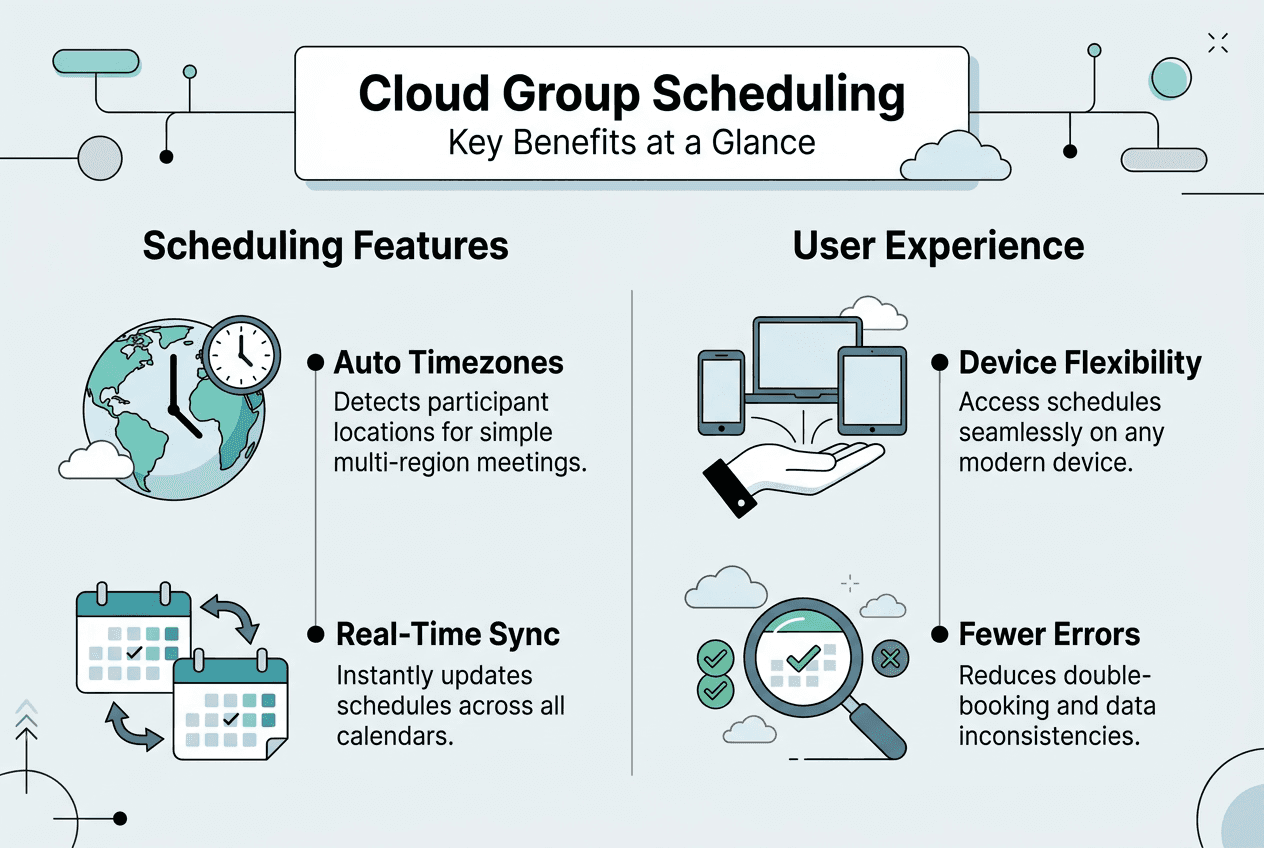
Cloud-based scheduling platforms eliminate timezone chaos through intelligent automation. Instead of relying on participants to manually convert times, these tools use named timezone identifiers like Asia/Tokyo or Europe/London. When daylight saving time begins or ends, the system automatically adjusts all scheduled events without human intervention. This approach prevents the scheduling errors that occur when AI schedulers use static offsets instead of explicit timezone identifiers.
Real-time syncing transforms how groups coordinate. When you update an event time or location, every participant sees the change instantly on their device. No more sending mass emails asking "Did everyone see my update?" The platform handles notification distribution automatically, ensuring nobody misses critical information. This immediate visibility reduces planning anxiety and keeps everyone aligned throughout the coordination process.

AI-powered features add another layer of efficiency, but they require careful implementation. Smart schedulers can analyze participant availability patterns and suggest optimal meeting times. However, these systems must interpret ambiguous inputs cautiously. When someone enters "tomorrow at 2 PM" without specifying a timezone, the AI should flag the ambiguity rather than making assumptions. The best platforms combine automation with human verification for edge cases.
User-friendly interfaces make complex coordination feel simple. Modern cloud schedulers present multi-day availability through visual calendars where participants can quickly mark their busy periods. Color coding shows where conflicts exist and where windows of mutual availability emerge. Organizers gain a bird's-eye view of the entire group's schedule without parsing through dozens of individual responses. This visual approach speeds up decision-making and helps you simplify event scheduling through intuitive design.
Cloud platforms offer specific advantages for multi-day events:
- Automatic timezone conversion displays event times in each participant's local timezone
- Conflict detection alerts you when proposed times overlap with existing commitments
- Mobile accessibility lets participants update availability from anywhere
- Version history tracks all schedule changes with timestamps
Pro Tip: Before committing to any scheduling platform, test how it handles timezone transitions during daylight saving time changes. Create a test event spanning a DST boundary and verify times adjust correctly for all participants. This simple check can save you from discovering timezone bugs during actual event planning.
The efficiency gains compound as event complexity increases. A weekend retreat with 10 participants might involve 50+ individual availability slots to coordinate. Cloud schedulers process this data instantly, highlighting optimal dates that work for everyone. What used to take days of email threads now takes minutes of clicking through a user-friendly scheduling interface designed specifically for group coordination.
Comparing cloud-based scheduling tools for multi-day group events
Not all cloud schedulers handle multi-day group events equally well. The critical differentiator is how platforms manage timezone complexity. Tools that display times in a single timezone force participants to manually convert, reintroducing the errors cloud scheduling should eliminate. Superior platforms show each person their local time automatically and store events using proper timezone identifiers, not ambiguous strings. Misusing timezone strings like "PT" without clarifying standard versus daylight time creates exactly the confusion you're trying to avoid.
| Feature | Basic Schedulers | Advanced Group Tools | Multi-Day Specialists | | --- | --- | --- | | Timezone handling | Manual conversion required | Automatic display in local time | Named identifiers with DST awareness | | AI assistance | Limited or none | Suggests times based on availability | Interprets patterns with ambiguity flagging | | Multi-participant support | Up to 10 users | 10-50 users | Unlimited with visual conflict mapping | | Real-time syncing | Email notifications only | Push notifications | Instant updates across all devices | | Interface complexity | Calendar grid only | Calendar plus availability overlay | Visual heatmaps showing optimal windows |
When evaluating scheduling tools for your events, prioritize these criteria:
- Clear documentation of how the platform handles daylight saving time transitions
- Ability to set date ranges rather than single-day events
- Visual indicators showing where participant availability overlaps
- Mobile-responsive design that works on phones and tablets
- No-signup options for participants to reduce friction
- Export capabilities for confirmed schedules
AI-assisted scheduling accuracy varies dramatically between platforms. Some tools make confident suggestions based on incomplete data, leading to proposed times that don't actually work for everyone. Better implementations show confidence levels and explain their reasoning. The most reliable systems treat AI as a planning assistant, not a decision maker. They surface insights about availability patterns while leaving final choices to the human organizer who understands context the algorithm can't capture.
User interface design impacts adoption rates significantly. If participants find your scheduling tool confusing, they'll delay responding or provide incomplete availability information. Intuitive platforms use familiar calendar metaphors and minimize clicks required to mark busy periods. When comparing group scheduling tools, test the participant experience yourself. Sign up for a demo event and evaluate how quickly you can input your availability without instructions.
For organizers managing multiple events simultaneously, consider how tools handle event templates and recurring patterns. Some multi-day event schedulers let you save common configurations, like "weekend retreat with Friday evening through Sunday afternoon" as a reusable template. This feature saves time when you coordinate similar events regularly. Integration capabilities matter too. Platforms that sync with popular calendar apps reduce duplicate data entry and help participants see group events alongside their personal commitments.
Practical tips for implementing cloud-based scheduling in your event planning
Successful implementation starts with choosing the right foundation. Select a scheduler with robust timezone support that uses named identifiers like America/Chicago rather than static offsets. Verify the platform provides real-time syncing across devices so participants always see current information. Test the mobile experience thoroughly since many people will access your event details from phones. These technical foundations prevent the frustrating errors that undermine participant confidence in your planning process.
-
Choose your platform strategically by reviewing how it handles timezone edge cases. Create a test event spanning a daylight saving transition and confirm times adjust correctly. Check whether the tool clearly displays each participant's local time or forces manual conversion. Evaluate the participant signup process, prioritizing tools that minimize barriers to entry.
-
Involve participants early in the planning process. Send scheduling links as soon as you've determined the general timeframe, even if details remain flexible. Early input helps you identify potential conflicts before they become problems. Use the platform's notification features to remind people who haven't responded, but avoid overwhelming participants with daily prompts.
-
Use explicit timezone naming conventions throughout your event communications. When announcing times, write "3 PM Eastern Time (America/New_York)" rather than ambiguous abbreviations. This clarity prevents the confusion that occurs when participants interpret "EST" differently. The extra specificity takes seconds but eliminates hours of clarification emails.
-
Leverage AI suggestions intelligently by treating them as starting points for discussion. When your scheduler recommends optimal times, review the underlying availability data yourself. Look for patterns the algorithm might miss, like participants who marked themselves available but noted preferences in comments. Verify ambiguous inputs manually before finalizing any schedule.
-
Communicate updates promptly using your platform's built-in notification system. When you adjust event times or add new details, the tool should alert all participants automatically. Follow up with a brief message explaining significant changes. Transparency about modifications builds trust and reduces anxiety about missing important updates.
Pro Tip: Schedule a brief video call with your core planning team before sending availability requests to the full group. Walk through the scheduling tool together and align on how you'll interpret responses. This coordination prevents mixed signals when multiple organizers access the same data.
The implementation process benefits from understanding crowd-sourced scheduling principles. Rather than proposing specific times and asking for yes/no votes, let participants mark their unavailable periods first. This inverse approach surfaces genuine availability windows instead of forcing people into predetermined slots. The method works especially well for multi-day events where flexibility matters more than precision.
Technical best practices matter enormously. Never store or compare datetimes without explicit, named timezone identifiers. This rule applies whether you're using a commercial platform or building custom scheduling logic. The few extra characters required to specify "America/Los_Angeles" instead of "UTC-8" prevent catastrophic errors when daylight saving time changes. Your scheduling tool should handle this automatically, but understanding the principle helps you evaluate whether a platform implements timezone logic correctly.
Maintain clear documentation of your event timeline as it evolves. Cloud schedulers typically include version history showing when changes occurred, but add your own notes explaining why decisions were made. When questions arise weeks later, this context helps you respond confidently. Regular updates to event descriptions keep everyone informed without requiring them to remember verbal conversations or dig through email threads. These practices contribute directly to avoiding scheduling conflicts through proactive communication.
Explore cloud-based scheduling solutions with WhenNOT
Planning multi-day group events demands tools built specifically for complexity. WhenNOT offers cloud-based scheduling designed around how real event coordination actually works. Instead of asking when people are available, the platform flips the question to when they're not busy. This inverse approach simplifies data collection and speeds up finding optimal dates for your retreats, reunions, and group travel.
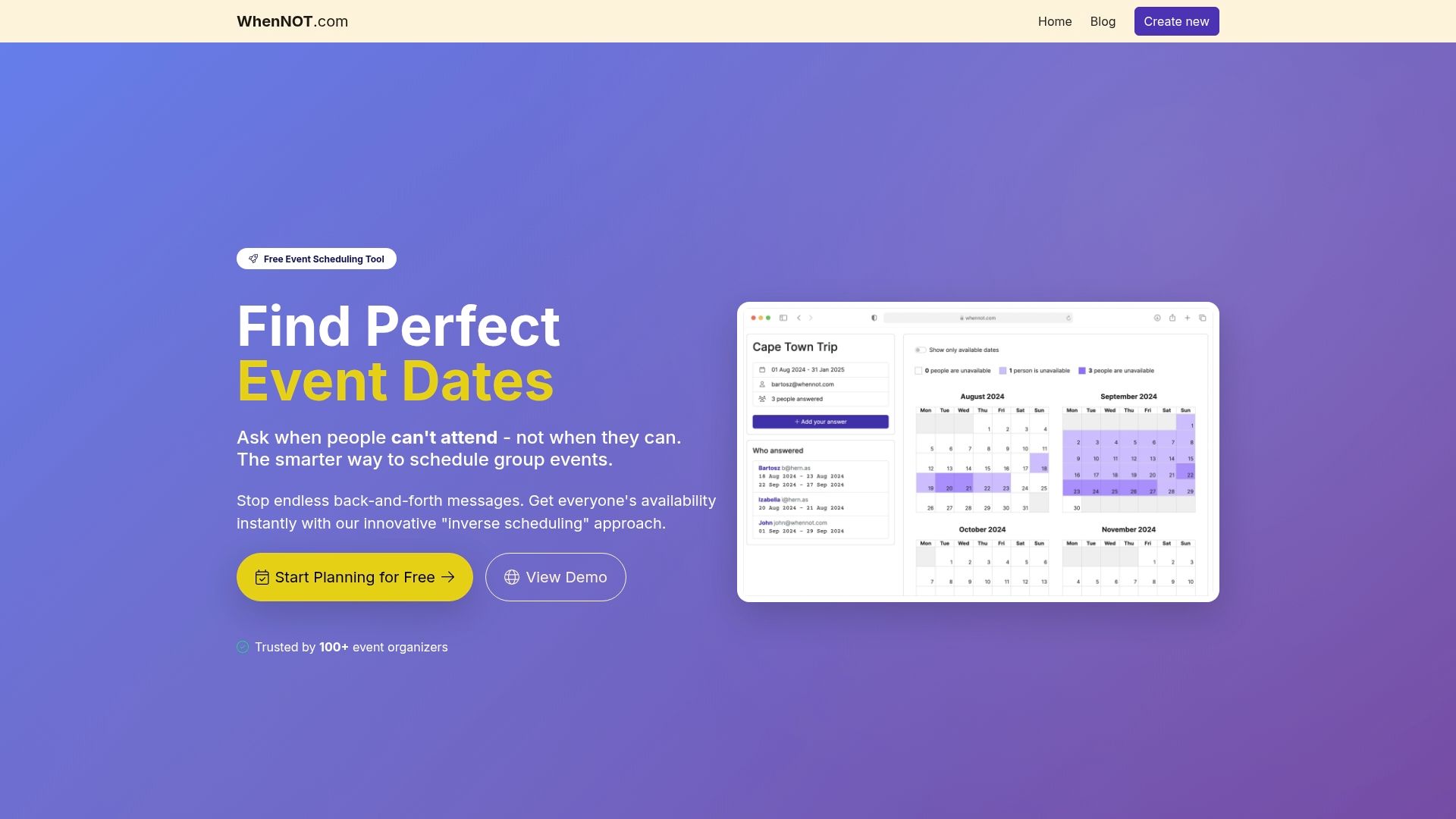
The platform handles timezone conversions automatically while maintaining the explicit identifiers that prevent double-booking errors. Participants mark their unavailable dates through a shared link without creating accounts or downloading apps. You see everyone's conflicts visualized simultaneously, making it obvious which dates work for the full group. Real-time updates keep everyone synchronized as plans evolve. Whether you're coordinating a weekend workshop or a week-long family gathering, WhenNOT eliminates the friction that makes group scheduling painful. Explore the WhenNOT scheduling platform to see how inverse scheduling transforms your event planning efficiency in 2026. The user-friendly interface guides you through setup in minutes, and the conflict avoidance features ensure your carefully planned events actually happen on schedule.
Frequently asked questions about cloud-based scheduling for events
How do cloud schedulers handle timezone changes automatically?
Cloud platforms store events using named timezone identifiers like Europe/Paris rather than static offsets. When daylight saving time begins or ends, the system references updated timezone databases and adjusts all scheduled times accordingly. Participants see correct local times without manual intervention.
Does AI scheduling replace manual event planning?
AI assists rather than replaces human judgment in event coordination. Smart features analyze availability patterns and suggest optimal times, but organizers make final decisions based on context algorithms can't understand. The best approach combines AI insights with human verification of ambiguous inputs.
Can participants access cloud schedulers from different devices?
Modern cloud scheduling platforms work seamlessly across desktop computers, tablets, and smartphones. Responsive design ensures the interface adapts to screen sizes while maintaining full functionality. Participants can check availability and update responses from whatever device is most convenient.
What about data privacy with cloud-based scheduling tools?
Reputable platforms encrypt data in transit and at rest, implementing security measures comparable to banking applications. Most tools allow organizers to control visibility settings, determining whether participant names appear publicly or remain private. Review each platform's privacy policy to understand how they handle personal information.
How many participants can cloud schedulers handle for group events?
Capacity varies by platform, with basic tools supporting 10-20 participants and enterprise solutions scaling to hundreds. For typical multi-day group events like retreats or reunions, most cloud schedulers comfortably accommodate 50-100 people. Visual interfaces become more important as group size increases to maintain clarity.