
Planning a multi-day corporate retreat or family reunion often turns into a scheduling nightmare. You send emails, create polls, and still end up with conflicting responses and frustrated participants. Traditional scheduling methods force organizers to make unilateral decisions or chase down availability individually, leading to conflicts and last-minute changes. Consensus-based scheduling offers a collaborative alternative that brings participants together to jointly agree on suitable dates, reducing friction and improving satisfaction. This guide explains what consensus-based scheduling is, how it compares to other approaches, and provides actionable steps to implement it successfully for your events.
Table of Contents
- Understanding Consensus-Based Scheduling And Why It Matters
- How Consensus-Based Scheduling Compares With Other Scheduling Approaches
- Practical Steps For Event Planners To Implement Consensus-Based Scheduling
- Tools And Technologies To Support Consensus-Based Scheduling
- Streamline Your Event Scheduling With WhenNOT
- Frequently Asked Questions
Key takeaways
| Point | Details |
|---|---|
| Collaborative agreement | Consensus-based scheduling involves all participants jointly choosing event times everyone agrees on |
| Structured roles | Using facilitators and timekeepers improves the process and prevents decision paralysis |
| Reduced conflicts | This method makes scheduling fairer and more transparent, minimizing last-minute changes |
| Technology support | Modern scheduling tools automate role assignments and visualize consensus progress efficiently |
| Broad applications | Event planners can apply this to family gatherings, corporate retreats, and group travel coordination |
Understanding consensus-based scheduling and why it matters
Consensus-based scheduling means all participants collaboratively choose event times everyone agrees on, rather than having an organizer dictate dates or using a first-come-first-served approach. This method applies principles from consensus decision-making, which uses defined roles like facilitators and timekeepers to structure group decisions effectively and avoid process delays. The facilitator guides discussion and ensures all voices are heard, while the timekeeper monitors deadlines and keeps the process moving forward.
Traditional scheduling often creates conflicts because organizers make unilateral decisions without full participant input, or participants submit availability that conflicts with others. When you announce a date without consultation, some attendees inevitably can't make it, leading to resentment or reduced participation. First-come-first-served approaches favor those who respond quickly but ignore constraints of busy professionals or those in different time zones.
Consensus-based scheduling addresses these pitfalls by building in transparency and joint ownership from the start. Instead of one person shouldering the burden of picking dates, the group collectively narrows options based on shared constraints. This structure prevents common problems like domination by vocal members or endless debate without resolution.
Key elements that make consensus scheduling work include:
- Clear milestones for gathering availability, discussing conflicts, and finalizing dates
- Defined roles ensuring someone guides the conversation and someone tracks timing
- Transparent sharing of all participant constraints simultaneously
- Agreement on decision criteria upfront, such as requiring 80% availability rather than perfect unanimity
Pro Tip: Establish your decision threshold before starting. Requiring 100% agreement often leads to deadlock, while 75-80% participation creates workable consensus without endless negotiation.
This collaborative approach takes more upfront coordination than simply announcing a date, but it dramatically reduces costly backtracking when participants can't attend. By investing time in team scheduling best practices early, you avoid the frustration of rescheduling after deposits are paid or venues are booked.
"The strength of consensus scheduling lies in shared ownership. When participants help choose dates, they're more committed to attending and less likely to cancel."
How consensus-based scheduling compares with other scheduling approaches
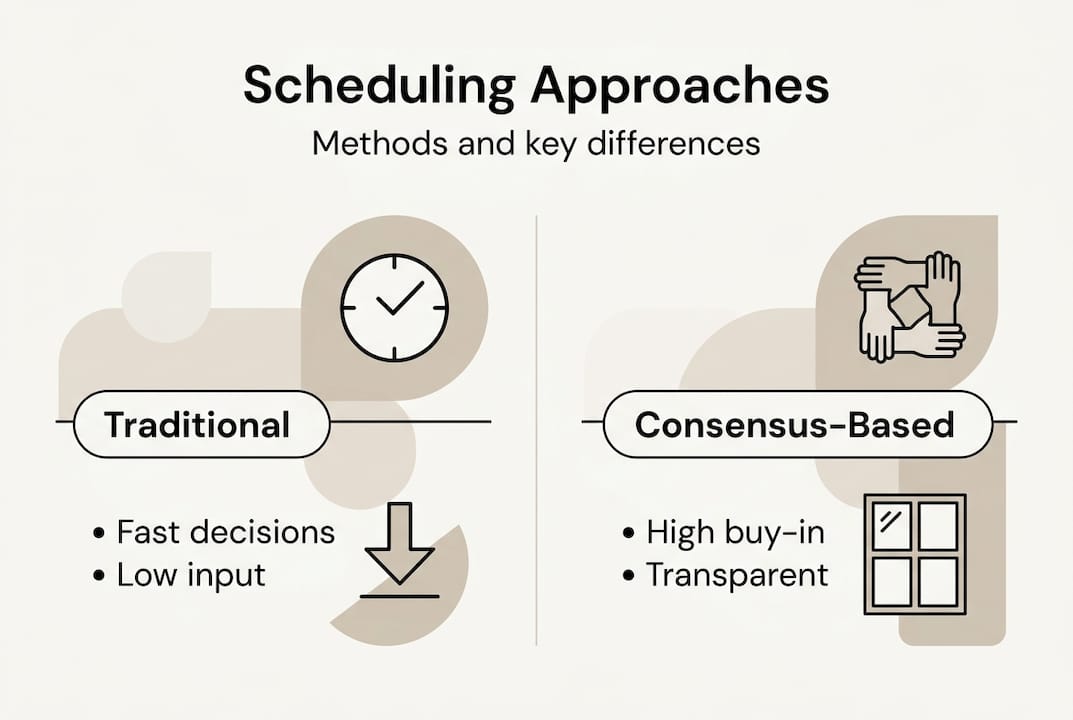
Traditional scheduling typically relies on organizer decisions or fixed time slots, which can risk conflicts and participant dissatisfaction. An event planner picks dates based on venue availability or personal preference, then announces them to the group. This top-down method works quickly but often results in poor attendance because key participants have conflicts they couldn't voice beforehand.
Automated scheduling tools speed up the process by algorithmically finding times when most people are available. These platforms scan calendars and suggest optimal slots based on availability data. While efficient, automated approaches can neglect nuanced participant preferences or complex event dynamics like travel time, seasonal considerations, or team dynamics. A tool might suggest a date that technically works for everyone's calendars but falls during a busy quarter when people are overwhelmed.
Consensus-based scheduling prioritizes participant buy-in and transparent negotiation over pure speed. The trade-off is clear: consensus takes more upfront coordination time but reduces costly last-minute changes and cancellations. When you implement consensus scheduling with proper roles and milestones, you overcome common scheduling conflicts and improve team morale.

Here's how the three approaches compare:
| Method | Speed | Participant satisfaction | Conflict risk | Best for |
|---|---|---|---|---|
| Traditional (organizer decides) | Very fast | Low to medium | High | Simple events with flexible attendees |
| Automated tools | Fast | Medium | Medium | Regular meetings with calendar integration |
| Consensus-based | Moderate | High | Low | Multi-day events requiring strong commitment |
The key differentiator is transparency. Traditional methods hide decision-making from participants, while consensus makes constraints visible to everyone simultaneously. This visibility helps the group understand why certain dates work better than others, building trust and reducing complaints.
Defined roles and clear milestones are essential to managing consensus complexity effectively. Without structure, consensus can devolve into endless discussion or domination by the loudest voices. The facilitator ensures quieter participants share their constraints, while the timekeeper prevents analysis paralysis by enforcing deadlines for each decision phase.
Pro Tip: Use consensus scheduling for high-stakes events where attendance is critical, like annual retreats or milestone celebrations. For routine meetings, automated tools may suffice, but when participation matters deeply, invest in the consensus process.
Understanding top scheduling challenges helps you recognize when consensus-based approaches deliver the most value. If you're constantly dealing with last-minute cancellations or low attendance at important events, the collaborative nature of consensus scheduling directly addresses those pain points.
Practical steps for event planners to implement consensus-based scheduling
Successfully implementing consensus-based scheduling requires a clear framework and defined roles. Follow these steps to apply this method confidently to your multi-day events:
-
Identify all key participants and their general availability windows early in the planning process. Don't wait until you've narrowed dates to discover half your attendees have conflicts.
-
Assign roles upfront: designate a facilitator to guide discussion and a timekeeper to manage deadlines. These roles, borrowed from consensus decision-making, improve scheduling workflows and help avoid pitfalls such as decision paralysis.
-
Use surveys or shared digital calendars to gather availability preferences transparently. Everyone should see all constraints simultaneously rather than learning about conflicts piecemeal.
-
Schedule interim milestones to review options and narrow down suitable dates. For example, set a deadline for initial availability submission, another for discussing conflicts, and a final deadline for decision.
-
Communicate clearly about the decision threshold. Aim for general agreement (75-80% availability) rather than perfect unanimity, which often proves impossible for large groups.
-
Leverage scheduling software that supports collaborative input and visibility. Modern platforms let participants mark unavailable dates, visualize overlaps, and comment on options.
-
Document the final decision-making process upfront to avoid deadlocks. Agree whether the facilitator makes the final call, you'll vote, or use another mechanism if consensus stalls.
Pro Tip: Start with a broad date range (like a full month) and progressively narrow it based on participant input. This prevents anchoring bias where you propose specific dates too early and participants feel pressured to accommodate.
The collaborative scheduling workflow emphasizes transparency at every stage. Share aggregated availability data with the full group rather than making decisions behind closed doors. When participants understand why certain dates emerge as frontrunners, they're more likely to accept the outcome even if it's not their first choice.
Here's a sample timeline for consensus-based scheduling:
| Phase | Duration | Key activities | Responsible party |
|---|---|---|---|
| Initial outreach | Week 1 | Identify participants, assign roles, share date range | Organizer |
| Availability collection | Week 2 | Participants mark unavailable dates | All participants |
| Review and discussion | Week 3 | Facilitator shares results, group discusses conflicts | Facilitator |
| Final decision | Week 4 | Group agrees on date or uses decision mechanism | Facilitator with group |
Following best group scheduling practices means building in buffer time for unexpected conflicts or delayed responses. Don't compress the timeline so tightly that participants feel rushed or can't thoughtfully consider their availability.
Resolving conflicts requires focusing on interests rather than positions. If someone says they can't do weekends, explore whether the real constraint is childcare, work commitments, or travel costs. Understanding underlying needs often reveals creative solutions, like providing childcare or choosing a location that reduces travel time.
Tools and technologies to support consensus-based scheduling
Modern scheduling platforms offer polling, availability sharing, and conflict detection features that make consensus-based scheduling easier and scalable. These tools differ significantly in complexity, user-friendliness, and integrations with calendars and communication channels.
When evaluating scheduling software for consensus-based approaches, consider these factors:
- Event scale: How many participants will you typically coordinate? Some tools handle hundreds of participants while others work best for groups under 20.
- Tech savviness: Will participants easily navigate a complex interface, or do you need dead-simple usability? Tools requiring account creation may deter casual participants.
- Integration needs: Does the platform connect with your existing calendar systems, email, or project management tools?
- Role support: Can you formally assign facilitator and timekeeper roles within the platform, or will you manage that externally?
- Visualization: How clearly does the tool show overlapping availability and emerging consensus?
Here's how major scheduling tool categories compare for consensus-based scheduling:
| Tool type | Consensus support | Ease of use | Best for |
|---|---|---|---|
| Simple polling tools | Basic availability voting | Very easy | Small informal groups |
| Calendar integration platforms | Automated conflict detection | Moderate | Corporate teams with shared calendars |
| Specialized group schedulers | Full consensus workflow support | Easy to moderate | Multi-day events of any size |
| Project management tools | Role assignment and milestones | Complex | Events tied to larger projects |
WhenNOT's platform specifically supports consensus-based processes for large groups by using an inverse scheduling approach. Instead of asking when participants are available, it asks when they're not busy, simplifying data collection especially for multi-day or flexible date events. This approach reduces cognitive load because participants only mark exceptions rather than reviewing every possible date.
Using the right tool helps automate role assignments, deadline tracking, and visualizing consensus progress. For example, a good platform will automatically notify the timekeeper when a deadline approaches and show the facilitator which participants haven't yet submitted availability. These automated nudges keep the process moving without manual follow-up.
Pro Tip: Choose tools that don't require participant account creation. Friction at the sign-up stage dramatically reduces response rates, especially for family events or groups that include less tech-savvy members.
Beyond the scheduling platform itself, consider integrating communication tools that support discussion and negotiation. A scheduling tool might identify three possible date ranges, but you'll need a way for participants to discuss trade-offs and reach agreement. Combining your scheduler with group chat, video calls, or collaborative documents creates a complete consensus ecosystem.
Look for platforms that help you avoid scheduling conflicts through smart conflict detection and alternative suggestions. The best tools don't just show you that a conflict exists but propose solutions based on the group's collective constraints.
Streamline your event scheduling with WhenNOT
Planning multi-day events doesn't have to mean endless email chains and scheduling conflicts. WhenNOT is designed to facilitate consensus-based scheduling for family gatherings, corporate retreats, and group travel by using an innovative inverse scheduling approach. Instead of asking participants when they're available, WhenNOT asks when they're not busy, dramatically simplifying data collection and visualization.
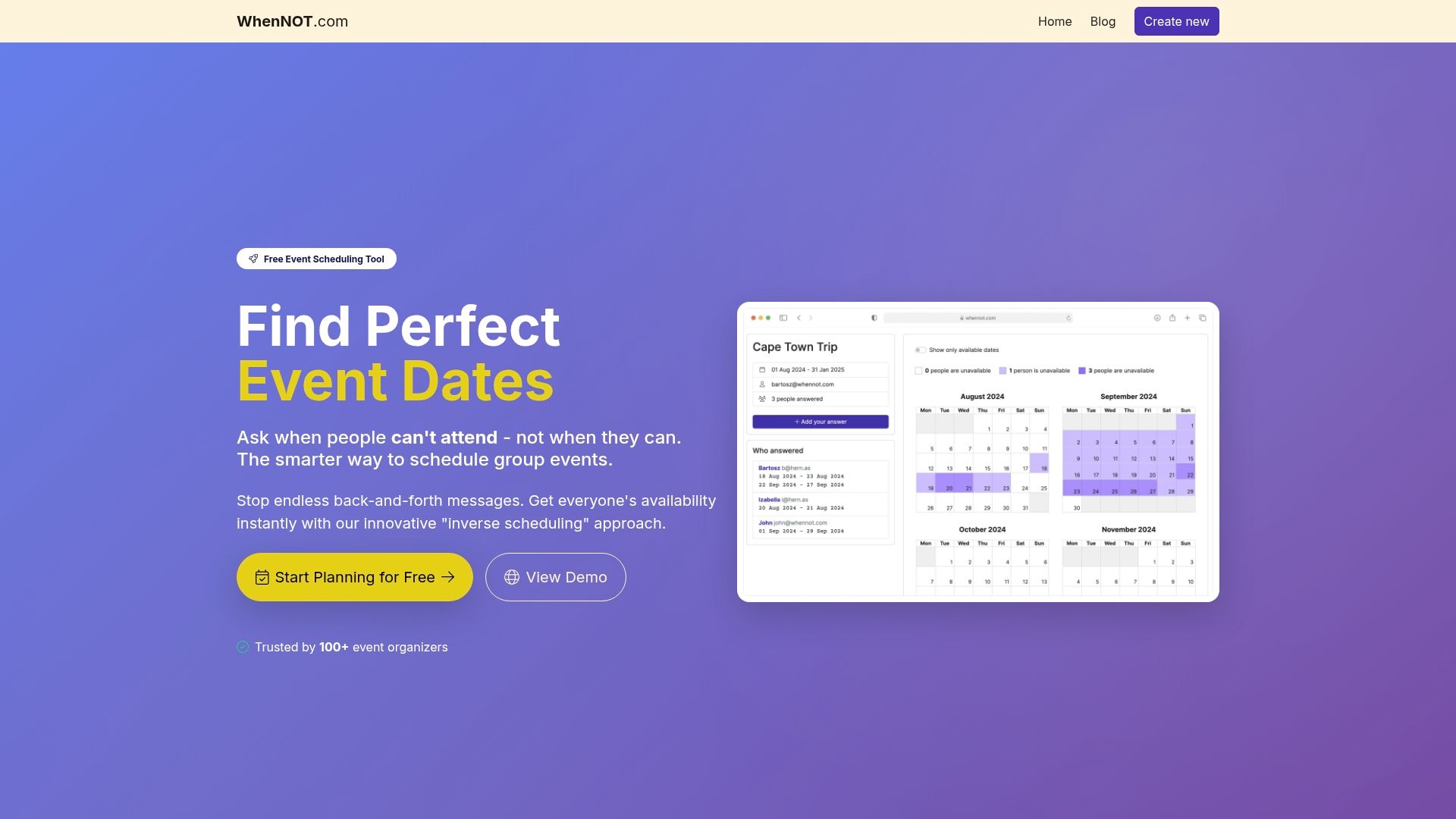
The platform supports role assignments, availability polling, and conflict resolution tools that make consensus processes efficient even for large groups. Participants mark their unavailable dates without creating accounts, reducing friction and improving response rates. You can visualize everyone's constraints simultaneously, making it easy to identify optimal dates that work for the most people. Explore the WhenNOT scheduling platform to save time and minimize conflicts in your next event. For detailed workflows and best practices, check out our collaborative scheduling workflow guide and 2025 comparison of group scheduling tools.
Frequently asked questions
How do you manage dissent when consensus isn't unanimous?
Aim for general agreement where most participants agree, typically 75-80% availability, rather than perfect unanimity which often proves impossible. Use the facilitator role to mediate discussions and find acceptable compromises when conflicts arise. Set clear deadlines to prevent endless debates, and establish upfront whether the facilitator makes the final call or you'll use voting if consensus stalls.
What if some participants can't engage frequently in scheduling?
Build longer timelines with clear milestones so participants can engage asynchronously rather than requiring real-time discussion. Use scheduling tools that send automated reminders and allow people to submit availability on their own schedule. Consider designating proxies for very busy participants who can represent their constraints and preferences in discussions.
How long does consensus-based scheduling usually take?
Typically three to four weeks from initial outreach to final decision for most multi-day events, though simple gatherings might take two weeks while complex corporate retreats could need six. The timeline depends on group size, participant responsiveness, and event complexity. Understanding common scheduling challenges helps you build realistic timelines with appropriate buffer time.
What tools help enforce facilitator and timekeeper roles?
Many digital scheduling platforms allow assigning specific roles to participants, with automated notifications and permissions tied to those roles. Facilitators use built-in tools for moderating discussions, tracking who has submitted availability, and prompting responses. Timekeepers receive automated alerts when deadlines approach and can send reminders to the group. These roles improve scheduling workflows and help avoid pitfalls like missed deadlines or unbalanced participation. The collaborative scheduling workflow guide provides detailed examples of role-based scheduling processes.
Can consensus-based scheduling work for large-scale events?
Yes, but it requires strong facilitation and potentially breaking large groups into subgroups that reach consensus separately before combining results. Technology tools that scale and manage complexity become critical for events with dozens or hundreds of participants. Clear milestones and deadlines help manage large groups effectively by preventing the process from becoming unwieldy. Consider using tiered consensus where core stakeholders agree on a shortlist of dates, then broader participants vote on final options to balance thoroughness with efficiency.