
Coordinating schedules for family reunions, corporate retreats, or team outings quickly becomes overwhelming when everyone has different commitments. Finding a time that works for all participants often involves endless email chains, conflicting responses, and frustration. This guide walks you through practical methods to identify mutual free time efficiently, whether you're planning for a small family gathering or a larger team event. You'll learn systematic approaches that save hours of back-and-forth communication and help you lock in dates that work for everyone involved.
Table of Contents
- Gathering Individual Schedules: What You Need
- Step-By-Step Method To Find Common Free Time
- Handling Challenges And Edge Cases In Scheduling
- Tips And Tools For Efficient Group Scheduling
- Discover More Scheduling Solutions With WhenNot
- Frequently Asked Questions
Key takeaways
| Point | Details |
|---|---|
| Merge busy intervals | Combine all participants' unavailable times to reveal open slots |
| Use appropriate methods | Poll tools work for small groups while algorithms suit larger teams |
| Handle edge cases | Address timezone differences and zero-length gaps proactively |
| Prepare schedules carefully | Collect availability in consistent formats to prevent confusion |
| Leverage digital tools | Automated scheduling platforms reduce manual effort significantly |
Gathering individual schedules: what you need
Before you can identify common free time, you need accurate availability data from every participant. This foundational step determines whether your scheduling process runs smoothly or turns into a nightmare of corrections and clarifications.
Start by asking each person to provide their busy time blocks rather than available slots. This approach often feels more natural because people think about their commitments first. Request that everyone use the same timezone reference, ideally by specifying city names like "New York" or "Los Angeles" rather than abbreviations that can confuse participants.
Each participant should list their unavailable periods as non-overlapping intervals. For example, someone might be busy from 9am to 11am and again from 2pm to 4pm, but these shouldn't overlap within their personal schedule. Having sorted input makes the next steps much faster and more reliable.
For small groups of 2 to 10 people, polling tools suffice before you need algorithmic approaches. Manual collection through shared spreadsheets or simple polls works fine at this scale. Larger teams benefit from digital platforms that automatically compile responses and flag inconsistencies.
Gather these specific details from each participant:
- All busy time blocks during the target date range
- Regular recurring commitments like weekly meetings
- Preferred meeting duration if relevant
- Any hard constraints or blackout dates
- Timezone or location for proper conversion
Pro Tip: Set a deadline for availability submissions and send reminders 24 hours before it expires to maximize response rates and keep your planning on track.
Digital group scheduling tools streamline this collection process by providing participants with intuitive interfaces where they mark unavailable dates. These platforms eliminate transcription errors and automatically handle timezone conversions, saving you from manual data entry headaches.
Step-by-step method to find common free time
Once you've collected everyone's schedules, you need a systematic approach to identify when the entire group is available. The method you choose depends on your group size and technical comfort level.
The algorithmic approach works by first sorting all busy intervals by start time across all participants. This sorting step has a computational complexity of O(N log N), where N represents the total number of busy intervals. While this sounds technical, it simply means organizing all the time blocks chronologically.
After sorting, you merge overlapping or adjacent intervals to create consolidated busy periods. For instance, if Person A is busy 9am to 11am and Person B is busy 10am to 12pm, these merge into a single 9am to 12pm busy block. The gaps between these merged intervals represent your common free time slots.

For scheduling between just two people, you can use a two-pointer technique on sorted availability slots to find the earliest overlap. This method compares intervals from both schedules simultaneously, advancing through them to identify matching free periods efficiently.
Here's the step-by-step process:
- Collect all busy intervals from every participant
- Sort the complete list by start time
- Merge any overlapping or touching intervals
- Identify gaps between merged intervals
- Filter gaps that meet your minimum duration requirement
- Present the resulting free time slots to your group
The choice between manual and automated methods significantly impacts your efficiency:
| Approach | Best For | Advantages | Limitations |
|---|---|---|---|
| Manual polling | 2-10 people | Simple, no tools needed, quick setup | Time-consuming, error-prone, hard to update |
| Algorithmic merging | 10-50 people | Accurate, handles complexity, scales well | Requires technical setup or specialized tools |
| Hybrid approach | Any size | Combines human judgment with automation | May need multiple platforms |
Pro Tip: Start with the simplest method that fits your group size, then upgrade to more sophisticated approaches only if you encounter problems or need to streamline group availability for recurring events.
When you identify potential time slots, consider the context of your event. A 30-minute gap might work for a quick team check-in but proves inadequate for a full-day workshop. Build in buffer time around your effective meeting planning process to account for setup, breaks, and overruns.
Handling challenges and edge cases in scheduling
Even with solid methods, scheduling complications arise that require thoughtful solutions. Anticipating these issues helps you respond quickly rather than scrambling when problems surface.
The most frustrating scenario occurs when no common free time exists among all participants. Your algorithm or manual review returns an empty result, forcing you to make difficult decisions. You can either reduce the participant list, split into smaller groups, or expand your date range to find alternatives.
Zero-length gaps appear when busy intervals touch exactly without overlap. These should be excluded from your results because they provide no actual scheduling window. For example, if one person's meeting ends at 2pm and another's begins at 2pm, that's not a viable slot for your group event.
Touching intervals require merging to prevent scheduling errors. If Person A is busy until 3pm and Person B starts at 3pm, treating these as separate creates a false opening. Proper interval merging combines these into a continuous busy period.
Timezone differences create the most common source of confusion in distributed teams. Rather than using abbreviations like EST or PST that shift with daylight saving time, use city names like "New York" or "Los Angeles" that automatically adjust. This approach eliminates ambiguity and reduces conversion mistakes.
Best practices to minimize conflicts:
- Request availability updates at least 48 hours before finalizing
- Use visual calendars that show overlapping schedules clearly
- Build in 15-minute buffers between back-to-back commitments
- Confirm timezone for every participant explicitly
- Document assumptions about business hours and working days
- Set clear expectations about response times
Timezone awareness isn't optional for modern group scheduling. A single conversion error can invalidate your entire coordination effort and force you to restart the process with frustrated participants.
When you encounter persistent scheduling conflicts, consider whether your event truly requires everyone's presence simultaneously. Some activities work better as asynchronous collaboration, while others demand real-time interaction. Making this distinction helps you avoid scheduling conflicts by choosing the right format.
Research shows that free time quality matters as much as quantity for productive group sessions. A rushed 30-minute slot between other commitments produces worse outcomes than a relaxed 45-minute window where participants can focus fully.
Tips and tools for efficient group scheduling
Selecting the right tools and establishing good habits transforms scheduling from a recurring headache into a manageable task. Small improvements in your process compound over time, saving hours across multiple events.
Digital platforms designed for group coordination eliminate much of the manual work involved in finding common free time. These tools typically allow participants to mark their availability through simple interfaces, then automatically calculate optimal meeting times. The best platforms handle timezone conversions transparently and send automated reminders to non-respondents. Grid tools are one way to do this, though many organizers now prefer a When2Meet alternative for group scheduling that ranks the best windows automatically.
Establish these practices within your team or family:
- Update shared calendars within 24 hours of schedule changes
- Block personal time proactively rather than reactively
- Use consistent naming conventions for recurring events
- Set default availability windows for regular planning cycles
- Review upcoming commitments weekly to catch conflicts early
- Communicate schedule constraints as soon as you know them
Comparing your options helps you choose the right approach:
| Method | Group Size | Setup Time | Accuracy | Maintenance |
|---|---|---|---|---|
| Email polling | 2-5 | Minutes | Low | High |
| Shared spreadsheet | 5-15 | 15-30 min | Medium | Medium |
| Scheduling platform | 5-50+ | 30-60 min | High | Low |
| Custom algorithm | 20-100+ | Hours | Very high | Low |
Pro Tip: Implement shared calendars where team members can see each other's busy blocks without revealing private details, reducing the need for constant availability checks and minimizing coordination overhead.
The best group scheduling tools balance ease of use with powerful features. Look for platforms that require minimal training, work across devices, and integrate with existing calendar systems your group already uses.
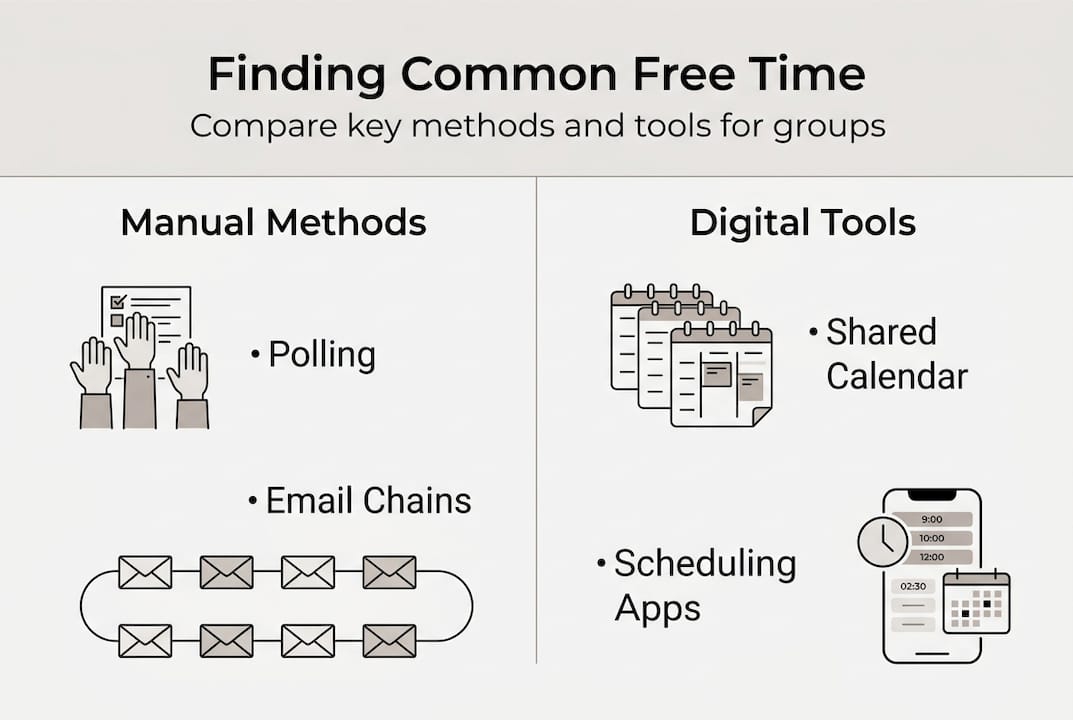
Building buffer time between scheduled events creates flexibility that accommodates unexpected delays or discussions that run long. A packed schedule with no breathing room inevitably leads to cascading delays and stressed participants. Aim for at least 15 minutes between consecutive commitments.
For recurring events like weekly team meetings or monthly family gatherings, establish standing availability windows where participants commit to being free. This approach reduces the coordination burden for each individual occurrence. Review and adjust these windows quarterly as schedules evolve.
Consider group calendar tips that emphasize transparency and proactive communication. When everyone can see the broader scheduling picture, they make better decisions about their own commitments and identify conflicts before they become problems.
Implementing team scheduling best practices creates a culture where coordination feels natural rather than burdensome. This cultural shift proves especially valuable for organizations that regularly plan group events or manage distributed teams across multiple locations.
Discover more scheduling solutions with WhenNot
Finding common free time shouldn't consume hours of your day or require complex technical skills. WhenNot offers an intuitive platform specifically designed to simplify group availability coordination for teams and families planning events together.
Our inverse scheduling approach asks participants when they're not available, making it faster and easier to identify mutual free time for multi-day events. Whether you're coordinating a corporate retreat, family reunion, or team outing, WhenNot visualizes everyone's busy periods concurrently to reveal optimal dates instantly.
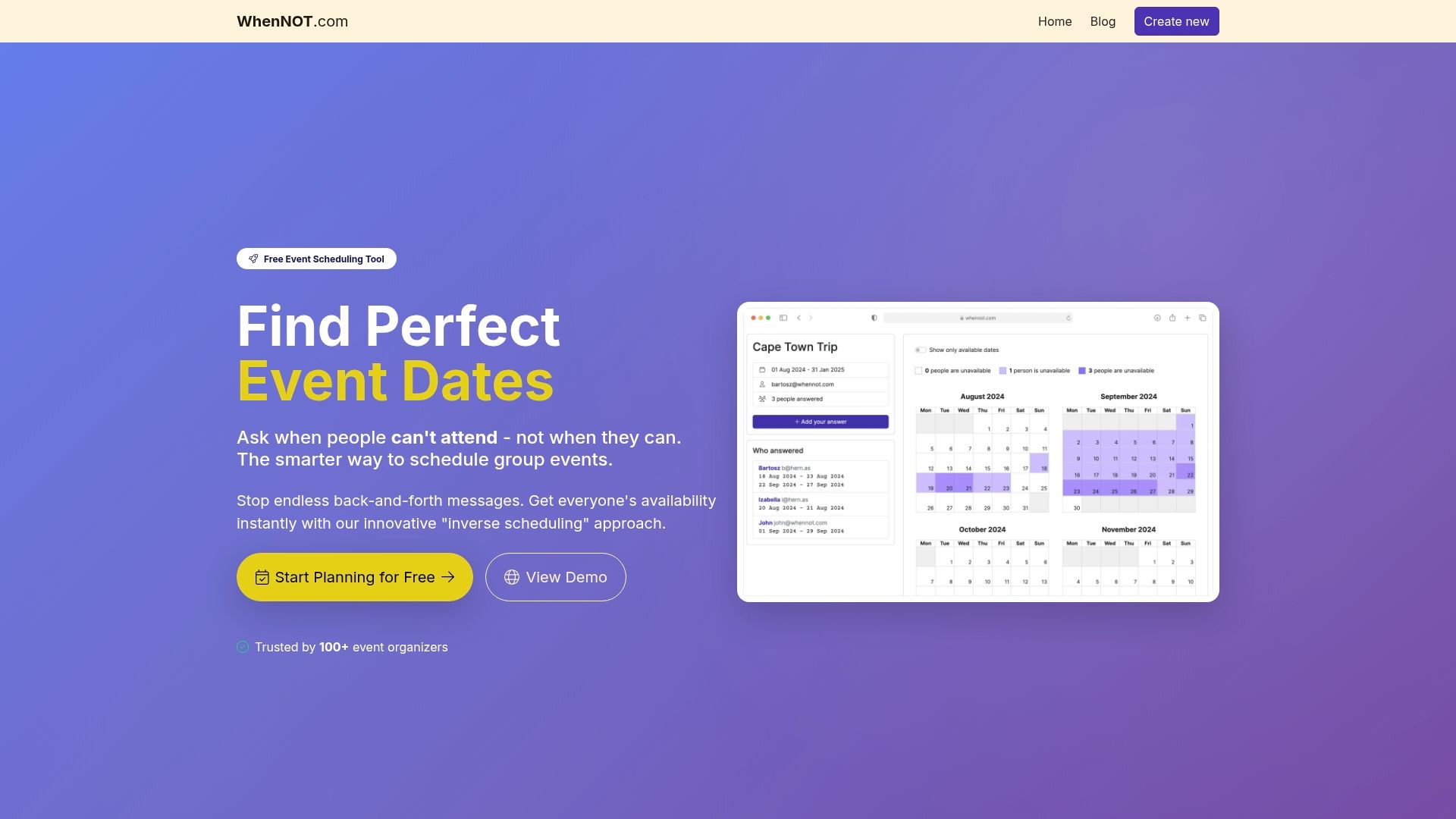
Explore WhenNot scheduling solutions that eliminate the back-and-forth typically required for group coordination. Our platform requires no signups for participants, emphasizes privacy and data security, and remains completely free to use. Discover expert-reviewed resources and group scheduling tools comparison to find the perfect fit for your planning needs.
Frequently asked questions
How do I handle different time zones within a group?
Use city names or UTC offsets when collecting availability to align times accurately across locations. Most digital scheduling tools automatically convert time zones, but manual coordination requires explicit timezone labels for every time block. Consider scheduling during overlap hours that work reasonably well for all participants, even if not perfect for everyone.
What if some participants don't respond with their availability?
Follow up promptly with those who haven't responded to encourage timely replies and explain how delays impact the entire group. Consider setting default availability windows based on typical working hours or previous patterns for non-respondents. Use scheduling tools that allow participants to update availability later for flexibility, but proceed with planning using confirmed responses to avoid indefinite delays.
Can these methods scale for larger groups over 50 people?
Algorithmic approaches like interval merging handle groups up to around 50 people efficiently with reasonable computational resources. For much larger groups, specialized enterprise tools or custom solutions may be required to manage the data volume and complexity. Manual polling becomes completely impractical beyond small groups due to the exponential increase in coordination effort and potential for errors.