
You have spent hours coordinating your corporate retreat, only to discover three team members double-booked because your scheduling tool misread time zones. Even sophisticated event coordinators face this frustration when tools treat time as simple numbers instead of complex, politically defined constructs. This guide clarifies the technical foundations of reliable event coordination tools, explains how to evaluate platforms for multi-day group events, and reveals practical strategies to prevent scheduling conflicts while boosting attendee engagement through smart feature integration.
Table of Contents
- Why Misunderstanding Time Zones Causes Event Coordination Headaches
- How Event Coordination Tools Should Handle Time Zones Correctly
- Leveraging Engagement Features To Enhance Multi-Day Event Coordination
- Choosing The Right Event Coordination Tools For Your Group Events
- Explore Reliable Event Coordination Platforms Designed For 2026
Key takeaways
| Point | Details |
|---|---|
| Time zone vs. offset clarity | Understanding the difference between fixed UTC offsets and dynamic time zones prevents double-booking errors |
| Named timezone identifiers | Tools using IANA timezone database entries like 'America/Los_Angeles' handle daylight saving transitions reliably |
| Pre-event engagement boost | Interactive features like personalized quizzes increase attendee connection and drive social sharing |
| Validation testing matters | Explicitly testing scheduling workflows across multiple time zones and DST dates ensures platform reliability |
| Feature integration priority | Balancing robust timezone handling with engagement tools creates optimal event coordination experiences |
Why misunderstanding time zones causes event coordination headaches
Scheduling conflicts in modern event coordination often stem from a fundamental confusion between time zone offsets and actual time zones. A time zone offset represents a fixed number of hours difference from Coordinated Universal Time (UTC), such as UTC+2 or UTC-5. These numeric values lack any context about daylight saving rules, political boundaries, or historical changes that affect how local time actually works in practice.
True time zones encompass far more complexity. They include political decisions, historical precedents, and legal frameworks that govern how regions calculate local time throughout the year. When naive scheduling systems confuse these concepts, they create overlapping appointments, especially when coordinating participants across different geographic regions with varying daylight saving practices.
Consider the ambiguous input '2 p.m. PT' during a multi-day corporate event. Many systems treat this as a static offset, ignoring that Pacific Time shifts between PST (UTC-8) and PDT (UTC-7) depending on the season. Most double-booking bugs stem from conflating timezone offsets with timezones, creating chaos when daylight saving transitions occur mid-event.
Storing timestamps without named time zones produces what developers call naive datetimes. These values cannot resolve conflicts after changes like DST transitions because they lack the contextual information needed to compute accurate local times. A meeting scheduled for 3 p.m. on March 10 might suddenly conflict with another event when clocks spring forward, yet the system has no mechanism to detect or prevent the overlap.
Reliable efficient event coordination step by step guide platforms require explicit, named timezone identifiers like 'America/Los_Angeles' or 'Europe/Berlin'. These identifiers reference comprehensive databases that track every historical rule change, political boundary adjustment, and seasonal transition for each region. Without this foundation, even sophisticated AI-powered schedulers will produce frustrating double-bookings that undermine event success.
Key indicators your tool handles time zones poorly:
- Calendar displays show only numeric UTC offsets without region names
- Scheduling conflicts appear mysteriously after daylight saving transitions
- Participant confirmations arrive at unexpected local times
- Export files contain timestamps without timezone metadata
- System documentation never mentions IANA timezone database support
"The difference between a time zone and a time offset is not academic. It determines whether your multi-day event runs smoothly or descends into scheduling chaos when participants span multiple regions with different daylight saving rules."
Double-bookings are symptoms of incomplete timezone handling in coordination tools. When platforms treat time as simple arithmetic rather than a dynamic, politically contested construct, they inevitably create conflicts that frustrate organizers and participants alike. Understanding this distinction empowers you to evaluate tools effectively and demand proper timezone support from vendors.
How event coordination tools should handle time zones correctly
Effective event coordination platforms store and compare datetimes with explicit named time zone identifiers drawn from the IANA timezone database. This comprehensive resource tracks every political decision, historical change, and seasonal transition affecting local time calculations worldwide. When your tool references 'America/New_York' instead of just 'UTC-5', it gains access to decades of timezone rule changes that prevent scheduling conflicts.

These sophisticated systems dynamically account for daylight saving transitions, historical boundary changes, and local exceptions that simple offset arithmetic cannot handle. A meeting scheduled for April 15 at 2 p.m. Eastern Time will correctly adjust whether that date falls under EST or EDT, preventing the overlaps that plague offset-based schedulers.
Proper timezone models treat time as a dynamic, politically contested construct rather than static mathematical offsets. Countries change their daylight saving policies, regions shift timezone boundaries, and historical events create exceptions that numeric offsets completely miss. Your coordination tool must incorporate this complexity to deliver reliable scheduling across multi-day events with international participants.
Scheduling APIs that return only numeric UTC offsets prove fundamentally unreliable for conflict detection. Never trust a calendar API that returns only a numeric UTC offset without a full IANA time zone identifier. These systems cannot distinguish between regions that share the same current offset but follow different daylight saving schedules, guaranteeing future conflicts.
Debugging double-bookings requires tracking the complete event lifecycle: how the system captures input, persists timestamp data, and performs conflict checking. Each stage presents opportunities for timezone information loss. If your tool converts named timezones to simple offsets during database storage, it discards the contextual data needed for accurate future comparisons.
Validation becomes critical when handling participant inputs across group event coordination explained scenarios. Event coordination systems must carefully validate timestamps to avoid naive datetime pitfalls where local times lack timezone context entirely. A timestamp like '2026-06-15 14:00:00' without timezone metadata becomes meaningless when coordinating participants in Tokyo, London, and Los Angeles simultaneously.
Pro Tip: Test your scheduling workflows explicitly across multiple time zones and daylight saving transition dates before launching any multi-day event. Create test events spanning DST boundaries in different regions to verify your tool handles transitions correctly without creating phantom conflicts or missed notifications.
Best practices for timezone-aware event coordination workflow planning include:
- Store all timestamps with full IANA timezone identifiers, never bare offsets
- Display participant local times dynamically based on their declared timezone
- Validate timezone data at input to catch ambiguous or invalid entries early
- Provide clear timezone selection interfaces using region names, not abbreviations
- Test conflict detection across daylight saving boundaries in multiple regions
- Document timezone handling approach transparently for technical stakeholders
- Implement audit logging that preserves timezone context for debugging
When platforms implement these practices correctly, they eliminate the mysterious double-bookings that plague simpler systems. Participants receive notifications at appropriate local times, conflict detection works reliably across seasonal transitions, and organizers gain confidence their multi-day events will proceed without timezone-related disasters.
Leveraging engagement features to enhance multi-day event coordination
Beyond technical reliability, modern event coordination platforms increasingly incorporate engagement features that transform scheduling from administrative necessity into community-building opportunity. Personalized quizzes, social sharing tools, and interactive profiles encourage attendee connection and anticipation well before the actual event begins.
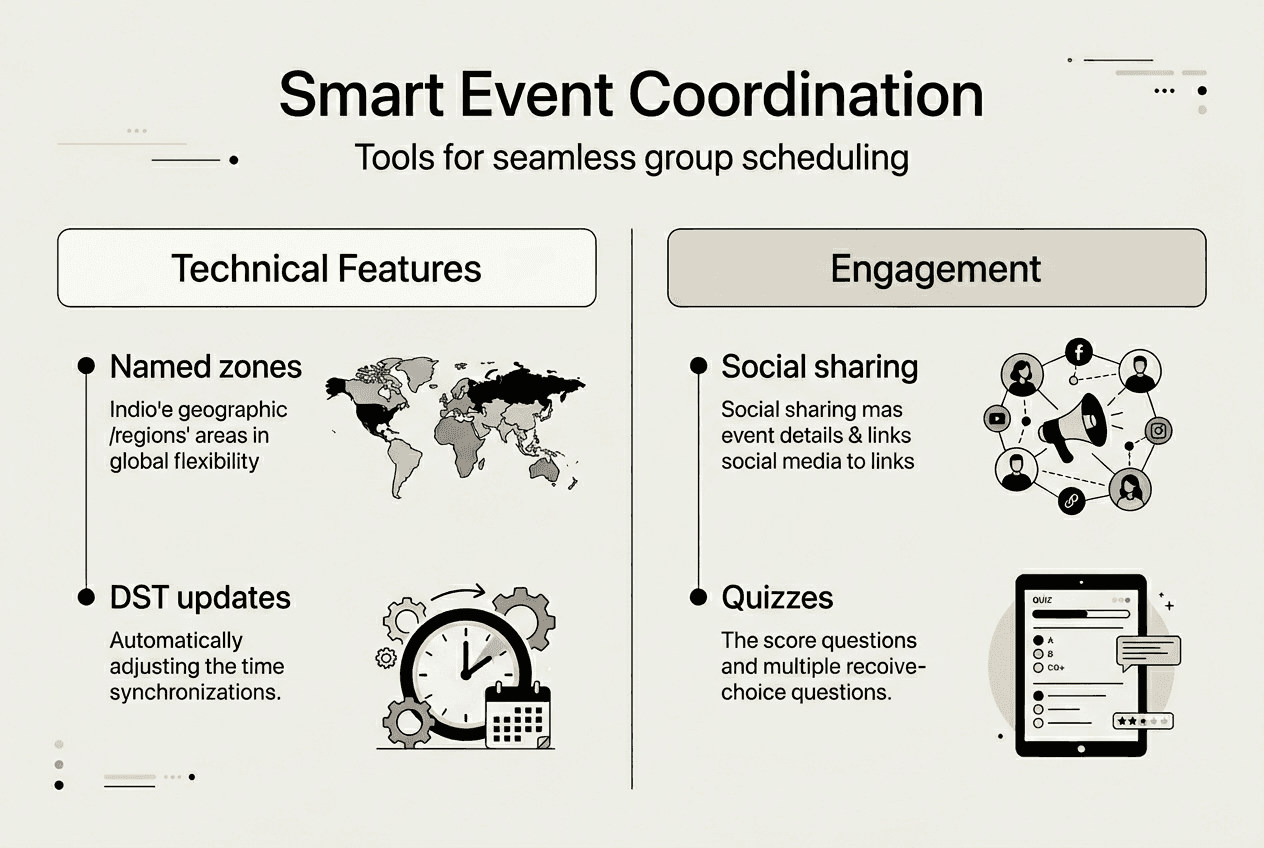
At Workday Rising 2025, organizers integrated Experience Profiles™ with social referral tools to boost pre-event engagement dramatically. Forty percent of attendees completed an interactive quiz designed to match them with relevant sessions and networking opportunities. This simple addition created immediate value for participants while gathering data organizers used to optimize event programming.
The social amplification effects proved equally impressive. Twenty percent of quiz participants shared their personalized results on social media platforms, generating over 12,000 clicks back to the event registration site. This organic reach far exceeded traditional email marketing campaigns, demonstrating how behaviorally designed engagement modules harness network effects to increase event awareness and drive registrations.
Coordinators benefit from integrating these engagement capabilities directly within their scheduling platforms rather than cobbling together separate tools. When quiz results, social sharing, and calendar coordination exist in one unified system, participant data flows seamlessly to inform better event design decisions. You gain insights into attendee preferences, networking goals, and content interests that pure scheduling tools never capture.
Social referral mechanisms specifically leverage the power of personal networks to expand event reach. When participants share branded, personalized event content with their connections, they implicitly endorse the gathering and make registration feel like joining an exclusive community rather than completing administrative paperwork. This psychological shift dramatically improves conversion rates from awareness to confirmed attendance.
Pro Tip: Encourage shareable, branded event interactions that provide genuine value to participants beyond simple registration confirmation. Quiz results revealing personalized session recommendations or networking match suggestions give attendees compelling reasons to share content with their professional networks organically.
Effective engagement features for multi-day event coordination include:
- Personalized quizzes matching participants with relevant sessions or activities
- Social sharing tools that create branded, shareable result graphics
- Interactive profiles highlighting attendee interests and networking goals
- Gamification elements rewarding early registration or profile completion
- Community forums enabling pre-event discussion and connection
- Countdown timers and progress trackers building anticipation
These capabilities work synergistically with robust timezone handling to create superior coordination experiences. Technical reliability ensures participants receive accurate scheduling information, while engagement features transform coordination from transactional to relational. The combination drives higher attendance rates, stronger community feeling, and more successful ways to improve event coordination outcomes overall.
Choosing the right event coordination tools for your group events
Selecting the ideal event coordination platform requires balancing technical reliability with engagement features tailored to your specific multi-day group event needs. Start by evaluating tools for robust timezone handling with named timezone support drawn from authoritative databases. Any platform that cannot clearly articulate its timezone model or only provides numeric UTC offsets should be immediately disqualified from consideration.
Look for built-in conflict detection that accounts for daylight saving transitions and regional exceptions automatically. The system should prevent double-bookings by comparing events in their proper timezone contexts, not through naive offset arithmetic. Request vendor demonstrations specifically showing how the platform handles scheduling across DST boundaries to verify claims match actual functionality.
Seek platforms that integrate pre-event engagement features directly rather than requiring separate third-party tools. Unified systems where scheduling, quizzes, social sharing, and participant profiles coexist provide superior user experiences and better data integration. This consolidation reduces technical complexity while improving the insights you can gather about attendee preferences and networking goals.
Consider user interface simplicity and mobile access for group coordination ease. Your participants should not need technical expertise to mark their availability or view event schedules. Mobile-responsive designs ensure coordinators and attendees can manage scheduling on the go, critical for multi-day events where plans frequently change.
Test data export and import compatibility to verify integration with your existing event technology stack. You may need to sync scheduling data with registration platforms, payment processors, or customer relationship management systems. Tools that lock data into proprietary formats create vendor dependency and complicate your technology ecosystem unnecessarily.
| Tool Type | Timezone Handling | Engagement Features | Best For |
|---|---|---|---|
| Basic schedulers | Offset-based, limited DST support | Minimal or none | Simple single-timezone events |
| Advanced AI tools | Named timezones, full IANA database | Moderate, often separate integrations | Complex multi-region corporate events |
| Engagement platforms | Variable, verify before selecting | Extensive built-in quizzes and social tools | Community-focused events prioritizing connection |
| Specialized group coordinators | Strong named timezone support | Integrated availability tracking and notifications | Multi-day flexible date group events |
Follow this step-by-step checklist when assessing potential platforms:
- Request technical documentation explaining timezone handling methodology and database sources
- Test scheduling workflows across multiple time zones including DST transition dates
- Evaluate engagement feature integration and data flow between modules
- Assess user interface simplicity from both organizer and participant perspectives
- Verify mobile responsiveness and accessibility across devices
- Review data export formats and API availability for third-party integrations
- Check vendor transparency about security practices and data retention policies
- Compare pricing models ensuring costs align with your event frequency and scale
Pro Tip: Prioritize vendors who provide transparent documentation on timezone handling and data integrity practices. Platforms that clearly explain their technical approaches demonstrate engineering maturity and reduce the risk of discovering critical limitations only after committing to the tool.
The benefits of event organization tools extend beyond simple scheduling when you select platforms thoughtfully. Proper timezone handling prevents frustrating conflicts, engagement features build attendee excitement, and intuitive interfaces reduce coordination friction. Together, these capabilities transform multi-day group event planning from stressful logistics into streamlined experiences that delight participants and organizers alike.
Remember that essential event invitation tips group planning strategies work best when supported by reliable coordination technology. Your tool should enhance communication clarity, not introduce new sources of confusion through poor timezone handling or clunky user experiences.
Explore reliable event coordination platforms designed for 2026
Having learned the critical technical foundations and engagement strategies that distinguish effective event coordination tools, you are now equipped to make informed platform decisions. WhenNOT offers robust scheduling capabilities specifically designed to handle the complex timezone scenarios and multi-day coordination challenges this guide has explored.
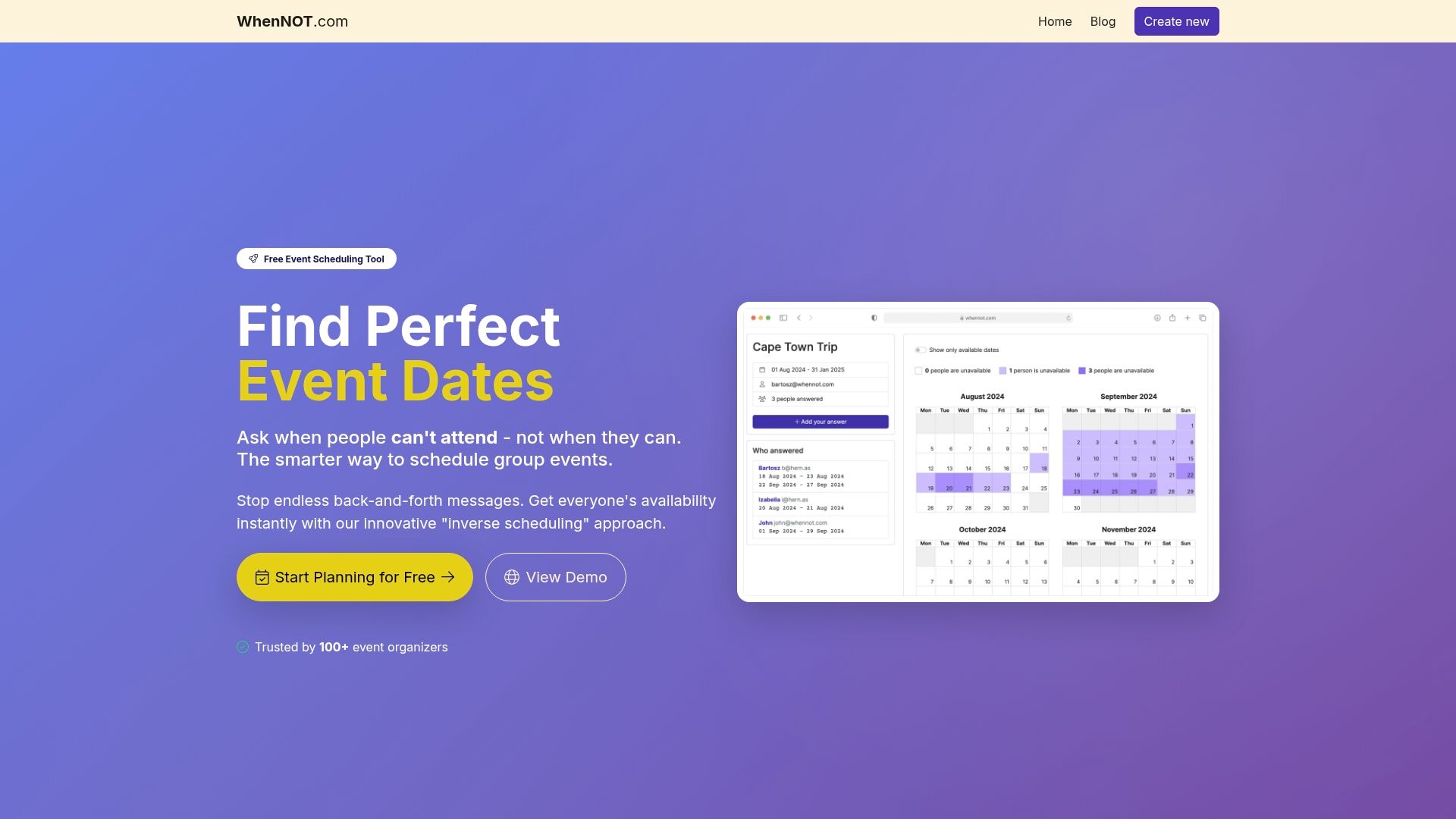
The platform includes engagement features that help boost event registration and community building while maintaining the timezone reliability essential for conflict-free scheduling. Whether you are coordinating corporate retreats, family gatherings, or social events spanning multiple days and regions, WhenNOT event coordination platform provides the seamless group scheduling capabilities you need without the double-booking frustrations that plague simpler tools.
FAQ
What is the difference between a time zone and a time offset?
A time offset represents a fixed number of hours difference from UTC, such as UTC+2 or UTC-5, without any contextual information. A time zone encompasses a geographic region with specific legal and historical rules governing local time, including daylight saving transitions, political boundaries, and exceptions that offsets cannot capture.
Why do some event scheduling tools cause double-bookings across time zones?
Many tools rely exclusively on fixed UTC offsets and ignore daylight saving rules or regional time changes. When participants span regions with different seasonal transitions, these systems cannot detect conflicts that emerge when local times shift. Proper timezone-aware scheduling using named identifiers prevents these frustrating overlaps.
How can personalized engagement features improve event attendance?
Personalized quizzes and social sharing capabilities create buzz and anticipation before events begin. They foster genuine connection among attendees by matching interests and enabling networking. This pre-event community building drives higher awareness through organic social amplification and converts more prospects into confirmed registrations.
What factors should I consider when selecting an event coordination tool?
Robust timezone handling using named IANA identifiers is critical to avoid scheduling conflicts across regions. Engagement features like quizzes and social tools boost participation and community feeling. User interface simplicity and mobile access matter for participant experience. Vendor transparency about timezone models and data management practices indicates platform reliability and engineering maturity.
Recommended
- Planning Efficient Social Events for Seamless Group Coordination - WhenNOT Blog
- Efficient Group Scheduling Workflow for Seamless Events - WhenNOT Blog
- Best scheduling tools for group travel – Expert Comparison 2025 - WhenNOT Blog
- 7 Essential Scheduling Trends in 2025 for Better Group Events - WhenNOT Blog