
Did you know that over 70 percent of employees say stressful scheduling impacts their job satisfaction? Coordinating meetings and events can quickly become overwhelming when mismatched priorities and confusing tools collide. Streamlined, user-friendly scheduling is now a must for teams and communities who want to focus on actual collaboration instead of chasing calendars. Discover practical ways to simplify group planning and create scheduling experiences that work seamlessly for everyone involved.
Table of Contents
- Defining User-Friendly Scheduling Principles
- Core Features of User-Friendly Scheduling Tools
- Variations and Approaches to Simplified Scheduling
- Real-World Use Cases for Group Event Planning
- Common Pitfalls and How to Avoid Them
Key Takeaways
| Point | Details |
|---|---|
| User-Centric Scheduling | Effective scheduling prioritizes flexibility, accommodating individual availability and preferences to create a collaborative experience. |
| Essential Features | User-friendly tools should require minimal setup, ensure privacy, and provide instant availability visualization. |
| Simplified Methods | Innovative scheduling methods, such as automated constraint resolution and collaborative scheduling, enhance coordination ease. |
| Avoiding Pitfalls | Selecting intuitive scheduling solutions can help mitigate common issues like complexity and poor communication, leading to smoother event planning. |
Defining User-Friendly Scheduling Principles
User-friendly scheduling isn't just about tracking dates and times. It's an intelligent approach to coordinating multiple people's availability while respecting individual preferences and constraints. According to research from arXiv, effective scheduling should deeply consider workers' unique needs, accommodating individual differences and organizational factors.
At its core, user-friendly scheduling prioritizes flexibility and human-centered design. This means creating systems that adapt to people's real-world complexities rather than forcing participants into rigid frameworks. Consider how traditional scheduling tools demand exact availability windows, which often creates unnecessary friction. A truly user-friendly approach flips this model, allowing participants to communicate unavailability more intuitively.
Key principles of user-friendly scheduling include:
- Minimal Friction: Requiring zero account creation or complex sign-ups
- Preference Accommodation: Respecting individual time constraints
- Visual Clarity: Presenting scheduling information in easy-to-understand formats
- Privacy Protection: Ensuring participant data remains secure
Research from successcenter highlights the importance of strategic timing, suggesting that effective scheduling involves utilizing peak productivity hours and understanding individual energy patterns. This means recognizing that scheduling isn't just about finding overlap but creating an environment where participants feel respected and empowered.

The ultimate goal of user-friendly scheduling is transforming a traditionally stressful process into a seamless, collaborative experience. By prioritizing human needs over mechanical constraints, we can create scheduling solutions that feel less like a chore and more like a natural conversation. Learn more about efficient scheduling methods in our Understanding Efficient Scheduling Methods for Better Planning article.
Core Features of User-Friendly Scheduling Tools
User-friendly scheduling tools are more than just digital calendars—they are sophisticated platforms designed to simplify complex coordination challenges. According to cal.com, modern scheduling solutions emphasize interfaces crafted for clarity and simplicity, ensuring functions remain easily accessible without overwhelming users.
The landscape of scheduling tools has dramatically evolved, moving beyond basic date-matching to provide intelligent, adaptive experiences. Key features that distinguish truly user-friendly scheduling platforms include seamless integration, intuitive design, and participant-centric functionality. These tools recognize that scheduling isn't just a technical process, but a human interaction requiring empathy and flexibility.
Essential features of exceptional scheduling tools include:
- Minimal Setup Requirements: Zero complex account creation
- Instant Availability Visualization: Clear, color-coded time slot representations
- Cross-Platform Compatibility: Functioning smoothly across devices and browsers
- Privacy-First Design: Protecting participant information
Research from YouCanBook.me highlights critical user experience considerations, emphasizing the importance of customizable notifications and automated reminders. These features reduce scheduling friction by proactively communicating changes and minimizing no-show rates.
Ultimately, the best scheduling tools transform a traditionally complex process into an effortless, almost invisible experience. By prioritizing user needs and technological simplicity, these platforms make coordination feel natural and stress-free. For deeper insights into selecting the right scheduling solution, explore our Understanding Why Choose Simple Scheduling Tools guide.
Variations and Approaches to Simplified Scheduling
Simplified scheduling represents a dynamic landscape of innovative approaches designed to transform how groups coordinate their time. Cutting-edge research from arXiv reveals fascinating solutions like the Calendar.help system, which ingeniously combines automation with human assistance through structured workflows and microtasks to manage complex scheduling scenarios.
Modern scheduling approaches can be categorized into several distinctive strategies:
Here's a comparison of simplified scheduling approaches:
| Approach | Key Characteristics | Ideal Use Cases |
|---|---|---|
| Inverse Availability Mapping | Marking unavailability, not availability | Large groups Busy participants |
| Automated Constraint Resolution | Intelligent algorithms Optimal time selection | Complex schedules Multiple constraints |
| Collaborative Scheduling | Group input Minimal effort | Team projects Event planning |
| Contextual Scheduling | Personal preferences Dynamic adjustment | Individualized events Flexible teams |
- Inverse Availability Mapping: Identifying unavailable times instead of available slots
- Automated Constraint Resolution: Using intelligent algorithms to find optimal meeting windows
- Collaborative Scheduling: Enabling collective input with minimal individual effort
- Contextual Scheduling: Considering participants' individual preferences and constraints
Research from another arXiv study highlights an advanced Integer Linear Programming model that optimizes periodic scheduling. This sophisticated approach incorporates nuanced constraints like minimum intervals between meetings and dedicated emergency slots, ensuring not just efficiency but also equitable distribution of meeting times.
The evolution of scheduling methodologies demonstrates a profound shift from rigid, one-size-fits-all approaches to flexible, human-centered systems. These innovations recognize that scheduling is fundamentally about human connections, not just mathematical optimization. By prioritizing individual needs and leveraging intelligent technologies, we're moving toward scheduling solutions that feel less like administrative tasks and more like natural conversations. For more insights into streamlining your scheduling process, explore our 6 Ways to Simplify Scheduling for Events guide.
Real-World Use Cases for Group Event Planning
Group event planning touches virtually every aspect of collaborative human interaction, from professional conferences to family reunions. According to Wikipedia, innovative tools like online calendar poll systems have revolutionized how groups coordinate schedules, enabling seamless planning without requiring complex user registration.
Group event planning scenarios span numerous domains, each with unique coordination challenges:
- Corporate Retreats: Aligning executive and team member schedules
- Academic Workshops: Coordinating multi-stakeholder academic events
- Family Gatherings: Synchronizing diverse family member availabilities
- Community Events: Managing volunteer and participant schedules
- Professional Conferences: Organizing speaker, attendee, and venue timelines
Research from Wikipedia highlights how web-based applications like FlightPath are transforming institutional event management, demonstrating the critical role of sophisticated scheduling technologies in facilitating group coordination. These platforms enable organizations to manage complex scheduling scenarios with unprecedented efficiency, reducing communication overhead and minimizing scheduling conflicts.
The true power of modern group event planning lies in its ability to transform logistical challenges into collaborative opportunities. By leveraging intelligent scheduling tools, groups can focus on the essence of their gatherings rather than getting lost in administrative details. For comprehensive insights into navigating these planning complexities, explore our Group Event Organization Process guide.
Common Pitfalls and How to Avoid Them
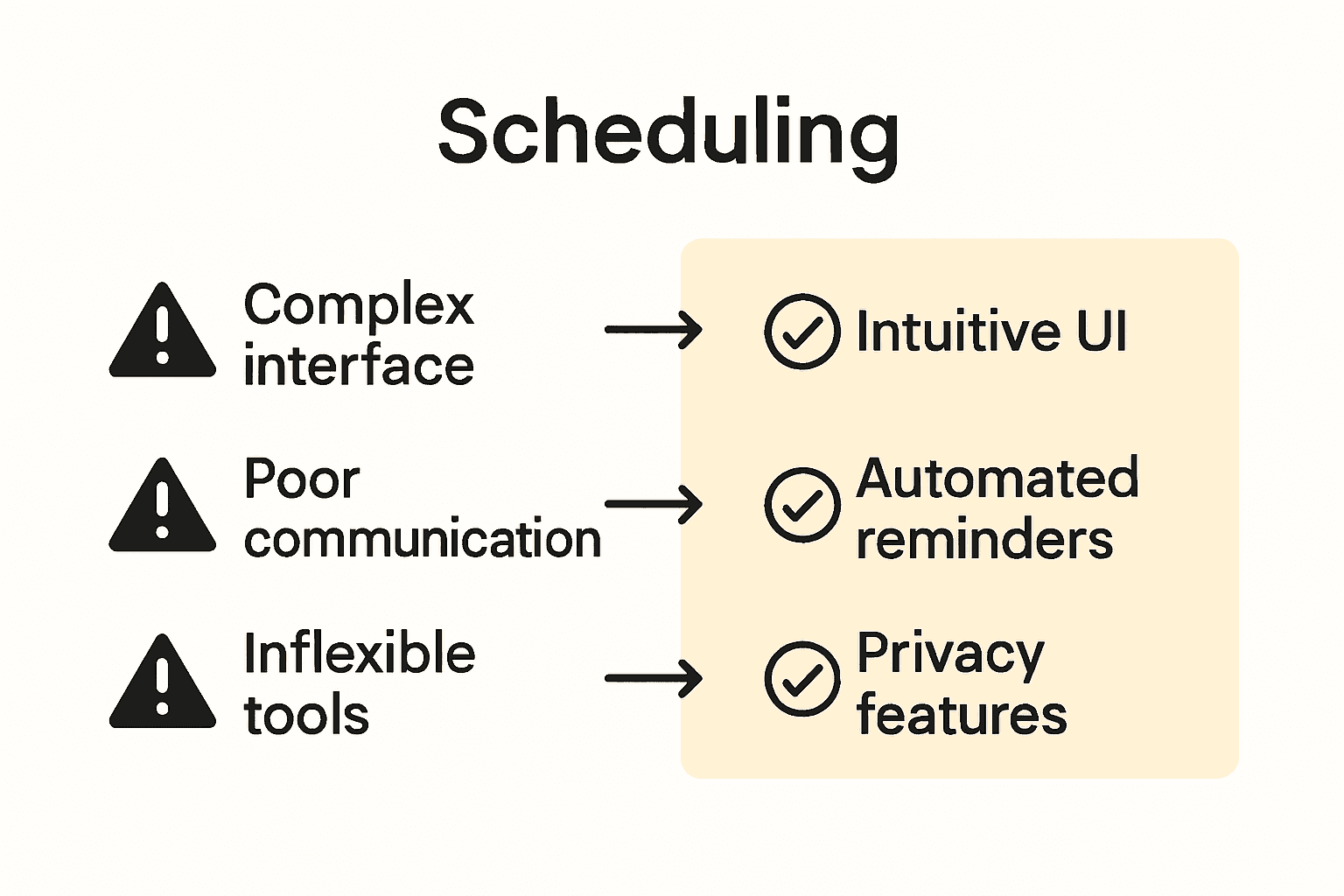
Scheduling challenges can derail even the most well-intentioned group events, transforming potentially smooth experiences into logistical nightmares. According to Bizimply, complex scheduling software frequently leads to increased training costs and user frustration, highlighting the critical importance of choosing intuitive systems that reduce onboarding time and enhance overall productivity.
Common scheduling pitfalls that groups encounter include:
- Over-Complicated Interfaces: Platforms with too many features that overwhelm users
- Lack of Flexibility: Tools that don't adapt to diverse scheduling needs
- Poor Communication Channels: Insufficient mechanisms for participant coordination
- Inadequate Conflict Resolution: Systems that cannot handle competing time preferences
- Privacy and Security Gaps: Platforms with weak data protection mechanisms
Research from Schedly emphasizes that AI integration can significantly mitigate scheduling inefficiencies. By incorporating smart allocation and automated conflict resolution features, scheduling platforms can transform potential roadblocks into seamless coordination experiences.
 These intelligent systems learn from past interactions, progressively improving their ability to match participants' preferences and constraints.
Ultimately, avoiding scheduling pitfalls requires a proactive, user-centered approach. Groups must prioritize tools that balance simplicity with powerful functionality, ensuring that the scheduling process feels more like a conversation and less like an administrative burden. For practical strategies to streamline your event planning, check out our Essential Group Event Scheduling Tips guide.
Streamline Your Scheduling with User-Friendly Solutions
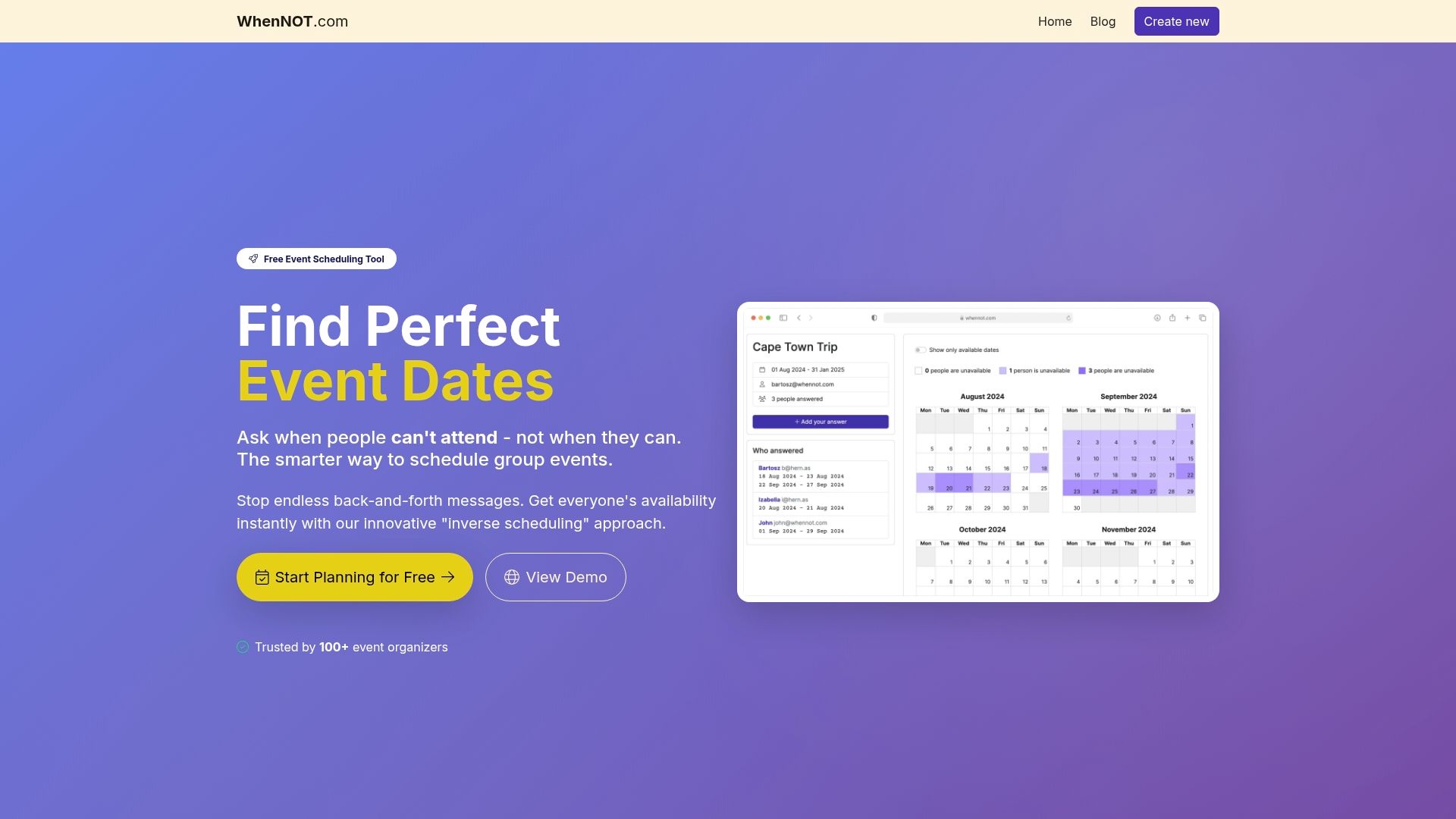
Scheduling frustration often stems from confusing tools that demand exact availability while ignoring personal preferences and real-life complexity. This article highlighted key pain points such as inflexible timing, complicated setups, and lack of privacy that make scheduling feel like a chore instead of a smooth conversation. The concept of "inverse availability mapping" offers a smart alternative by letting participants simply mark when they are unavailable rather than when they are free, reducing effort and miscommunication.
WhenNOT embraces this user-friendly scheduling approach to help you effortlessly organize group events across flexible dates. With no account creation required, intuitive visualization of everyone’s busy days, and a strong focus on privacy and simplicity, it is designed exactly for people facing the coordination challenges discussed here. Whether you are planning a corporate retreat or a family gathering, WhenNOT empowers you to find the best dates faster and free of confusion.
Discover how to convert scheduling hassles into seamless collaboration. See why thousands trust WhenNOT’s efficient scheduling methods and explore 6 Ways to Simplify Scheduling for Events to improve your planning today.
Ready to transform the way you schedule? Take control with WhenNOT and experience the difference of true user-friendly scheduling now.
Frequently Asked Questions
What is user-friendly scheduling?
User-friendly scheduling is an approach that prioritizes flexibility and human-centered design, enabling individuals to coordinate their schedules easily while respecting personal preferences and constraints.
What are the key principles of user-friendly scheduling?
The key principles include minimal friction, preference accommodation, visual clarity, and privacy protection, ensuring a smooth scheduling experience for participants.
How can user-friendly scheduling tools improve event planning?
User-friendly scheduling tools streamline coordination, reduce administrative burdens, and enhance communication, making it easier to organize group events and align participant schedules.
What are common pitfalls in scheduling, and how can they be avoided?
Common pitfalls include over-complicated interfaces, lack of flexibility, poor communication channels, and inadequate conflict resolution. These can be avoided by selecting intuitive scheduling tools and prioritizing user-centered features.