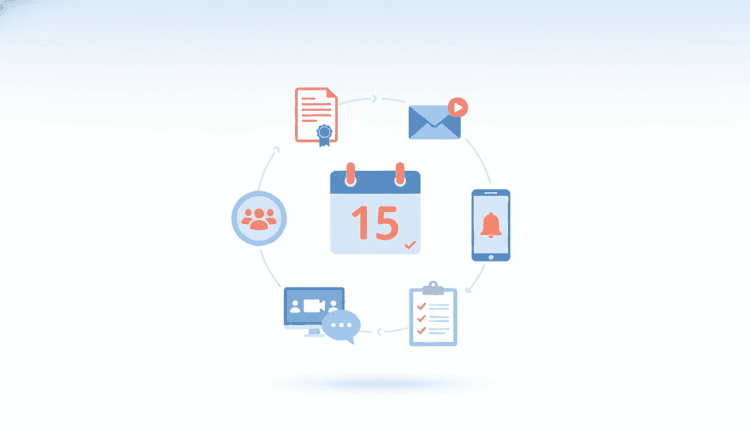
Choosing the right invitation sets the tone for your event and directly affects attendance. Whether you are planning a corporate gala, a family reunion, or a casual weekend meetup, the invitation format you pick shapes first impressions and drives RSVPs. This guide breaks down seven types of event invitations, explains when each one works best, and shows you how to get more people to say yes in 2026.
What Are Event Invitations?
An event invitation is a message that communicates the who, what, when, where, and why of your gathering. It can take many forms, from a printed card to a group scheduling poll, and the right format depends on your audience, budget, and formality level.
An event invitation does more than share logistics. It builds excitement, signals the formality level, and makes responding simple. In 2026, the average person receives 15+ event invitations per month across email, social media, and messaging apps. With that volume competing for attention, your invitation format needs to match your audience and stand out.
Three questions guide the choice: who is your audience, what is the vibe, and how quickly do you need responses? The answers point you to the right invitation type every time.
1. Formal Printed Invitations
Formal printed invitations work best for high-stakes events like weddings, galas, corporate award dinners, and milestone celebrations. Physical cards create a tangible connection that signals prestige and tells guests the event is worth clearing their schedule.
A physical card in someone's hands makes a lasting first impression. When guests dress up for your event, the invitation should feel special too. In 2026, eco-friendly printing has become the standard, with most print shops offering recycled paper, soy-based inks, and plantable seed paper options.
What to include on a formal invitation:
- Full event name and host
- Date, time (with time zone), and venue address
- Dress code and any protocols
- RSVP deadline and response method
- Special instructions (parking, dietary form, security details)
Pro tip: Pair printed invitations with a QR code that links to an online RSVP page. You get the elegance of paper with the convenience of digital tracking.
Cost range: $2 to $10+ per invitation depending on paper quality, printing method, and finishing details like embossing or foil stamping. Eco-friendly options like seed paper add $1 to $3 per card but leave a positive impression with environmentally conscious guests.
Formal invitations work best with 4 to 8 weeks of lead time. For events with out-of-town guests, consider sending save-the-date notices even earlier, then following up with the full invitation.
2. Digital and Email Invitations
Email invitations remain the workhorse of event planning in 2026. They are fast, free (or low-cost), and easy to track. You can embed RSVP buttons, add calendar links, and reach hundreds of guests instantly.
Use email invitations for professional events, community gatherings, workshops, and any event where you need speed and scale. They also work well as follow-ups to save-the-date notices.
What to include:
- Clear, compelling subject line
- All event details in a scannable layout
- One-click RSVP button
- Calendar integration link
- Mobile-friendly design
2026 trends: AI-powered email builders now generate personalized invitation designs based on your event type and audience. You describe the event, and the tool creates a branded layout with color schemes, images, and copy suggestions in seconds. This cuts design time from hours to minutes, even for organizers with zero design experience.
Eco-friendly digital invitations have also gained traction. Many platforms now display a "zero paper, zero waste" badge on digital invites, which resonates with guests who prefer sustainable event practices.
Modern email invitations support embedded polls for date preferences and live attendee counters. These features cut down the back-and-forth that slows planning. If you are organizing a community event, pair your digital invitation with a structured event planning guide to stay on track.
3. Social Media Event Invitations
Social platforms have become powerful event tools. Facebook Events, Instagram Stories, and LinkedIn Events let you reach people where they already spend time. Social invitations also create built-in buzz through shares, comments, and reactions.
Use social invitations for public events, community meetups, networking sessions, and casual gatherings where viral reach matters.
What to include:
- Eye-catching cover image or short video
- Event details (date, time, location, link)
- Clear call-to-action ("Mark Going" or "RSVP here")
- Hashtag for event discussion
- Regular updates to keep the event visible
Pro tip: Post countdown reminders in the days before your event. Social media algorithms favor active event pages, so regular updates keep your invitation at the top of feeds.
2026 trends: AI-generated event graphics are now mainstream on social platforms. Organizers use text-to-image tools to create unique, on-brand visuals for every event without hiring a designer. A/B testing different AI-generated cover images has shown up to 25% higher click-through rates compared to stock photo alternatives.
Short-form video invitations (under 60 seconds) shared on Instagram Reels and TikTok generate 3x more engagement than static image posts. A quick, energetic clip showing the venue or highlighting past events builds excitement and drives RSVPs.
4. Group Scheduling Invitations
Group scheduling invitations solve the hardest part of planning: finding a date and time that works for everyone. Instead of picking a date and hoping for the best, you ask participants to share their availability first, then lock in the winning option.
This approach flips the traditional model. Rather than announcing a date and waiting for RSVPs, you start by collecting availability from everyone involved. This works especially well for team offsites, family reunions across time zones, committee meetings, friend group trips, and recurring social events.
What a group scheduling invitation includes:
- Proposed date range or time options
- Easy availability-marking tool
- Automatic conflict detection
- Response deadline
- Final confirmation message once the date is set
The biggest advantage? Group scheduling invitations achieve 80-90% response rates because participants actively choose a date that works for them. People are far more likely to attend an event when they helped pick the timing.
How WhenNOT makes this effortless: WhenNOT flips the question. Instead of asking everyone "when are you free?" (which creates endless back-and-forth messages), WhenNOT asks participants to mark only the dates they are NOT available. The best date becomes obvious in minutes, not days.
Here is how it works:
- Create a poll with your proposed date range
- Share the link with your group
- Participants mark the dates that do NOT work for them
- WhenNOT shows you the date with the fewest conflicts
- Lock in the winning date and send your invitation
No more group chat chaos or 30-email threads just to find one evening that works. Create your event invite in minutes with WhenNOT.
Looking for inspiration on what to plan? Browse this list of group event ideas for creative and seamless planning.
5. RSVP-Based Invitations
RSVP-based invitations prioritize one thing: getting a clear yes or no from every guest. They include a built-in response mechanism that tracks who is coming, who is not, and who has not replied yet.
Use RSVP-based invitations for events where headcount accuracy matters: catered dinners, venue-capacity events, workshops with limited seats, and ticketed gatherings.
What to include:
- All event details (date, time, venue, agenda)
- One-click RSVP button with "Yes," "No," and "Maybe" options
- Automatic confirmation email after responding
- Reminder sequence for non-responders
- Dietary or accessibility preference form (if relevant)
Why they work: RSVP-based invitations remove ambiguity. Instead of guessing headcount from social media "Interested" clicks, you get firm commitments. Automated reminders nudge non-responders without you sending awkward follow-up messages.
2026 trends: Smart RSVP tools now use AI to predict no-show rates based on historical response patterns. Some platforms also send personalized nudges at optimal times, boosting response rates by 15-20% compared to generic reminder blasts.
Pro tip: Set your RSVP deadline 7 to 10 days before the event. This gives you time to adjust catering, seating, and logistics based on final numbers. For family events that involve multiple households, an RSVP-based approach paired with stress-free family planning strategies keeps everyone aligned.
6. Last-Minute and Casual Invitations
Not every event needs weeks of lead time. Spontaneous dinners, impromptu game nights, weekend hikes, and "I just got concert tickets" moments call for fast, casual invitations that get the word out in minutes.
Last-minute invitations work best for small groups (under 30 people), time-sensitive gatherings, and casual social events where formality is unnecessary.
Best channels for last-minute invitations:
- Text messages (98% open rate, most read within 3 minutes)
- Group chat apps (WhatsApp, Signal, iMessage groups)
- Voice messages or quick video clips
- Social media Stories (auto-expire, creating urgency)
What to include:
- Brief, friendly message (keep it short)
- Essential details only (what, when, where)
- Quick reply option ("Reply YES to confirm")
- Link to full details or map if needed
2026 update: Rich Communication Services (RCS) messaging now supports branded event cards with embedded RSVP buttons, images, and calendar links directly inside the text thread. This bridges the gap between the simplicity of texting and the richness of email invitations.
Important: Only text people who expect to hear from you. Unsolicited mass texts feel spammy. Save last-minute invitations for close contacts, team members, and people who have opted in.
Pro tip: Even for casual events, a quick scheduling check prevents disappointment. Drop a WhenNOT poll into your group chat to see who is free this weekend before committing to a plan.
7. Hybrid Event Invitations
Hybrid events combine in-person and virtual attendance, and they need invitations that serve both audiences. A hybrid invitation must communicate two parallel experiences: what the in-person attendees will enjoy and how virtual participants will join and engage.
Hybrid events surged during 2020-2022 and remain a fixture in 2026, especially for conferences, workshops, team meetings, and community events that serve geographically dispersed audiences.
What to include:
- In-person venue details (address, parking, directions)
- Virtual attendance link (with platform requirements)
- Agenda highlighting which sessions are available in both formats
- Separate RSVP options for in-person vs. virtual attendance
- Technical requirements for virtual attendees (browser, app, bandwidth)
- Time zone converter or "add to calendar" button for virtual guests
2026 trends: AI-powered hybrid platforms now create personalized invitation experiences based on the recipient's location. If a guest is within 50 miles of the venue, the invitation highlights the in-person experience first. For remote recipients, the virtual experience takes center stage. This location-aware personalization increases both in-person and virtual attendance rates.
Eco-conscious organizers also use hybrid formats to reduce travel footprints. Invitations that highlight the environmental benefit of virtual attendance ("join from home and save 50 kg of CO2") appeal to sustainability-minded guests.
Pro tip: Send hybrid invitations at least 2 to 3 weeks in advance. Virtual attendees need less prep time than in-person guests, but early notice ensures both groups block their calendars. For large hybrid events, follow a detailed event planning timeline and countdown checklist to coordinate both tracks.
Invitation Type Comparison Table
| Invitation Type | Best Use Case | Formality | Cost Per Invite | Response Rate | Ideal Lead Time | Eco-Friendly Options |
|---|---|---|---|---|---|---|
| Formal Printed | Weddings, galas, executive dinners | High | $2-$10+ | 60-75% | 4-8 weeks | Seed paper, recycled stock |
| Digital/Email | Professional events, workshops, large audiences | Low-Medium | Free-$1 | 25-40% | 1-4 weeks | Inherently paperless |
| Social Media | Public events, community meetups, networking | Low | Free | 15-30% | 1-3 weeks | Inherently digital |
| Group Scheduling | Team events, group trips, family reunions | Varies | Free | 80-90% | 1-4 weeks | Inherently digital |
| RSVP-Based | Catered events, capacity-limited venues, ticketed events | Medium | Free-$2 | 50-70% | 2-6 weeks | Digital RSVP cards |
| Last-Minute/Casual | Spontaneous dinners, game nights, small gatherings | Low | Free | 70-85% | Hours-1 week | Text-based, no waste |
| Hybrid | Conferences, workshops, dispersed teams | Medium-High | Free-$5 | 40-60% | 2-4 weeks | Reduces travel emissions |
Key takeaway: Group scheduling and last-minute text invitations get the highest response rates. Social media invitations reach the widest audience but produce the lowest per-person response rate. For high-stakes events, combine a formal printed invitation with a digital RSVP system for the best results.
How to Choose the Right Invitation Type for Your Event
Match your invitation format to five factors: formality level, audience size, RSVP needs, date flexibility, and budget. Here is a quick decision framework.
Start with formality. Black-tie events, weddings, and executive dinners call for printed invitations. Everything else can go digital.
Consider audience size. Under 30 people? Text or group scheduling works great. Over 100? Email or social media gives you the reach you need.
Think about date flexibility. If the date is locked, send a standard invitation with RSVP tracking. If the date is flexible, start with a group scheduling poll to find the best option, then follow up with the formal invitation.
Factor in budget. Printed invitations cost $2-$10+ each. Digital options are free or nearly free. For large guest lists, digital invitations save hundreds of dollars without sacrificing quality.
Check your timeline. Less than a week out? Go casual with texts or social media. More than a month? You have time for printed invitations or a full email campaign.
A smart workflow: Use WhenNOT first to lock in the date, then send the formal invitation in whatever format fits your event. This two-step approach prevents the "we already sent invitations but need to change the date" problem.
FAQ
What are the 7 types of event invitations?
The seven types are formal printed invitations, digital and email invitations, social media event invitations, group scheduling invitations, RSVP-based invitations, last-minute and casual invitations, and hybrid event invitations. Each type fits different budgets, audience sizes, and formality levels.
Which type of event invitation gets the best response rate?
Group scheduling invitations and last-minute text invitations get the highest response rates, typically 70-90%. Group scheduling tools achieve high response rates because participants actively choose a date that works for them. Text invitations benefit from a 98% open rate and near-instant delivery.
How far in advance should I send event invitations?
Formal printed invitations need 4-8 weeks of lead time. Digital email invitations work well with 1-4 weeks. Social media and hybrid event invitations need 2-3 weeks. Last-minute and casual invitations can go out hours to one week before the event. For destination events, send save-the-date notices 3-6 months early.
How do I find a date that works for everyone in a group?
Use a group scheduling tool like WhenNOT where participants mark only the dates they are NOT available. This approach works faster than asking everyone to list their free dates because people find it easier to identify conflicts. The best available date surfaces automatically, saving hours of back-and-forth messages.
Are printed invitations still relevant in 2026?
Yes, printed invitations still matter for formal and high-stakes events like weddings, galas, and executive dinners. They create a tangible, memorable first impression that digital formats cannot replicate. In 2026, eco-friendly options like seed paper and recycled stock make printed invitations more sustainable than ever.
What is a hybrid event invitation?
A hybrid event invitation serves both in-person and virtual attendees. It includes venue details for in-person guests and a virtual attendance link for remote participants. Hybrid invitations should offer separate RSVP options for each format and highlight which sessions are available in both modes.
How can I make my event invitations eco-friendly?
Choose digital invitations whenever possible since they produce zero paper waste. If you need printed invitations, use recycled paper, soy-based inks, or plantable seed paper. For hybrid events, highlight the reduced travel emissions of virtual attendance. Group scheduling tools also reduce waste by preventing event cancellations and date changes that lead to reprinted materials.
Ready to schedule your next group event without the headache? Find the perfect dates in minutes with WhenNOT.