
Over 95 percent of american event organizers say that scheduling conflicts are their top challenge. Whether you are planning a small meeting or a large community gathering, setting the right foundation can make or break your event. Taking clear, strategic steps from the very start helps avoid confusion, streamlines your process, and maximizes participation. This guide walks you through a proven approach that transforms complex event planning into manageable, confident action.
Table of Contents
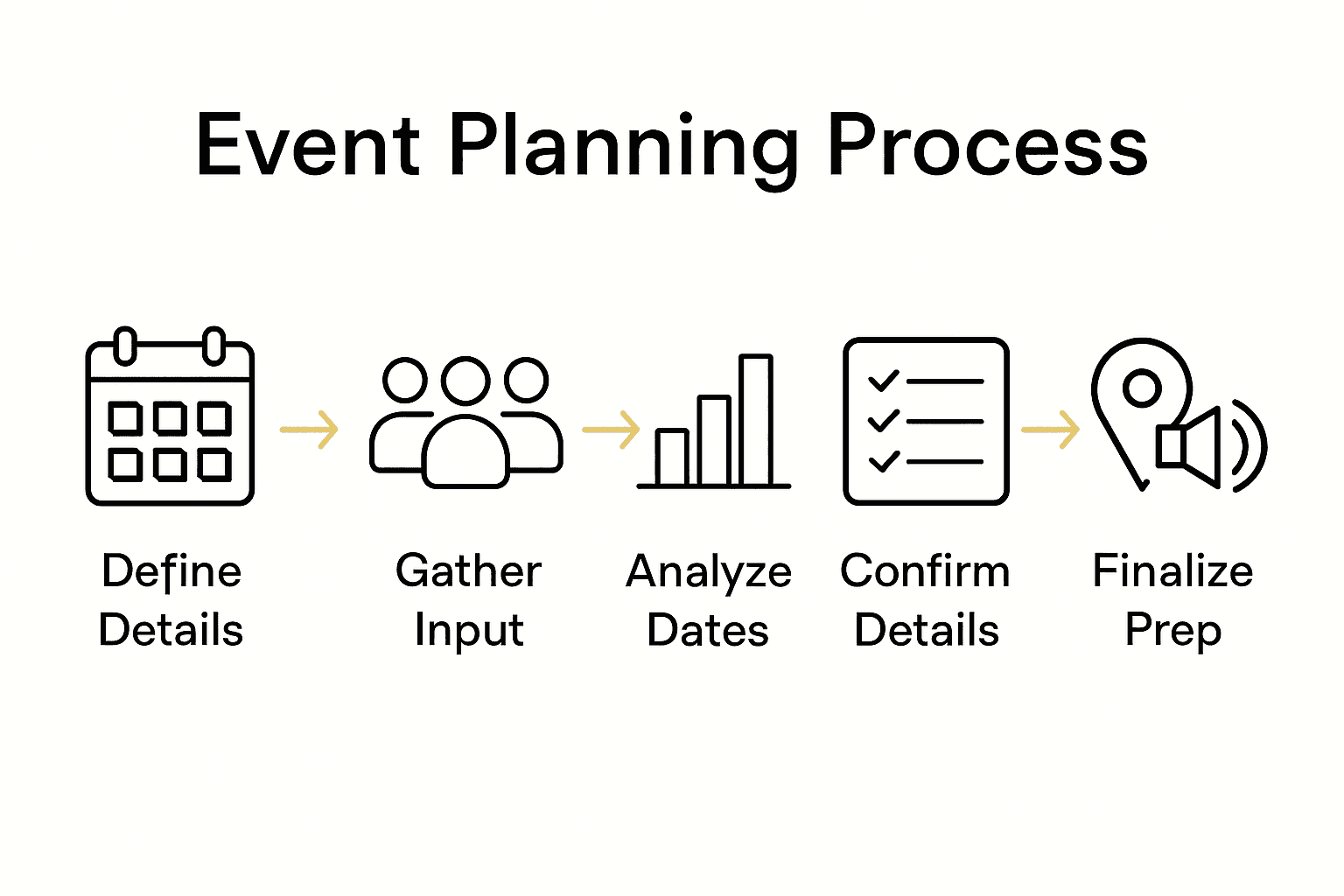
- Step 1: Define Your Event Details And Date Range
- Step 2: Gather Input On Participant Availability Using Whennot
- Step 3: Analyze Responses To Identify Optimal Event Dates
- Step 4: Confirm Event Details And Notify Participants
- Step 5: Verify Attendance And Finalize Preparations
Quick Summary
| Key Takeaway | Explanation |
|---|---|
| 1. Define event purpose clearly | Establishing the core purpose helps streamline planning and align logistics with participant needs. |
| 2. Use WhenNOT for scheduling | Collect participant availability efficiently by having them mark unavailable dates to simplify the scheduling process. |
| 3. Analyze availability data effectively | Look for dates with the least conflicts and prioritize based on participant availability to optimize attendance. |
| 4. Confirm details with participants | Send a comprehensive message confirming date, time, and requirements to ensure all participants are well-informed. |
| 5. Track attendance and logistics | Use a detailed checklist and tracking system to verify attendance and finalize arrangements for a successful event. |
Step 1: Define your event details and date range
Successful event planning starts with crystal clear details. Your first mission is to outline the fundamental elements that will shape your entire coordination strategy, setting the stage for a smooth planning process.
According to Inside Los Rios Colleges, defining key event information requires thoughtful consideration of several critical components. Begin by articulating your event's core purpose and identifying your target audience. Are you planning a professional conference, a family reunion, or a team retreat? Understanding the specific goals will help you make strategic decisions about logistics, timing, and participant needs.
Next, craft a preliminary date range that works for your core participants. Northland College recommends carefully selecting dates while avoiding conflicts with major holidays or competing events. Pro tip: Create a list of potential dates and cross reference them with participants calendars before finalizing. This initial flexibility can significantly increase attendance and engagement.
As you narrow down your potential dates, consider practical factors like venue availability, participant schedules, and any seasonal constraints. Gathering input from key stakeholders early will help you identify the most suitable timeframe without last minute complications. Your next step will involve reaching out to potential participants to confirm their availability and refine your date selection.
Step 2: Gather input on participant availability using WhenNOT
After defining your event details, the next crucial step is collecting participant availability efficiently. Your goal is to streamline the scheduling process and minimize back and forth communication that typically derails group planning efforts.

Interaction Design highlights the importance of user friendly methods for selecting dates and times. WhenNOT simplifies this process by flipping traditional scheduling approaches. Instead of asking participants when they are available, you invite them to mark the dates they cannot attend. This innovative approach reduces complexity and saves significant time.
To get started, create your event in WhenNOT and generate a unique link you can share with participants. The platform allows everyone to quickly indicate their unavailable dates without requiring account creation or complex sign up processes. By visualizing everyone's busy periods simultaneously, you can quickly identify optimal scheduling windows. The intuitive interface means participants can respond in seconds from any device.
A pro tip for maximizing participation: send your WhenNOT link through a clear communication channel and provide a reasonable deadline for responses. This approach ensures you gather comprehensive availability data while respecting participants time and making the process as frictionless as possible.
 Your next step will involve analyzing the collected availability data to pinpoint the most suitable event dates.
Step 3: Analyze responses to identify optimal event dates
With participant availability data collected, you can now strategically evaluate the most suitable dates for your event. This critical step transforms individual schedules into a comprehensive view of potential meeting times.
According to NYC Government, analyzing participant responses requires careful consideration of multiple scheduling factors. WhenNOT simplifies this process by automatically highlighting dates with the least conflicts. Look for time windows where the majority of participants are available, paying close attention to any overlapping free periods.
Southwestern College recommends creating a priority ranking for potential dates based on participant availability. Start by identifying dates with the highest percentage of participants free, then consider secondary factors like location convenience, participant preferences, and any logistical constraints. Pro tip: If no single date works perfectly, be prepared to negotiate or consider alternative meeting formats like partial attendance or hybrid options.
Once you have identified the most promising date options, prepare to reach out to participants for final confirmation. Your goal is to select a date that maximizes participation while respecting individual scheduling challenges. The next step will involve securing your venue and sending official event invitations.
Step 4: Confirm event details and notify participants
With optimal dates identified, you are ready to transform your event from a potential plan into a concrete gathering. This critical communication phase ensures everyone is aligned and prepared for the upcoming event.
Elizabethtown College recommends a systematic approach to finalizing event details. Start by sending a comprehensive confirmation message that includes the confirmed date, time, location, and any specific requirements or expectations. WhenNOT makes this process seamless by allowing you to easily communicate the finalized schedule to all participants who previously shared their availability.
Precision matters when notifying participants. Your communication should be clear, concise, and include all essential information. Pro tip: Create a standard template for event notifications that you can quickly customize for different gatherings. Include key details like dress code, what to bring, parking information, and any preparatory steps participants need to take. By providing comprehensive information upfront, you minimize last minute questions and increase overall event participation.
After sending notifications, be prepared to handle follow up questions and track participant responses. Your final step will involve making any necessary logistical arrangements to ensure a smooth and successful event.
Step 5: Verify attendance and finalize preparations
The final stage of event planning involves confirming participant commitments and ensuring all logistical elements are meticulously arranged. This critical phase transforms your event from a plan to an imminent reality.
SUNY Cortland recommends a comprehensive approach to verifying attendance and finalizing event preparations. Use WhenNOT to track confirmed participants and send targeted follow up communications to those who have not yet responded. Create a detailed checklist that covers venue arrangements, catering requirements, necessary equipment, and participant specific needs.
Johns Hopkins Web Help suggests developing a comprehensive tracking system for event details. Pro tip: Create a master document that includes contact information, confirmed attendance, special requirements, and last minute changes. This living document will help you quickly address any unexpected challenges and ensure smooth event execution. Consider establishing a communication protocol for day of event updates and emergencies.
With all preparations complete, you are now ready to host a well organized and thoughtfully planned event. Remain flexible and prepared to handle any last minute adjustments that might arise.
Simplify Your Event Planning and Say Goodbye to Scheduling Stress
Planning an event can feel overwhelming when trying to coordinate everyone's availability and finalize dates that work for the whole group. This article highlights how defining clear event details and gathering participant input can be time consuming and full of back and forth communication. Common challenges include conflicting schedules, unclear date ranges, and difficulty analyzing availability. WhenNOT offers a smart solution by allowing you to collect unavailable dates instead of available ones, making scheduling easier and faster for multi-day or flexible events.
Experience the ease of scheduling with features designed to:
- Quickly collect busy dates without requiring sign ups
- Visualize everyone’s conflicts to find the best event date
- Reduce endless email chains and improve group engagement
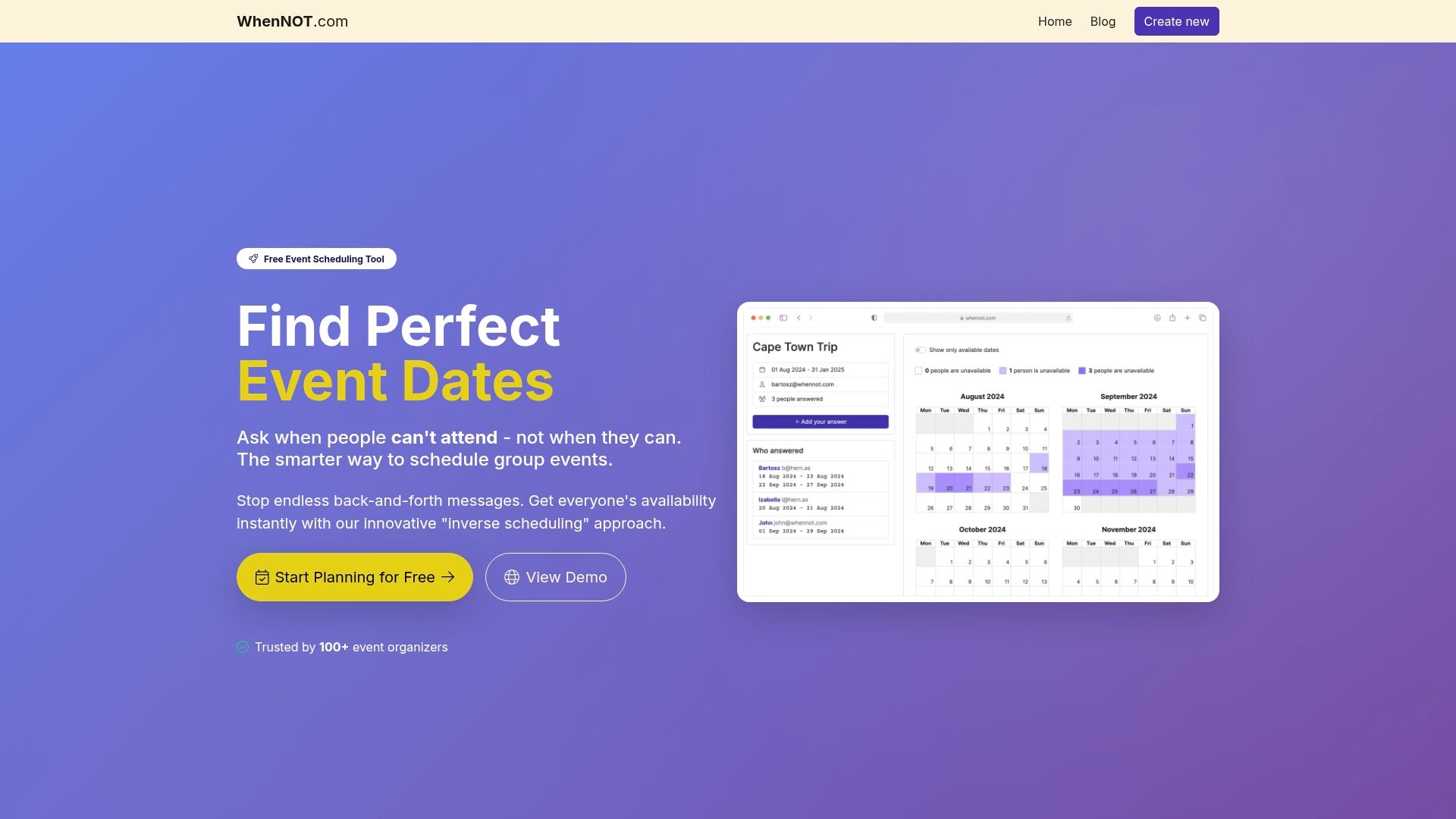
Take control of your next event with WhenNOT, the free, user-friendly tool that streamlines group planning with an intuitive inverse scheduling method. Start now by creating your event and sharing your unique link to get fast, clear availability feedback. Don’t let scheduling delays hold you back from hosting a successful, stress-free gathering. Visit WhenNOT and simplify your event coordination today.
Frequently Asked Questions
How can I define my event details to simplify planning?
Begin by outlining your event's purpose and identifying your target audience. Create a list of essential elements like the type of event and desired goals to streamline your decision-making process.
What is the best way to gather participant availability for my event?
Use a user-friendly method to collect responses, such as inviting participants to indicate dates they cannot attend. This approach reduces complexity and helps you quickly identify the best scheduling windows.
How can I analyze participant responses to choose the right date?
Evaluate the collected availability data by highlighting dates with the least conflicts among participants. Look for time windows where most attendees are free, considering a priority ranking based on availability.
What should I include in my confirmation message to participants?
Send a comprehensive confirmation message that outlines the event date, time, location, and any specific requirements. Providing this information clearly minimizes last-minute questions and ensures everyone is aligned.
What steps should I take to verify attendance before the event?
Track confirmed participants using your scheduling tool and follow up with those who haven't responded. Create a detailed checklist covering all logistical arrangements to ensure a smooth event.
How can I manage last-minute changes effectively?
Remain flexible and prepared to address any unexpected challenges that may arise. Establish a communication protocol for day-of event updates to keep everyone informed and ensure a successful coordination.