
Scheduling multi-day events traditionally consumes hours of back-and-forth emails and spreadsheet wrangling. Free planning tools cut this time by over 40%, transforming what used to take days into a process that finishes in minutes. This guide explains how these tools work, why they boost participation, and how to choose the right one for your next event.
Table of Contents
- Understanding The Challenges Of Multi-Day Event Planning
- How Free Planning Tools Simplify Scheduling Complexity
- Inverse Scheduling: A Unique Approach To Multi-Day Event Planning
- Privacy Benefits Of Using Free Scheduling Tools
- Common Misconceptions About Free Planning Tools
- User-Friendliness And Efficiency In Free Planning Tools
- Visualizing Availability To Enhance Participation And Decision Making
- Measurable Efficiency Gains From Using Free Tools
- Streamline Your Multi-Day Event Planning With WhenNOT
Key takeaways
| Point | Details |
|---|---|
| Time savings | Free planning tools reduce scheduling time by over 40% compared to manual methods. |
| Response rates | Inverse scheduling methods boost participant response rates by up to 25%. |
| Privacy advantage | Privacy-conscious design with no account requirements leads to 30% higher completion rates. |
| Quick adoption | User-friendly interfaces reduce training time to under 10 minutes for most participants. |
| Conflict reduction | Visual availability displays cut scheduling conflicts by approximately 35%. |
Understanding the challenges of multi-day event planning
Organizing multi-day events creates exponential complexity as participant numbers grow. Each additional person multiplies the scheduling variables you must track.
Manual availability collection through emails or spreadsheets leads to:
- Delayed responses that stall decision-making
- Data entry errors when transferring information between systems
- Version control nightmares with multiple spreadsheet iterations
- Participant confusion about which dates they already confirmed
Communication breakdowns happen frequently when organizers juggle dozens of separate email threads. Participants lose track of their own responses, leading to double-bookings and frustration. The back-and-forth often extends planning cycles by weeks, diminishing enthusiasm and increasing dropout rates.
Without centralized tools, coordinators spend hours cross-referencing availability to find common open dates. This manual effort drains energy that should focus on event content and logistics. The fatigue compounds when changes occur, forcing organizers to restart the entire process. Coordinating even a simple three-day retreat for ten people can consume 5-8 hours of pure scheduling work before addressing any actual event planning.
How free planning tools simplify scheduling complexity
Automated availability collection eliminates the email chase entirely. Participants receive a single link, mark their constraints, and the system instantly aggregates results.
Key mechanisms that reduce workload:
- Centralized data collection replaces scattered email responses
- Real-time updates show current status without manual compilation
- Automatic conflict detection highlights problematic date combinations
- Algorithm-driven suggestions identify optimal windows instantly
Time savings can exceed 40% with automated scheduling features compared to manual coordination. The difference becomes dramatic for events with 15+ participants or flexible date ranges spanning multiple weeks.

Visual aggregation tools display everyone's availability simultaneously. Color-coded calendars reveal patterns at a glance, replacing tedious spreadsheet analysis. Organizers spot consensus opportunities in seconds rather than hours.
| Method | Time Investment | Error Rate | Participant Burden |
|---|---|---|---|
| Manual email coordination | 5-8 hours | High (frequent data entry mistakes) | Heavy (multiple response rounds) |
| Spreadsheet sharing | 3-5 hours | Medium (version conflicts) | Medium (manual cell updates) |
| Free planning tools | 1-2 hours | Low (automated validation) | Minimal (one-time input) |
Decision velocity improves dramatically when all stakeholders see the same current information. The transparency builds trust and reduces the need for clarifying questions. Teams using group calendar tips for event planning report finalizing dates 60% faster than traditional methods. This acceleration matters especially for time-sensitive corporate retreats or seasonal gatherings where delays mean losing preferred venues or accommodations. Free tools deliver enterprise-grade coordination without the enterprise price tag, making sophisticated multi-day event planning accessible to any organizer.
Inverse scheduling: a unique approach to multi-day event planning
Traditional scheduling asks participants to identify when they're available. Inverse scheduling flips this question, asking instead when they're busy.
This seemingly small change produces remarkable results:
- Participants answer faster because marking conflicts feels simpler than confirming availability
- Cognitive load decreases since people naturally track commitments, not free time
- Response rates improve by up to 25% compared to traditional availability polls
- Flexible date ranges become manageable instead of overwhelming
"Asking what doesn't work removes the pressure to commit before seeing group consensus. Participants feel less locked in and more willing to engage."
The psychology behind inverse scheduling taps into loss aversion. People more readily report obstacles than make positive commitments. This makes gathering initial input significantly easier, especially from busy professionals juggling multiple calendars.
Traditional polling often requires participants to check multiple sources before responding. They must verify work calendars, personal commitments, and family schedules. Inverse scheduling simplifies this by letting them mark only definite conflicts, reducing the verification burden.
For events with wide date windows, the difference becomes even more pronounced. A traditional poll asking availability across 20 potential dates creates decision paralysis. Inverse scheduling asks participants to eliminate just the dates they absolutely cannot attend, turning a complex decision into a simple task. This approach aligns perfectly with how free scheduling tools understanding frameworks emphasize reducing participant friction. The method works especially well for volunteer-driven events, family reunions, and informal gatherings where participants have varying commitment levels and unpredictable schedules.
Privacy benefits of using free scheduling tools
Account creation barriers kill participation before it starts. Every registration form adds friction that causes potential participants to abandon the process.
Privacy-conscious free tools eliminate this obstacle entirely. Participants click a link, mark unavailable dates, and finish in under a minute. No passwords to remember, no email verification loops, no personal data stored unnecessarily.
Privacy-friendly scheduling tools report 30% higher participant completion rates compared to platforms requiring account creation. The correlation makes intuitive sense. People increasingly guard their digital footprints and resist creating yet another online account for a one-time use.
Minimal data collection builds trust with participants. When tools only request the information absolutely necessary for scheduling, users feel respected rather than exploited. This perception directly influences engagement quality and response speed.
Pro Tip: Before selecting a scheduling tool, review its privacy policy specifically for data retention clauses and third-party sharing practices. Tools that promise automatic data deletion after events conclude offer superior privacy protection.
The transparency of privacy in scheduling event success matters especially for corporate events where participants worry about employer surveillance or competitive intelligence. Family events benefit similarly when participants prefer not mixing personal scheduling with commercial platforms that monetize user data.
Authentication-free systems also speed adoption across age groups and technical skill levels. Elderly relatives and young children can participate without navigating complex login procedures. This inclusivity makes coordinating multi-generational events dramatically simpler, ensuring everyone's schedule gets represented regardless of their digital literacy. Privacy protection transforms from a nice-to-have feature into a practical advantage that directly improves event coordination outcomes.
Common misconceptions about free planning tools
Skepticism about free tools often stems from outdated assumptions rather than current reality. Let's address the most persistent myths.
-
Myth: Free tools compromise security. Many free scheduling platforms implement bank-grade encryption and avoid storing sensitive personal data. The absence of monetization pressure often means fewer data collection practices and stronger privacy commitments than ad-supported alternatives.
-
Myth: Free versions lack essential features. Modern free tools frequently match or exceed paid competitors in core scheduling functionality. Features like automated reminders, conflict detection, and visual availability displays come standard in quality free platforms.
-
Myth: Free tools prove unreliable for important events. Established free platforms serve millions of users with proven uptime records. The misconception confuses "free" with "amateur," ignoring that many free tools operate as passion projects or community services with robust technical infrastructure.
The reality contradicts these concerns. Why choose free scheduling tools analysis reveals that reliability correlates more with development quality than pricing model. Some free tools demonstrate better uptime and faster feature updates than expensive enterprise solutions.
Cost-free doesn't mean corner-cutting. Many developers create free scheduling tools to solve personal frustrations, resulting in products refined through genuine use rather than marketing departments. This origin often produces more intuitive, user-focused designs.
The absence of paywalls also eliminates hidden costs that plague freemium models. Unlike tools that charge per participant or event, truly free platforms let you coordinate events of any size without surprise bills. This predictability matters for budget-conscious organizers and volunteer-run groups. Understanding that free tools can deliver professional-grade results removes psychological barriers preventing organizers from trying efficient modern solutions. The signage for festivals guide demonstrates similar principles where accessible solutions often outperform expensive alternatives through focused design and community-driven improvement.
User-friendliness and efficiency in free planning tools
Complex software creates training bottlenecks that delay event planning. User onboarding time for simple free tools averages less than 10 minutes compared to 45+ minutes for complex paid solutions.
Intuitive interfaces benefit diverse participant groups:
- Non-technical family members navigate tools without support calls
- Busy executives complete input during brief breaks between meetings
- International participants understand visual interfaces despite language barriers
- Mobile users mark availability from phones without desktop access
Simplicity directly impacts adoption speed across your entire participant pool. When everyone can use the tool immediately, coordination starts faster and finishes sooner. The reduced friction means fewer abandoned responses and higher data quality.
Pro Tip: Test your chosen tool by sending the link to the least tech-savvy person in your group first. If they complete it without questions, you've found a winner.
Accessible design serves practical purposes beyond convenience. Events coordinating across age ranges, technical skill levels, or accessibility needs require tools that work for everyone. A grandmother marking dates for a family reunion deserves the same smooth experience as a millennial planning a corporate retreat.
Streamlined workflows eliminate unnecessary steps that plague over-engineered platforms. The best free tools follow a simple pattern: create event, share link, review results, finalize. Each additional feature should solve a real problem rather than justify a premium tier.
Higher adoption rates translate directly to better scheduling outcomes. When 95% of invitees complete availability input versus 60%, you gain the comprehensive data needed for truly optimal date selection. This completeness prevents the common scenario where organizers finalize dates only to discover key participants were never consulted. The free scheduling tools understanding framework emphasizes that usability determines effectiveness more than feature lists. A tool everyone actually uses beats a feature-rich platform that sits empty because participants find it too complicated.
Visualizing availability to enhance participation and decision making
Numbers in spreadsheet cells hide patterns that visual displays reveal instantly. Color-coded availability grids transform raw scheduling data into actionable insights.
Visual tools show real-time participant availability at a glance. Green blocks indicate free dates, red marks conflicts, and gradient colors reveal partial availability. This immediate comprehension eliminates the mental math required to parse text-based availability lists.
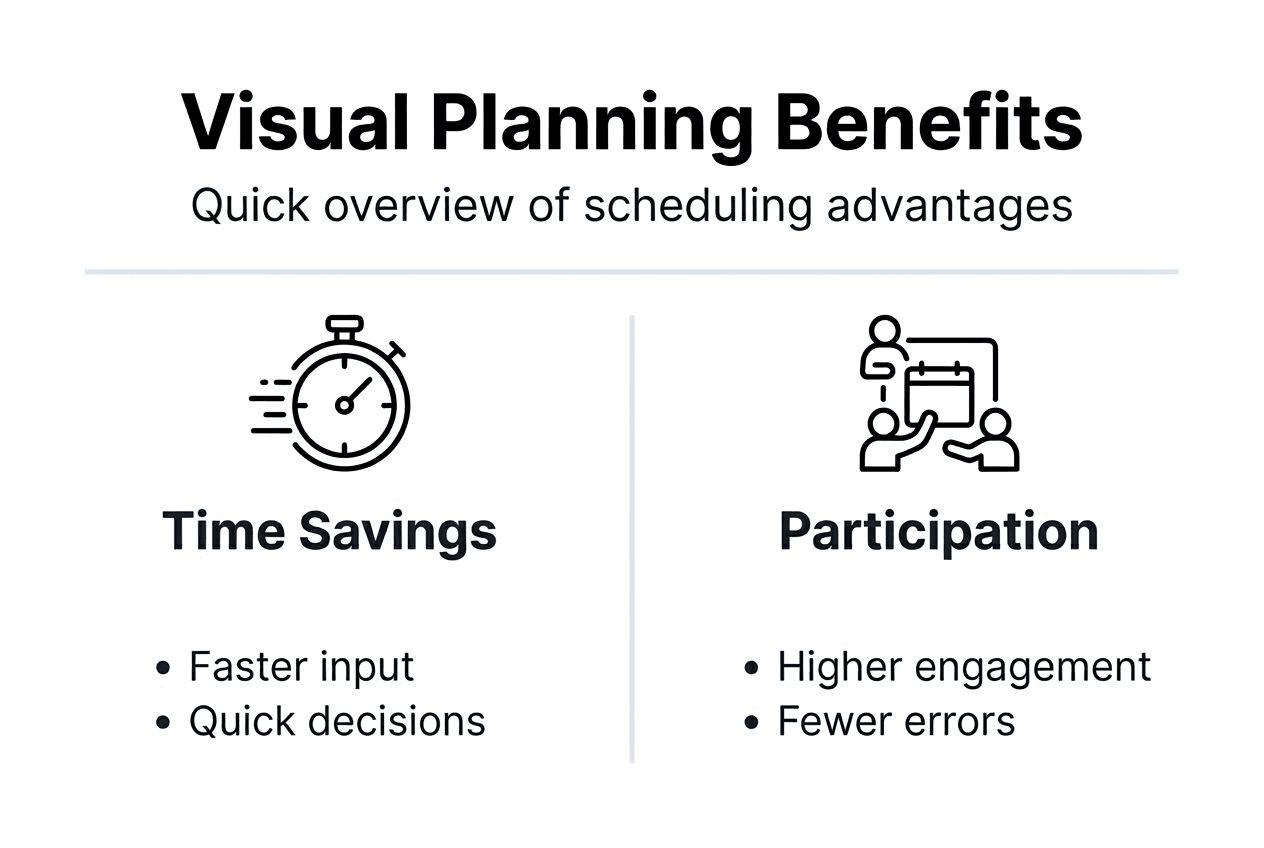
Conflict indicators reduce scheduling errors by approximately 35% by highlighting problematic date combinations before finalization. The system flags dates where key participants marked unavailability, preventing the embarrassing scenario of booking a venue only to discover your keynote speaker has a conflict.
| Approach | Time to Identify Optimal Date | Participant Engagement | Error Detection |
|---|---|---|---|
| Text list of availability | 15-30 minutes | Low (hard to visualize contribution impact) | Manual review required |
| Spreadsheet grid | 8-15 minutes | Medium (can see own input) | Prone to overlooking conflicts |
| Visual availability chart | 2-5 minutes | High (clear group consensus) | Automatic conflict highlighting |
Visual consensus building accelerates group decision-making. When all participants see the same color-coded display, discussions focus on resolving highlighted conflicts rather than debating interpretation of ambiguous data. The shared visual reference creates alignment faster than any written summary.
Heat maps showing participation density help identify dates with maximum attendance potential. Organizers spot at a glance which windows work for 90% of invitees versus dates with significant conflicts. This clarity supports data-driven decisions rather than guesswork.
The psychological impact of seeing group availability shouldn't be underestimated. Participants who view the collective calendar often adjust their own constraints when they see their conflict blocks a strong consensus. This voluntary flexibility rarely emerges when people only see their individual submission. Visual tools from group calendar tips for event planning resources leverage this social dynamic to achieve scheduling outcomes impossible through isolated polling.
Measurable efficiency gains from using free tools
Quantitative evidence validates what organizers experience subjectively. Event coordinators save 3 to 5 hours per multi-day event using free scheduling tools versus manual methods.
Scheduling-related emails decrease by approximately 50% when using centralized tools. The reduction comes from eliminating clarification requests, reminder messages, and version control confusion that plague email-based coordination.
Major efficiency metrics include:
- Planning cycle duration shortens from 2-3 weeks to 5-7 days on average
- Participant response time drops from 3-4 days to under 24 hours
- Organizer administrative burden decreases by 40-60%
- Final schedule changes reduce by 30% due to better initial data
The time savings compound across multiple events. Organizations planning quarterly retreats recover 12-20 hours annually by switching to efficient tools. Volunteer groups coordinating monthly activities reclaim dozens of hours previously lost to scheduling logistics.
Faster finalization delivers competitive advantages beyond time savings. Early date confirmation means securing preferred venues, better accommodation rates, and higher attendance commitment. The role of cost in scheduling tools analysis shows that time efficiency often provides more value than direct cost savings.
Reduced email volume produces secondary benefits like clearer inboxes and lower communication fatigue. Participants appreciate the simplified process, improving their perception of event organization quality. This positive experience increases likelihood of attendance and future participation.
Automation features like automated appointment reminders further amplify efficiency by handling follow-up communications without organizer intervention. The cumulative effect transforms event planning from a dreaded chore into a manageable task that doesn't dominate your calendar weeks before the actual event.
Streamline your multi-day event planning with WhenNOT
Planning your next retreat, reunion, or group trip doesn't have to drain your energy before the event even starts. WhenNOT offers free scheduling tools specifically designed to make multi-day event coordination effortless.
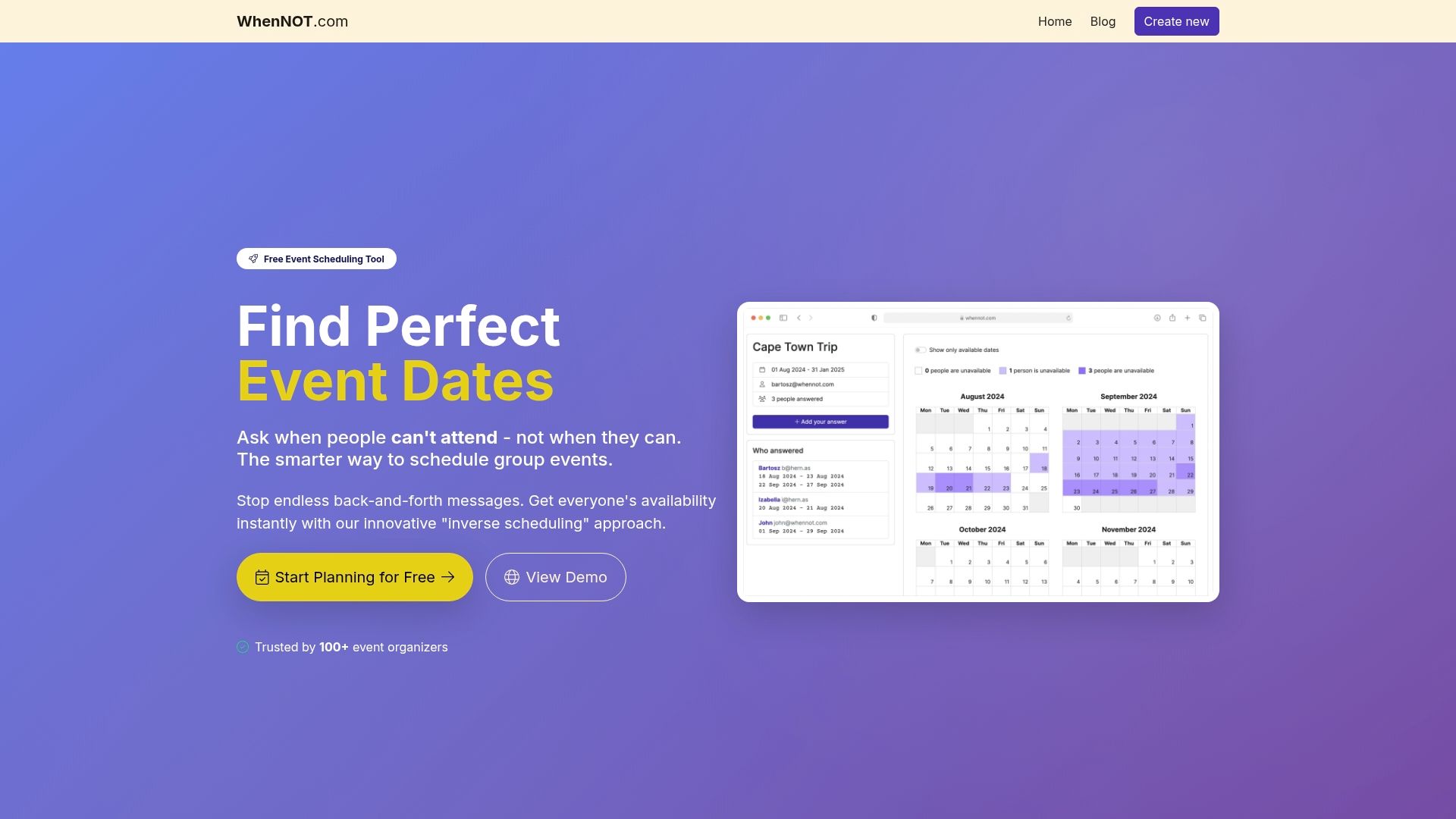
The platform uses inverse scheduling to boost participation and visual availability displays to speed decision-making. No participant accounts required means higher completion rates and faster responses. You create an event, share one simple link, and watch as availability data populates automatically.
Pro Tip: Most organizers finalize dates within 48 hours of sharing their WhenNOT link, compared to weeks with traditional methods.
Privacy-first design ensures participant trust while delivering the coordination power you need. Getting started takes just minutes, and the intuitive interface means zero training time for your group. Visit the WhenNOT home page to create your first event and experience how modern scheduling tools transform the planning process from frustrating to simple.
FAQ
What is inverse scheduling and why is it effective?
Inverse scheduling asks participants to mark when they're unavailable rather than when they're free. This approach reduces decision fatigue and improves response rates by up to 25% because people find it easier to identify definite conflicts than confirm tentative availability.
Are free planning tools secure and reliable for important events?
Many free scheduling tools implement robust privacy protections and minimal data collection practices that exceed paid alternatives. Established platforms serve millions of users with proven reliability records, making them dependable choices for events of any importance level.
How much time can I expect to save using free planning tools?
Organizers typically save 3 to 5 hours per multi-day event compared to manual coordination methods. Scheduling emails decrease by approximately 50%, and planning cycles shorten from weeks to days through automated availability collection and visual decision support.
What steps should I follow to implement a free planning tool in my event?
Start by defining your event details and potential date range, then select a user-friendly free tool that matches your needs. Share the participation link with invitees, let them mark their availability or conflicts, review the visual results to identify optimal dates, and finalize your schedule based on group consensus.