
Most American teams spend nearly 20 percent of their time wrestling with clunky scheduling tools and endless group messages. Whether you are planning a complex project or a simple gathering, finding a solution that reduces this wasted effort matters. Discover how new approaches in scheduling UX, including inverse scheduling, are making group coordination simpler, faster, and less stressful than ever for American users.
Table of Contents
- Defining Scheduling UX And Inverse Scheduling
- Types Of Scheduling UX In Online Tools
- How Inverse Scheduling Enhances Group Planning
- Core Features Of User-Centered Scheduling Platforms
- Key Privacy, Accessibility, And Security Considerations
Key Takeaways
| Point | Details |
|---|---|
| Scheduling UX Simplifies Coordination | Scheduling user experience focuses on intuitive design to enhance group event planning, reducing cognitive load for users. |
| Inverse Scheduling Transforms Traditional Methods | By asking about unavailable times instead of available ones, inverse scheduling streamlines communication and enhances coordination. |
| User-Centered Design is Essential | Modern scheduling tools prioritize user experience with features like intelligent availability matching and minimal input requirements. |
| Privacy and Accessibility are Critical | Robust privacy protections and adaptive interfaces ensure user data is secure and access is available to diverse groups. |
Defining Scheduling UX and Inverse Scheduling
Scheduling user experience (UX) represents a complex interaction design challenge that transforms complicated coordination processes into intuitive, user-friendly interactions. At its core, scheduling UX focuses on simplifying how people plan and organize group events by creating interfaces that minimize cognitive load and streamline decision making. The emergence of inverse scheduling approaches has dramatically reshaped traditional event planning methodologies.
Inverse scheduling introduces a paradigm shift from conventional scheduling techniques. Instead of asking participants when they are available, this innovative approach inquires about their unavailable times. By exploring minimal parameter adjustments to optimize scheduling outcomes, inverse scheduling reduces communication complexity and accelerates group coordination.
The fundamental principles of scheduling UX revolve around reducing friction in collaborative planning. Key design elements include:
- Minimizing required user interactions
- Presenting clear, visual availability representations
- Enabling seamless communication between participants
- Providing intuitive navigation and input mechanisms
Traditional scheduling tools often overwhelm users with complex interfaces and repetitive data entry. Inverse scheduling disrupts this pattern by flipping the conventional question from "When are you free?" to "When are you not available?". This subtle reframing significantly simplifies the planning process, especially for multi-day events that require intricate coordination.
Types of Scheduling UX in Online Tools
Online scheduling tools have evolved dramatically, offering diverse user experiences that cater to different group coordination needs. Adaptive scheduling technologies now leverage advanced algorithms to dynamically adjust meeting options, transforming how teams and individuals plan events. These tools range from simple availability checkers to sophisticated platforms that integrate complex workflow management.
The landscape of scheduling UX can be categorized into several key types. Workflow-based scheduling agents represent one innovative approach, integrating human input to streamline meeting arrangements. These tools prioritize user interaction, minimizing cognitive friction by presenting intuitive interfaces that simplify complex scheduling challenges. Some core variations include:
- Collaborative Scheduling Tools: Enable real-time group coordination
- Inverse Scheduling Platforms: Focus on marking unavailable times
- AI-Powered Scheduling Assistants: Use machine learning to predict optimal meeting times
- Calendar Integration Tools: Synchronize across multiple personal and professional calendars
Modern scheduling tools increasingly emphasize user-centric design, recognizing that effective scheduling goes beyond mere time tracking. They incorporate intelligent features like conflict detection, preference learning, and seamless communication channels that transform scheduling from a tedious task into a smooth, almost invisible process.
How Inverse Scheduling Enhances Group Planning
Inverse scheduling represents a revolutionary approach to group planning that fundamentally transforms how teams and individuals coordinate complex schedules. By inverting the traditional scheduling paradigm, this method allows participants to quickly communicate unavailable times, dramatically reducing the back-and-forth communication that typically derails event planning.

The core strength of inverse scheduling lies in its ability to optimize group coordination through minimal parameter adjustments. Traditional scheduling methods require participants to manually propose and negotiate multiple potential time slots, creating a time-consuming and often frustrating process. In contrast, inverse scheduling streamlines this workflow by allowing individuals to simply mark when they cannot meet.
Key benefits of inverse scheduling include:
- Reduced communication overhead
- Faster identification of optimal meeting windows
- Lower cognitive load for participants
- More inclusive planning for complex group dynamics
Modern collaborative scheduling workflows leverage this approach to create more efficient planning processes. By focusing on unavailability instead of availability, groups can quickly converge on mutually convenient times, transforming what was once a tedious negotiation into a seamless, user-friendly experience. This approach is particularly powerful for distributed teams, multi-timezone groups, and events requiring complex coordination.
Core Features of User-Centered Scheduling Platforms
Adaptive interface design represents the cornerstone of modern user-centered scheduling platforms. These innovative tools move beyond traditional static scheduling approaches by dynamically adjusting options and presenting intuitive interfaces that respond to user behavior and preferences. The goal is to transform scheduling from a complex administrative task into a seamless, almost invisible interaction.

At the heart of these platforms lies the ability to integrate human input within structured workflows, creating flexible and responsive scheduling experiences. This approach recognizes that each group and event has unique coordination challenges that require nuanced, personalized solutions. Intelligent scheduling platforms now leverage sophisticated algorithms to anticipate user needs and simplify decision-making processes.
Key features of user-centered scheduling platforms include:
- Intelligent Availability Matching: Automatically identifying optimal meeting times
- Contextual Flexibility: Adapting to different event types and group dynamics
- Minimal Input Requirements: Reducing cognitive load for participants
- Privacy-Focused Design: Protecting user data and personal information
- Cross-Platform Compatibility: Seamless integration with existing calendars and communication tools
Modern user-friendly scheduling solutions prioritize simplicity and efficiency. By focusing on human-centered design principles, these platforms transform scheduling from a potential source of frustration into a smooth, almost effortless process that respects users' time and cognitive resources.
Key Privacy, Accessibility, and Security Considerations
Privacy protection strategies have become paramount in modern scheduling platforms, recognizing the sensitive nature of personal scheduling data. Innovative scheduling tools now implement robust data minimization techniques, ensuring that only essential information is collected and processed. This approach prevents unnecessary exposure of personal details while maintaining the platform's core functionality.
Accessibility represents another critical dimension of user-centered scheduling design. Advanced platforms accommodate diverse user needs by creating adaptive interfaces that support multiple interaction styles. These systems prioritize inclusive design, ensuring that individuals with varying technological capabilities and accessibility requirements can effectively use scheduling tools without experiencing barriers or complicated workflows.
Key privacy and security considerations include:
- Data Minimization: Collecting only essential scheduling information
- Encryption Protocols: Protecting user data through advanced security measures
- Granular User Controls: Allowing precise management of shared information
- Anonymous Participation: Enabling scheduling without mandatory personal account creation
- Transparent Data Policies: Clearly communicating how user information is handled
Modern user-friendly scheduling solutions recognize that true accessibility goes beyond technical implementation. They create intuitive experiences that respect user privacy, provide transparent controls, and eliminate unnecessary friction in the scheduling process.
Simplify Your Group Event Planning with WhenNOT
The article highlights the challenge of reducing the complexity and cognitive load involved in group scheduling. Many find traditional methods frustrating due to repetitive back-and-forth and overwhelming interfaces. It emphasizes the power of inverse scheduling, where participants mark only their unavailable times. This approach accelerates coordinating multi-day or flexible date events while honoring diverse group dynamics and minimizing communication overhead.
WhenNOT puts these insights into action by offering an intuitive online solution perfectly aligned with the article's key principles. Users can set a date range, share a unique link, and quickly gather everyone's busy days visually without requiring participants to sign up or create accounts. This respects privacy, cuts down on time-consuming negotiation, and helps organizers pinpoint optimal meeting windows faster.
Looking to transform your group event planning experience with a user-centric scheduling platform focused on simplicity and efficiency? Discover how inverse scheduling can revolutionize your process today.
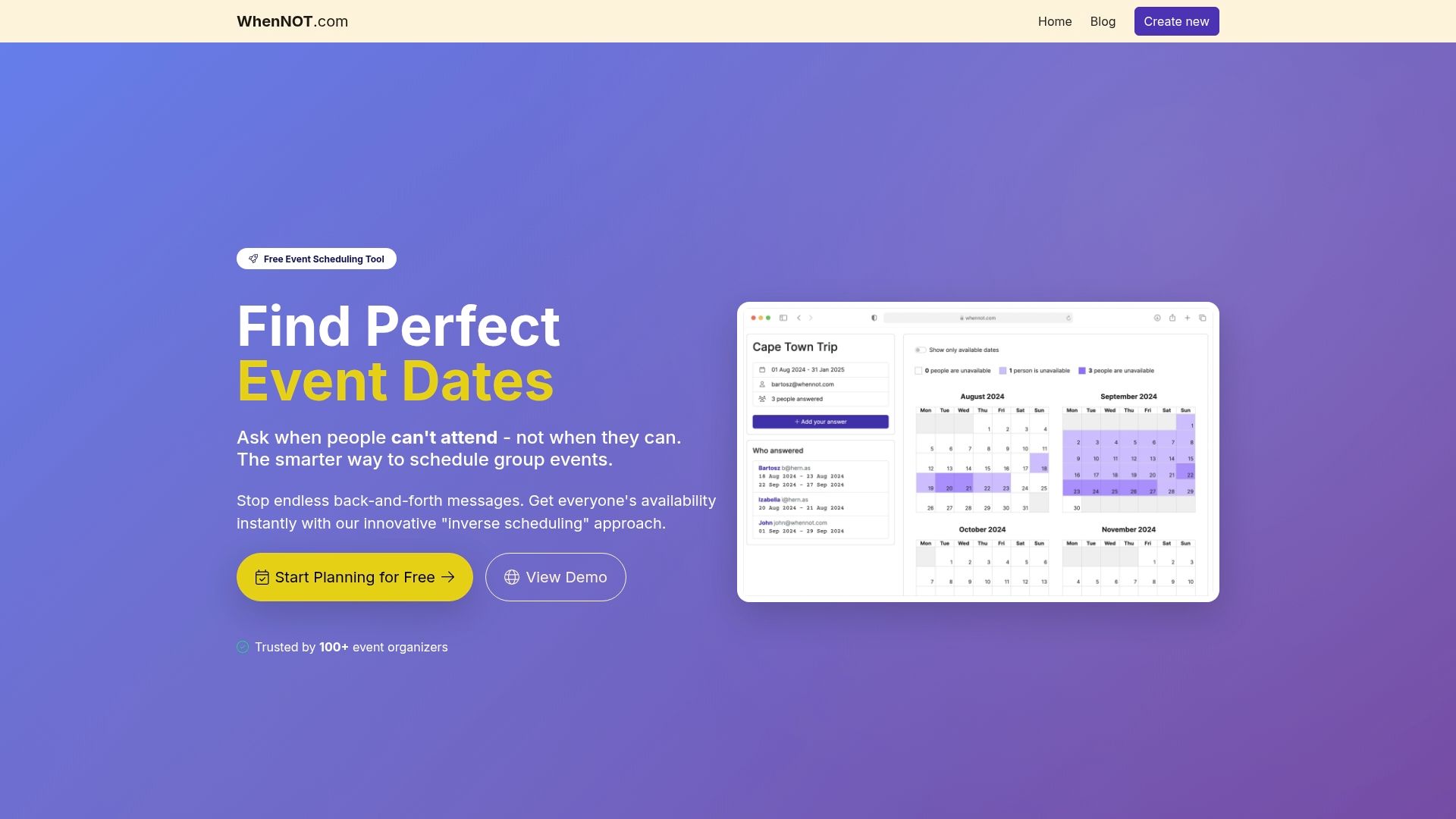
Get started with WhenNOT now and enjoy seamless, privacy-focused group coordination for personal, social, or work events. Visit WhenNOT Scheduling Platform to streamline your next event and say goodbye to scheduling headaches. The future of event planning is waiting for you.
Frequently Asked Questions
What is Scheduling UX?
Scheduling UX refers to the design principles focused on creating intuitive and user-friendly interfaces for group event planning, simplifying the coordination process for users.
What is inverse scheduling, and how does it work?
Inverse scheduling is an approach that asks participants about their unavailable times instead of their available times, significantly streamlining the scheduling process and reducing communication complexity.
What are the benefits of using a user-centered scheduling platform?
User-centered scheduling platforms enhance group planning by providing intelligent features like automatic availability matching, minimal input requirements, and privacy protection, making scheduling a smoother experience.
How does modern scheduling technology improve accessibility for users?
Modern scheduling technologies utilize adaptive interfaces that accommodate diverse user needs, ensuring that individuals with varying capabilities can effectively use scheduling tools without experiencing barriers or complicated workflows.