
Bringing a remote team together can feel nearly impossible when faces are hidden behind screens and silence fills the virtual room. Engagement drops, ideas stall, and meetings become routine instead of productive. If your team has ever struggled to connect or contribute in online meetings, you know how challenging virtual collaboration can be.
The right activities can completely change this dynamic. By tapping into proven techniques like icebreaker questions, interactive polls, and team learning sessions, you can create meetings where everyone participates and feels included. These strategies are backed by research and offer clear steps you can use right away.
Get ready to discover practical ways to make your next virtual meeting genuinely engaging and productive. Each method ahead gives you actionable ideas your team will actually enjoy putting into practice.
Table of Contents
- 1. Start With Icebreaker Questions To Build Connection
- 2. Use Interactive Polls For Real-Time Feedback
- 3. Host Skill-Sharing Sessions For Team Learning
- 4. Organize Virtual Brainstorming With Digital Whiteboards
- 5. Schedule Casual Coffee Chats For Social Bonding
- 6. Gamify Meetings With Friendly Competitions
Quick Summary
| Key Insight | Explanation |
|---|---|
| 1. Start with Icebreaker Questions | Initiate meetings with personal questions to foster connection and engagement among team members. |
| 2. Use Interactive Polls for Participation | Implement polls to gather real-time feedback, encouraging active involvement without the pressure of speaking. |
| 3. Host Skill-Sharing Sessions | Organize short sessions where team members teach one another, enhancing knowledge sharing and team cohesion. |
| 4. Organize Virtual Brainstorming | Utilize digital whiteboards to facilitate real-time idea generation, making brainstorming more dynamic and collaborative. |
| 5. Schedule Casual Coffee Chats | Create informal chat sessions that promote relationship building and reduce feelings of isolation among remote employees. |
1. Start with Icebreaker Questions to Build Connection
Your first few minutes set the tone for the entire meeting. Starting with icebreaker questions transforms a quiet video call into an engaged, connected team.
Why does this matter? Virtual icebreakers build connections and break down barriers that naturally emerge in remote settings. When team members feel comfortable sharing something about themselves, they're more likely to participate actively throughout the meeting.
Icebreaker questions do more than fill silence. They create psychological safety, allowing quieter team members to find their voice before diving into work discussions. Your introvert who never speaks up suddenly becomes part of the conversation.
How to Choose the Right Questions
Not all icebreakers work for every team. The best ones match your team's personality and meeting context.
Consider these approaches:
- Professional but personal: "What's one thing you've learned outside of work this month?"
- Quick and light: "Coffee or tea? Why?"
- Team-focused: "What's a win you've had this week, big or small?"
- Creative and fun: "If you could have any superpower for one day, what would it be?"
- Industry-relevant: "What's one tool you've tried recently that surprised you?"
The goal is finding questions that feel natural for your specific group. A startup team might love playful questions, while a more formal organization might prefer professional ones with a personal angle.
Icebreaker questions break down barriers and create psychological safety, turning quiet individuals into a connected team ready for collaboration.
Practical Implementation
Start your next meeting 5 minutes early and ask one simple question. Give everyone 30 to 60 seconds to answer. No long-winded stories required.
For larger teams (8 or more people), break into smaller groups of 3 to 4. Let each group discuss for a minute, then share one insight with the full team. This keeps energy high while respecting people's time.
Pro tip: Start with something you answer first. Your openness and vulnerability model what you want from your team, making others more willing to share genuinely.
Pro tip: Rotate different icebreaker questions each week to maintain freshness and prevent your meetings from feeling formulaic or repetitive.
2. Use Interactive Polls for Real-Time Feedback
Most virtual meetings suffer from the same problem: silence. Team members sit with cameras on but contribute little. Interactive polls transform passive participants into active contributors in seconds.
Polls give your team permission to speak without speaking. They bypass the awkwardness of unmuting to ask a question or share an opinion. When someone votes in a poll, they're engaging with the content and each other.
Why Real-Time Feedback Matters
Live polling does something traditional meetings cannot. It captures honest, immediate reactions while everyone's attention is still sharp.
Consider the benefits:
- Anonymous responses encourage honest feedback without social pressure
- Instant data visualization shows team sentiment in real-time
- Engagement surge boosts participation across your entire team
- Content adjustment lets you pivot your meeting based on actual feedback
- Inclusive participation gives voice to those who prefer not to speak
Real-time polling boosts engagement and fosters immediate interaction during virtual meetings. Your remote team gets a chance to contribute without the pressure of unmuting and speaking live.
Practical Implementation
Start small. Ask one poll question every 15 to 20 minutes during your meeting. This creates natural rhythm and prevents fatigue.
Tools like Slido, Mentimeter, and Poll Everywhere integrate directly with your video conferencing platform. They work seamlessly without requiring participants to open new windows or sign up for accounts.
Here's how to structure it:
- Ask a clear, single-answer question
- Display results after 30 to 45 seconds of voting
- Spend one minute discussing what the data reveals
- Move forward with actionable insights
You can also use polls to make decisions. "Should we extend this project timeline?" lets your team vote and feel heard. When people participate in decisions, they commit more fully to outcomes.
Anonymous polling mechanisms create psychological safety and boost participation rates, making every voice count in your virtual meetings.
Polls work best when they're purposeful and connected to your agenda. A poll about coffee preferences is fun but doesn't drive value. Ask polls that matter to your team's work and decisions.
Pro tip: Ask a poll question at the start of your meeting to warm up your team, then reference the results during your closing to show how their input shaped the conversation.
3. Host Skill-Sharing Sessions for Team Learning
Your team already knows how to solve problems. The trick is getting them to teach each other. Skill-sharing sessions unlock hidden expertise within your organization while building stronger team bonds.
When your backend developer teaches frontend basics to the marketing team, something shifts. People see each other differently. Respect deepens. And your entire organization becomes more adaptable.
Why This Works for Remote Teams
Remote teams face a unique challenge: isolation. People work independently and rarely cross paths. Skill-sharing sessions create intentional moments of connection and learning.
These sessions deliver real value:
- Knowledge retention improves when peers teach rather than outsiders
- Cost savings replace expensive external training programs
- Team cohesion strengthens through collaborative learning experiences
- Innovation acceleration happens when diverse expertise cross-pollinates
- Employee engagement rises when people feel their skills are valued
Skill development thrives through peer feedback and mentorship, creating an environment where team members grow together. Your startup can build internal expertise without burning through training budgets.
How to Structure Sessions
Keep sessions focused and short. Thirty to 45 minutes works best for virtual delivery. Longer than that and attention drifts.
Identify topics your team actually needs. Ask around. What skills do people want to learn? What expertise sits quietly on your team?
Follow this framework:
- Select a skill and identify the teacher (10 minutes preparation)
- Send calendar invites with clear learning outcomes
- Keep it interactive with Q and A and live demonstrations
- Record sessions so absent team members can catch up later
- Celebrate the teacher and reinforce this is valued work
You might have your product manager teach quick user research techniques. Your security-minded engineer could cover basic privacy practices. Your sales lead might share customer objection handling.
Skill-sharing sessions create cost-effective learning environments that strengthen team capabilities while building genuine relationships across your distributed organization.
Rotate teachers monthly. This ensures different perspectives flow through your team and prevents the same people from always presenting. Everyone has something to teach.
Pro tip: Schedule skill-sharing sessions on the same day and time each month so they become a trusted, expected part of your team calendar and people plan their schedules accordingly.
4. Organize Virtual Brainstorming with Digital Whiteboards
Traditional brainstorming dies in text-based meetings. People type slowly. Ideas get lost in the chat. Digital whiteboards bring the energy of in-person ideation to your remote team.
Think of a digital whiteboard as shared thinking space. Everyone sees the same canvas. Ideas appear instantly. Conversations flow naturally. This is brainstorming that actually works.
Why Digital Whiteboards Transform Brainstorming
Remote teams struggle with ideation because they lack visual collaboration tools. Someone shares an idea verbally, but without visual representation, momentum stalls.
Digital whiteboards solve this:
- Real-time visualization makes abstract ideas concrete and shareable
- Sticky notes and sketching enable multiple thinking styles simultaneously
- Lower participation barriers let quieter team members contribute without speaking
- Organized chaos helps teams cluster related ideas into themes
- Permanent records let you revisit brainstorms weeks later
Digital whiteboards enable real-time collaboration and dynamic participation during virtual meetings. Platforms like Miro, Google Jamboard, and Microsoft Whiteboard provide interactive tools for sticky notes, drawing, and multimedia sharing that keep brainstorms energized.
Setting Up Your First Session
Start simple. You don't need a complex framework for your first brainstorm. Just set a topic and let ideas flow.
Follow this structure:
- Share your whiteboard link and make sure everyone can access it
- Spend 10 minutes in silent ideation where people add their own thoughts
- Spend 15 minutes reviewing ideas together and asking clarifying questions
- Spend 10 minutes organizing ideas into categories or themes
- End with next steps or voting on top concepts
Silent ideation prevents groupthink. When people work independently first, you capture more diverse perspectives. Then group discussion adds context and refinement.
Digital whiteboards combat disengagement by enabling real-time idea sharing and visual problem-solving that feels interactive and collaborative for remote teams.
The physical act of moving sticky notes, drawing connections, and organizing ideas keeps people engaged. It's not just talking anymore. It's creating.
Pro tip: Assign someone as the "visual organizer" whose role is to cluster ideas, draw connecting lines, and create visual hierarchy so the whiteboard becomes easier to understand as it grows.
5. Schedule Casual Coffee Chats for Social Bonding
Remote work isolates people. Your team communicates through Slack and scheduled meetings. But they rarely just talk. Casual coffee chats replicate the hallway conversations that build real relationships.
These informal video calls do something work meetings cannot: they humanize your team. People share stories. Laughter happens. Trust deepens without a single deliverable discussed.
The Real Value of Virtual Coffee Breaks
You might think casual chats are nice-to-have perks. They're not. Virtual coffee breaks improve employee engagement and reduce isolation in distributed teams by providing informal connection spaces.
These sessions deliver measurable benefits:
- Cross-departmental relationships form naturally when people from different teams connect
- Company culture preservation happens through informal dialogue and shared experiences
- Psychological safety increases when colleagues know each other as humans
- Collaboration improves because people trust colleagues they actually know
- Retention strengthens because employees feel genuinely connected to their team
Fifteen to 30 minutes is the sweet spot. Long enough to have a real conversation. Short enough that people don't feel guilty taking time away from work.
Making Casual Chats Actually Work
Don't overthink this. The magic happens when conversations feel natural and unscripted.
Here's the simple approach:
- Schedule recurring 20-minute slots for coffee chats
- Pair people randomly or let them choose chat partners
- Provide loose conversation starters if people need them
- Keep the agenda completely open and flexible
- Encourage people to actually grab coffee before joining
Conversation starter examples might include: "What's something outside of work you've been enjoying?" or "Share one win from your week, no matter how small." These prompts encourage organic dialogue without forcing structure.
The key is removing work from the equation. No project updates. No status reports. Just two humans checking in.
Casual coffee chats break down barriers and foster a sense of belonging that makes remote teams feel genuinely connected rather than isolated.
Consider making these optional but encouraged. Some people will love them. Others prefer deeper focus time. Both are valid. But offering the opportunity matters.
Pro tip: Rotate coffee chat pairings monthly so different people connect across your organization instead of the same colleagues repeatedly meeting with each other.
6. Gamify Meetings with Friendly Competitions
Meetings feel like obligations. People join reluctantly. They multitask. They disappear mentally. Gamification transforms meetings from mandatory chores into events people actually want to attend.
Adding game elements like points, challenges, and leaderboards taps into something primal. Competition activates energy. Rewards trigger motivation. Suddenly, your meeting has momentum.
Why Gamification Works in Virtual Meetings
Your brain releases dopamine when competing and winning. That neurochemical hit makes participation feel good instead of painful. Gamified elements like point systems and instant feedback promote active participation in virtual settings.
The benefits stack up:
- Increased engagement boosts participation rates across your entire team
- Better information retention improves when people actively engage with content
- Sustained motivation carries beyond the meeting into project work
- Inclusive participation encourages quieter team members to compete
- Stronger team bonds form through friendly, low-stakes competition
Friendly competition removes fear. People compete for fun. They laugh when they lose. They celebrate when they win. The atmosphere shifts entirely.
Simple Gamification Ideas for Your Meetings
Start with one element. You don't need elaborate systems. Simple works best.
Try these approaches:
- Trivia contests about your company, industry, or meeting content
- Speed challenges like "who can type the best summary fastest"
- Participation points awarded for good questions or ideas
- Team competitions where departments compete across meetings
- Weekly leaderboards displayed on your dashboard
Set up a quick scoring system. Maybe answering poll questions correctly earns points. Or contributing a valuable idea gets bonus points. Keep score visibly so people stay invested.
Rewards matter less than recognition. A simple shout-out works better than expensive prizes. "Congratulations to the Frontend Team for this month's competition win" feels great.
Gamification transforms passive virtual meetings into interactive experiences where people actively want to participate rather than merely attend.
Rotate the competition types so meetings stay fresh. One month it's trivia. Next month it's speed challenges. The variety keeps people guessing and engaged.
Pro tip: Keep competitions light and inclusive by ensuring multiple ways to win so different personality types can shine rather than just rewarding speed or volume.
Below is a comprehensive table summarizing effective strategies to improve remote team collaboration and engagement as discussed in the article.
| Strategy | Description | Benefits |
|---|---|---|
| Icebreaker Questions | Start meetings with engaging questions tailored to the team's context, such as personal achievements or light preferences. | Builds connections, improves psychological safety, and promotes active participation. |
| Interactive Polls | Incorporate live polls during meetings for feedback and decision-making. Use tools like Slido or Mentimeter for seamless integration. | Encourages anonymous responses, visualizes sentiments, improves engagement, and adapts meeting content. |
| Skill-Sharing Sessions | Organize sessions where team members teach peers skills or share expertise to promote value. | Facilitates knowledge retention, strengthens team cohesion, and enhances innovation through diverse perspectives. |
| Digital Whiteboards | Use platforms like Miro or Google Jamboard for brainstorming sessions to visualize ideas collaboratively. | Promotes interactive engagement, structures group ideation, and captures ideas for future reference. |
| Casual Coffee Chats | Arrange informal video calls to encourage personal conversations without work agendas. | Fosters relationships, enhances company culture, and reduces isolation in remote teams. |
| Gamification Elements | Integrate friendly competitions into meetings through trivia, participation points, or challenges. | Boosts engagement, improves retention of meeting content, and strengthens team bonds through playful interaction. |
Simplify Virtual Team Coordination with Smarter Scheduling
Leading engaging and interactive virtual meetings takes careful planning and seamless coordination to keep your team connected and motivated. The innovative ideas for icebreakers, polls, and brainstorming raise a critical challenge: finding the best times when everyone can participate without disruption or confusion. WhenNOT offers a game-changing solution for scheduling your virtual team events by focusing on when participants are not busy rather than when they are available. This inverse scheduling approach eliminates the endless back and forth often experienced when polling team members for meeting availability.
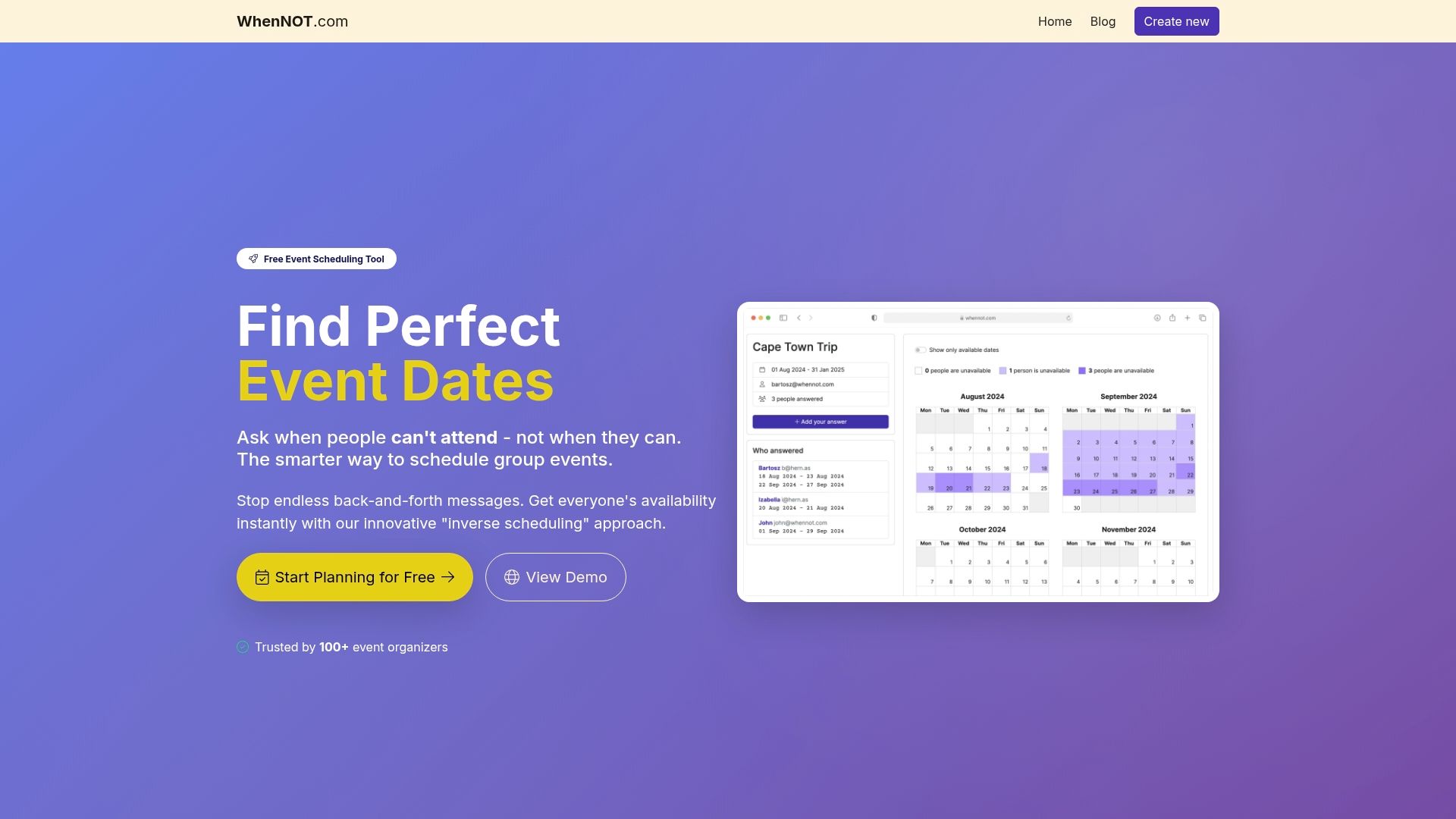
Discover how easy it can be to streamline your team meeting planning with WhenNOT's free online scheduling tool. Quickly visualize your team’s busy days, reduce communication delays, and select the optimal dates to maximize attendance and engagement. Whether you are organizing casual coffee chats, interactive brainstorming sessions, or skill-sharing workshops, WhenNOT empowers you to focus on creating meaningful connections while we handle the logistics. Get started now to transform your remote meetings from frustrating to flawless.
Frequently Asked Questions
How can icebreaker questions enhance virtual team meetings?
Starting with icebreaker questions builds connections among team members, fostering an environment of psychological safety. Incorporate one simple question at the beginning of your next meeting and allow everyone 30 to 60 seconds to respond.
What are some effective poll questions to use during virtual meetings?
Effective poll questions should be clear and directly related to the meeting content. Aim to ask one poll question every 15 to 20 minutes to maintain engagement and gather insights, allowing your team to feel heard and included.
How do I organize a skill-sharing session within my team?
To organize a skill-sharing session, identify a topic of interest and designate a team member as the teacher. Schedule a 30 to 45-minute session that includes interactive elements like Q&A, and consider rotating the teacher each month to encourage diverse knowledge sharing across the team.
What steps are involved in using digital whiteboards for brainstorming?
Using digital whiteboards for brainstorming involves first sharing your whiteboard link, then allocating time for silent ideation where participants add ideas individually. Follow this with a group review to discuss and organize the ideas into themes, maximizing both participation and creativity.
How can I effectively implement virtual coffee chats in my team?
To implement virtual coffee chats, schedule recurring time slots and encourage team members to pair up randomly. Keep the agenda casual and suggest open-ended conversation starters to facilitate natural dialogue without focusing on work-related topics.
What are some ideas to gamify virtual meetings?
Gamifying virtual meetings can be done by adding elements like trivia contests or participation points for questions. Start by incorporating one simple game element, such as trivia related to your company, and keep competitions light and inclusive to enhance engagement and motivation.