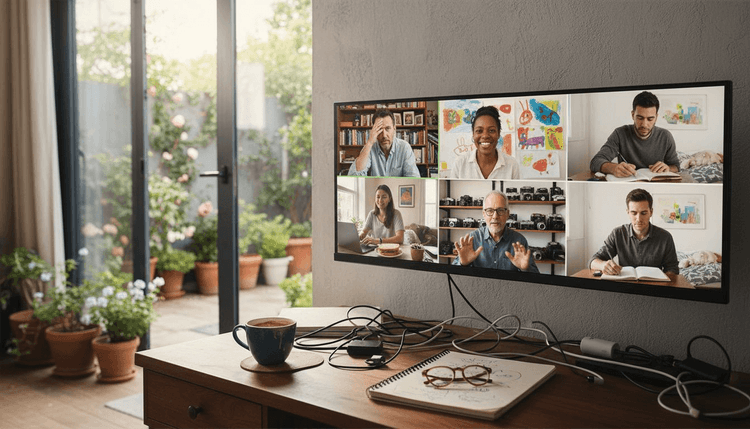
Over 80 percent of American remote workers say strong team communication is their top priority for success. In today’s distributed work environment, even the most skilled professionals can face setbacks without the right virtual meeting strategies. This guide highlights practical approaches for American teams looking to strengthen collaboration, boost engagement, and make every remote meeting truly effective.
Table of Contents
- Daily Stand-Up for Quick Team Updates
- Brainstorming Session Using Online Whiteboards
- Virtual Social Hour for Team Bonding
- Project Kickoff Meeting with Shared Agendas
- Decision-Making Meeting with Real-Time Polls
- Training Workshop Through Video Conferencing
- Retrospective Meeting to Reflect and Improve
Quick Summary
| Takeaway | Explanation |
|---|---|
| 1. Conduct Daily Stand-Ups | Short, focused meetings enable quick updates, ensuring team alignment and accountability. Limit updates to two to three minutes per member. |
| 2. Use Online Whiteboards for Brainstorming | Facilitate real-time collaboration and idea generation among team members, allowing everyone to contribute simultaneously without communication barriers. |
| 3. Plan Structured Virtual Social Hours | Engage team members through interactive activities, helping to build relationships and improve morale beyond work tasks. Rotate hosts for diversity. |
| 4. Create Shared Agendas for Meetings | Providing a collaborative agenda guarantees that all team members understand project objectives and expectations from the start for effective kickoff meetings. |
| 5. Implement Real-Time Polls in Decisions | Use polling tools during meetings to gather input quickly and inclusively, making decision-making processes more engaging and efficient. |
1. Daily Stand-Up for Quick Team Updates
Remote teams need efficient communication strategies that keep everyone aligned and informed. The daily stand-up meeting provides a powerful solution for maintaining team momentum and transparency without consuming excessive time.
Traditionally used in agile project management, daily stand-ups have evolved for remote work environments. Teams can now conduct these meetings through structured approaches that maximize productivity, focusing on three critical components: what was accomplished yesterday, planned tasks for today, and any potential roadblocks.
The key to an effective remote stand-up is brevity and focus. Each team member should share concise updates lasting no more than two to three minutes. This approach ensures everyone gets visibility into ongoing work without turning the meeting into a lengthy discussion. Best practices recommend concentrating on completed tasks, upcoming work, and current challenges to maintain efficiency.
Remote teams have multiple options for conducting stand-ups. Some prefer live video meetings, while others opt for asynchronous updates through messaging platforms or shared documents. The goal remains consistent: creating a rhythm of communication that keeps team members connected and accountable.
Implementing daily stand-ups requires establishing clear guidelines. Set a consistent time that works across different time zones, establish a standard update format, and encourage team members to prepare brief, actionable updates. Visual tools like shared screens or collaborative documents can help track progress and maintain engagement.
Pro tip: Create a standardized template for stand-up updates that includes specific sections for yesterday's achievements, today's priorities, and any obstacles. This structured approach helps team members communicate more effectively and ensures everyone stays focused on key objectives.
2. Brainstorming Session Using Online Whiteboards
Remote teams need innovative ways to generate and capture creative ideas, and online whiteboards have emerged as a powerful solution for collaborative brainstorming. These digital platforms transform traditional idea generation into an interactive, engaging experience that transcends physical boundaries.
Customizable templates and real-time collaboration features enable teams to visualize concepts, map out ideas, and build on each other's creativity seamlessly. Unlike traditional meetings where only one person can contribute at a time, online whiteboards allow multiple team members to add thoughts simultaneously, breaking down communication barriers.
Effective remote brainstorming requires structured approaches. Teams can leverage techniques like Round Robin and Crazy Eights to encourage diverse idea generation, ensuring every team member has an opportunity to contribute. The Round Robin method involves each participant sharing an idea in turn, while Crazy Eights challenges team members to sketch eight different solutions in eight minutes, promoting rapid ideation and preventing overthinking.
To maximize the effectiveness of online whiteboard sessions, establish clear guidelines. Set a specific time limit, define the brainstorming objective, and use visual tools that allow participants to add sticky notes, draw diagrams, and link related concepts. Breaking larger teams into smaller breakout rooms can also help generate more focused and intimate discussions.
Consider incorporating visual elements like mind maps, flowcharts, and diagrams to help team members connect ideas more intuitively. Color coding, icon systems, and digital drawing tools can transform abstract thoughts into tangible visual representations that spark further creativity.
Pro tip: Before the brainstorming session, share a brief overview of the problem or challenge and any preliminary research to help participants come prepared with initial thoughts. This prework can significantly enhance the quality and depth of ideas generated during the online whiteboard session.
3. Virtual Social Hour for Team Bonding
Remote teams face unique challenges in maintaining personal connections and team morale. Virtual social hours offer an intentional solution to bridge communication gaps and create meaningful interactions beyond work related discussions.
Regular check-ins and informal interactions are crucial for maintaining team cohesion in distributed work environments. These social hours provide opportunities for team members to interact authentically, share personal experiences, and build trust in ways that traditional work meetings cannot accommodate.
Successful virtual social hours require thoughtful planning and structure. Instead of leaving conversations to chance, consider implementing interactive activities that encourage participation. These might include virtual games, themed meetups, show and tell sessions, or collaborative challenges that allow team members to showcase their personalities and interests.
Structured timeboxing can enhance engagement by creating a sense of urgency and focus during these social events. Limit each social hour to 30 to 45 minutes and plan specific activities or discussion topics to prevent awkward silences and maintain energy.
Diversity in social hour activities prevents monotony and keeps team members excited about participating. Rotate between different formats such as trivia nights, virtual escape rooms, cooking challenges, book discussions, or skills sharing sessions. Encourage voluntary participation and create an inclusive environment where introverted team members feel comfortable engaging.
Pro tip: Establish a rotating host system where different team members plan and facilitate the virtual social hour. This approach distributes responsibility, introduces variety, and allows everyone to showcase their creativity in bringing the team together.
4. Project Kickoff Meeting with Shared Agendas
Successful remote project launches demand strategic communication and collaborative planning. A well structured project kickoff meeting with shared agendas serves as the critical foundation for aligning team members and establishing clear expectations from the start.
Scrum practices adapted for remote work have transformed how project ceremonies are conducted, emphasizing the need for transparent and inclusive communication strategies. Shared agendas become the cornerstone of this approach, ensuring every team member understands their role, responsibilities, and the project's overarching objectives.
Creating an effective shared agenda requires careful preparation. Start by distributing a collaborative digital document at least 48 hours before the meeting, allowing team members to review and contribute their insights. Include sections for project overview, individual responsibilities, key milestones, potential challenges, and initial discussion points. This approach transforms the kickoff from a one way presentation into an interactive planning session.
Research on hybrid work environments highlights the importance of adapting meeting structures to individual preferences, which means being flexible with communication styles and documentation methods. Some team members might prefer visual diagrams, while others appreciate detailed text descriptions. Accommodate these differences by using multimedia elements in your shared agenda.
Key components of a successful project kickoff meeting include clear goal setting, role definitions, initial timeline discussions, and establishing communication protocols. Use visual tools like shared screens, digital whiteboards, and collaborative documents to make the meeting interactive and engaging. Encourage real time note taking and immediate clarification of questions or concerns.
Pro tip: Create a shared agenda template that can be easily replicated across different projects, with sections for standard information like project scope, team roles, communication channels, and initial success metrics. This standardization will save time and create consistency across your team's project launches.
5. Decision-Making Meeting with Real-Time Polls
Remote teams often struggle with consensus building and engaging all participants during critical decision making processes. Real-time polls offer an innovative solution to transform passive meetings into interactive, inclusive experiences that capture team perspectives quickly and effectively.
Advanced communication interventions have demonstrated significant improvements in virtual team decision making by fostering constructive dialogue and enabling more nuanced perspective sharing. Real-time polling provides an objective mechanism for gathering team input, reducing potential biases and giving voice to team members who might hesitate to speak up during traditional discussions.
Implementing real-time polls requires strategic planning. Choose polling tools that integrate seamlessly with your video conferencing platform and offer anonymous voting options. Prepare clear, concise questions that address specific decision points and allow for multiple response types such as multiple choice, ranking, or scaled responses. This approach ensures that complex decisions can be broken down into manageable components.
Research on virtual meeting engagement reveals critical insights into maintaining participant focus, suggesting that interactive elements like polls can significantly reduce multitasking and increase attention. By creating moments of active participation, you transform passive observers into engaged decision makers. Encourage team members to explain their poll selections, creating opportunities for deeper discussion and understanding.
Successful real-time polling goes beyond simple yes or no questions. Design polls that capture nuanced perspectives, allowing team members to provide context and rationale. Use visual representations of poll results to highlight areas of agreement and potential divergence, facilitating more meaningful conversations about team decisions.
Pro tip: Create a standardized poll template with predefined response categories that can be quickly customized for different meeting types. This approach saves preparation time and provides consistency in how your team approaches collaborative decision making.
6. Training Workshop Through Video Conferencing
Training workshops have dramatically transformed in the remote work era, requiring innovative approaches to engage and educate distributed teams. Video conferencing platforms now serve as powerful tools for delivering comprehensive learning experiences that transcend geographical boundaries.
Research on hybrid work environments emphasizes the critical need for adaptable training approaches that accommodate individual learning preferences and work styles. Successful video conference training workshops recognize that one size does not fit all, demanding flexible and interactive delivery methods.
Constructive communication strategies can significantly enhance virtual learning outcomes, making engagement the cornerstone of effective online training. Design your workshop with multiple interaction points such as live demonstrations, breakout rooms for collaborative exercises, interactive polls, and real time Q&A sessions to maintain participant attention and foster active learning.
Technical preparation is crucial for a smooth training experience. Ensure all participants have clear instructions for accessing the video conference, test audio and video capabilities beforehand, and provide digital resources like slide decks, worksheets, and supplementary materials in advance. Consider recording the session for participants who might need to review content later or who cannot attend the live workshop.
Effective video conference training requires a dynamic presentation style. Break content into digestible segments, use visual aids like screen sharing and digital whiteboards, and vary your teaching techniques. Incorporate storytelling, demonstrate practical examples, and create opportunities for participants to practice new skills through guided exercises or simulations.
Pro tip: Develop a pre workshop survey to understand participant expectations and learning goals, then customize your training content to address specific team needs. This personalized approach increases engagement and ensures the workshop delivers maximum value.
7. Retrospective Meeting to Reflect and Improve
Remote teams require structured opportunities to pause, reflect, and continuously enhance their collaborative processes. Retrospective meetings serve as critical moments for teams to analyze their recent performance, celebrate successes, and identify areas for meaningful improvement.
Scrum practices adapted for remote environments highlight the importance of persistent information sharing and thoughtful meeting restructuring, transforming retrospectives from passive reviews into dynamic improvement workshops. These meetings are not about assigning blame but creating a constructive environment for collective growth and learning.
Research on hybrid work environments emphasizes the need for flexible approaches that accommodate diverse work modes and perspectives, making retrospective meetings more inclusive and comprehensive. Design your meeting to capture insights from all team members, regardless of their communication style or work preferences.
Effective retrospective meetings follow a structured yet open format. Begin by establishing psychological safety, ensuring every team member feels comfortable sharing honest feedback. Use digital collaboration tools like virtual whiteboards to capture insights across three key areas: what went well, what challenges were encountered, and specific actionable improvements the team can implement.
Create a rotating facilitation model where different team members lead the retrospective, bringing fresh perspectives and preventing meeting fatigue. Implement a clear action tracking system that documents insights, assigns responsibility for improvement initiatives, and follows up on previous meeting commitments. This approach transforms retrospectives from theoretical discussions into tangible progress mechanisms.
Pro tip: Develop a consistent retrospective template that includes sections for quantitative team performance metrics, qualitative feedback, and specific improvement action items. This standardized approach will help your team systematically track and improve its collaborative effectiveness over time.
Below is a comprehensive table summarizing the key strategies for implementing remote work meetings effectively as discussed throughout the article.
| Meeting Type | Key Strategies | Benefits |
|---|---|---|
| Daily Stand-Up | Focus on brevity: share updates in 2-3 minutes; use structured templates. | Maintains team alignment and momentum efficiently. |
| Brainstorming Session | Use online whiteboards; employ techniques like Round Robin and Crazy Eights. | Encourages creativity and diverse idea generation. |
| Virtual Social Hour | Plan activities like virtual games and themed meetups; use structured timeboxing. | Enhances team bonding and morale. |
| Project Kickoff Meeting | Distribute shared agendas in advance; include project overview and responsibilities. | Aligns team members and sets clear expectations. |
| Decision-Making Meeting | Use real-time polls; design polls for nuanced input. | Enhances participation and captures diverse perspectives. |
| Training Workshop | Incorporate interaction points; prepare technical aspects ahead. | Engages participants and accommodates learning preferences. |
| Retrospective Meeting | Establish psychological safety; use virtual tools for feedback. | Facilitates continuous team improvement and growth. |
Simplify Your Remote Team Scheduling and Boost Meeting Success
Remote teams face the ongoing challenge of coordinating meetings like daily stand-ups, brainstorming sessions, and training workshops across multiple time zones and busy schedules. This article highlights the importance of structured communication and efficient collaboration, yet one critical obstacle remains: finding the optimal meeting time without endless back-and-forth.
WhenNOT addresses this pain point by streamlining group event planning using an innovative inverse scheduling approach. Instead of asking when participants are available, it simplifies the process by collecting when they are not busy. This method speeds up scheduling for remote team activities such as virtual social hours, project kickoff meetings, or decision-making sessions. Imagine saving hours of email chains and confusion by instantly visualizing everyone’s conflicting dates in one place.
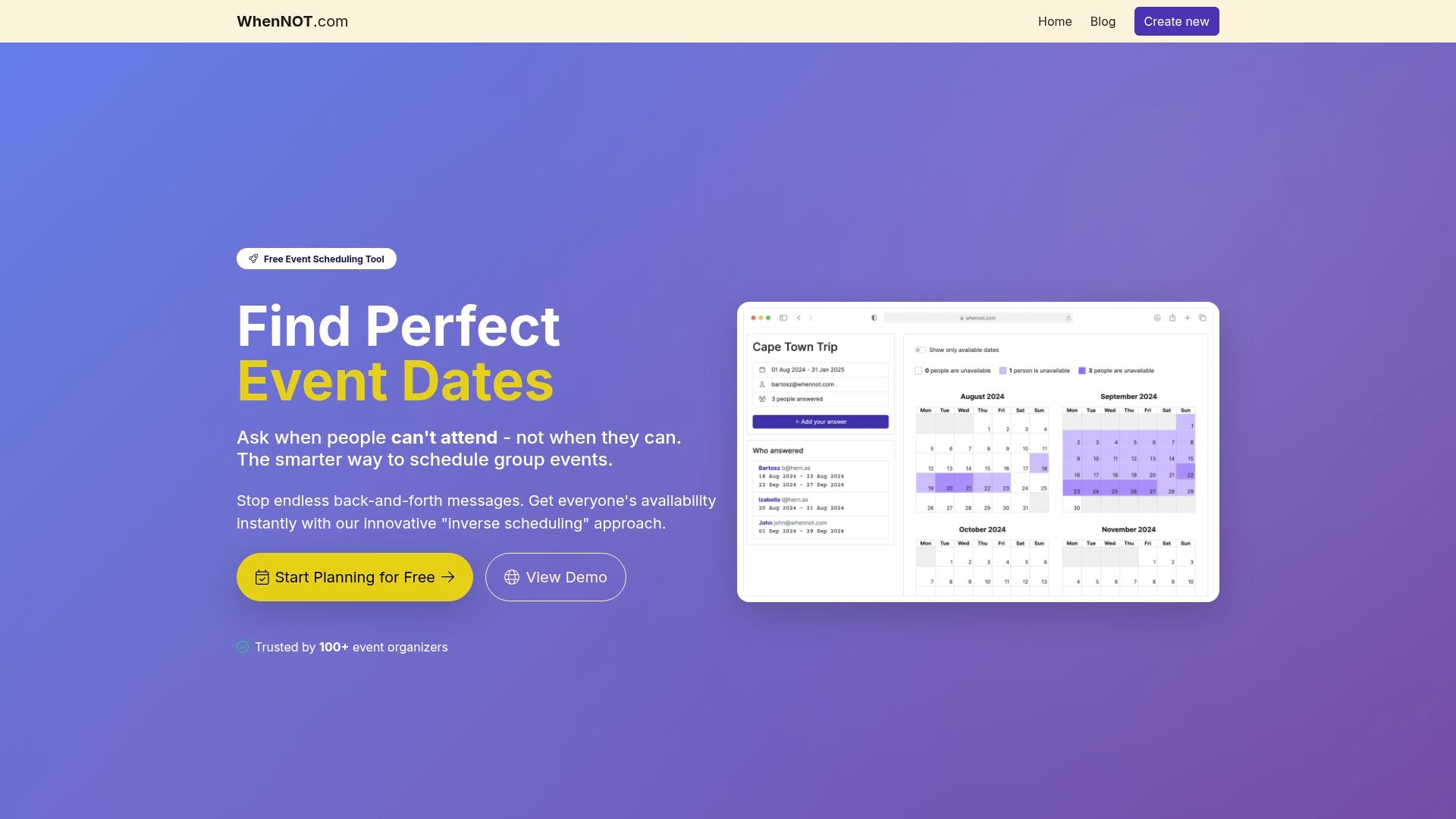
Ready to transform the way your team coordinates meetings and events? Visit WhenNOT now to create your free event and experience hassle-free scheduling that fits your team’s unique rhythms. Start today and keep your remote team connected and productive with less stress.
Frequently Asked Questions
What is a daily stand-up meeting and how can it help my remote team?
Daily stand-up meetings are brief check-ins where team members share updates on accomplishments, today's tasks, and any obstacles. To implement this, schedule a consistent time for your team to meet for 15 minutes each day, focusing on essential updates to keep everyone aligned and informed.
How can I effectively conduct a brainstorming session using online whiteboards?
To conduct an effective brainstorming session, define clear objectives and use online whiteboards that allow real-time collaboration. Encourage all team members to contribute by using techniques like Round Robin or Crazy Eights within a set time limit of 30 to 45 minutes.
What activities can I include in a virtual social hour to bond my remote team?
In a virtual social hour, incorporate interactive activities such as games, trivia, or themed discussions to encourage participation and connection. Plan these activities for 30 to 45 minutes to maintain energy and engagement among team members.
How can I create a shared agenda for a project kickoff meeting?
To create a shared agenda, prepare a collaborative document that includes project objectives, individual responsibilities, key milestones, and potential challenges. Distribute this at least 48 hours before the meeting to ensure that all team members can contribute their insights and be prepared for discussion.
What are the benefits of using real-time polls during decision-making meetings?
Real-time polls foster interactive discussions by allowing team members to anonymously vote on decisions, capturing diverse perspectives effectively. Implement this by integrating a polling tool into your video conferencing platform, allowing for quick and informed decision-making processes during your meetings.
How can I structure a retrospective meeting for my remote team?
Structure a retrospective meeting by first establishing a safe environment for honest feedback and then capturing insights on what went well, challenges faced, and actionable improvements. Use digital collaboration tools to document these insights and assign follow-up actions, aiming to see measurable improvements in team performance within the next project cycle.