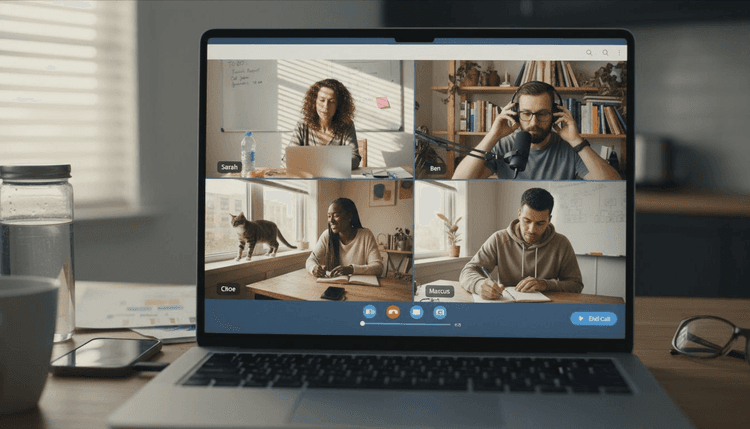
Organizing a virtual team event can quickly become overwhelming when you have to keep everyone engaged, coordinate schedules, and avoid technical pitfalls. From dropped calls to confusing agendas, the smallest missteps can leave your team feeling disconnected and frustrated. The right approach saves time, enhances collaboration, and helps your team actually enjoy the experience instead of dreading it. This list gives you actionable steps that turn your online events from chaotic to well-run, with tools and strategies that match your goals and audience needs. Get ready to discover practical methods that make your next virtual team gathering more engaging, efficient, and memorable.
Table of Contents
- Choose the Right Virtual Event Platform
- Prioritize Simple and Efficient Scheduling
- Boost Engagement With Interactive Activities
- Communicate Clear Agendas and Expectations
- Leverage Tools for Seamless Coordination
- Plan for Follow-Up and Feedback
Quick Summary
| Takeaway | Explanation |
|---|---|
| 1. Choose a suitable virtual event platform. | Assess your event requirements to select a platform that supports interactive features and integration with existing tools, maximizing engagement. |
| 2. Simplify the scheduling process. | Use clear, efficient scheduling methods to reduce friction and ensure high attendance rates, respecting your team's time and commitments. |
| 3. Incorporate interactive elements during events. | Engage participants with polls and discussions every 10-15 minutes to maintain focus, combat screen fatigue, and enhance retention. |
| 4. Communicate a clear agenda in advance. | Provide a detailed agenda outlining objectives, topics, and roles to help attendees prepare and ensure productive meetings. |
| 5. Plan for effective follow-up and feedback. | Collecting and acting on feedback after events demonstrates value for participant input, fostering long-term engagement and improvement. |
1. Choose the Right Virtual Event Platform
Your platform choice makes or breaks your team event. A virtual event platform acts as your digital venue, equipped with tools that replicate the engagement you'd have in person.
Why does this matter? The right platform transforms how your team connects, collaborates, and stays engaged during remote meetings and retreats. Without proper infrastructure, you're fighting technical glitches, poor audio quality, and attendees dropping off halfway through.
What Makes a Platform Right for Your Team
Different events demand different features. A quick team standup needs different capabilities than a full-day offsite or multi-day retreat. Your platform selection should align directly with your specific goals.
Key factors to evaluate include:
- Interactive tools that keep participants engaged (breakout rooms, polls, Q&A features)
- Customization options that reflect your company's branding and event structure
- Stability and scalability to handle your team size without crashes
- Analytics capabilities to measure participation and event success
- Integration features that connect with tools your team already uses
When comparing platforms, look at adaptability and integration capabilities alongside your specific event type and business goals. A conference needs different features than a training session or town hall.
Selecting a platform based on your event type, audience needs, and business objectives directly influences attendee engagement and overall event success.
Apply This to Your Team
Start by listing what your team actually needs. Do you need screen sharing? Breakout room functionality? Recording capabilities for people who miss the live event?
Then test the platform before your big event. A practice run with a small group reveals technical issues before they impact your entire team. You'll discover which features your team will actually use and which ones create confusion.
Consider the benefits and features of online scheduling tools when coordinating the logistics of getting your team together across time zones. The platform handles the meeting itself, but you need reliable scheduling to get everyone there first.
Pro tip: Create a short feature checklist of must-haves versus nice-to-haves, then evaluate 2-3 top platforms against that list before committing to any single solution.
2. Prioritize Simple and Efficient Scheduling
Scheduling is where virtual events succeed or fail. When you make it complicated, people skip your event or show up late. Simple scheduling removes friction and gets your team actually present.
The scheduling process sets the tone for everything that follows. A transparent, straightforward approach respects your team's time and eliminates confusion about when and where to show up.
Why Simplicity Matters for Team Events
Your team members juggle multiple calendars and competing priorities. Forcing them through a complex scheduling process creates frustration before the event even begins.
When you choose efficient scheduling methods, you accomplish three critical things:
- Reduce the time it takes participants to respond
- Increase actual attendance rates because people understand the details
- Gather clear availability data without back-and-forth emails
- Minimize scheduling conflicts with other commitments
The goal is getting everyone on the same page without creating work for them.
Apply Practical Efficiency to Your Team Event
Keep your scheduling window manageable. Present a clear date range, let people indicate what doesn't work for them, and move forward quickly.
Avoid decision fatigue by limiting options. Instead of asking people to pick from twenty possible dates, present three strong options based on your initial assessment. This speeds up the entire process.
Make the scheduling process accessible to everyone on your team. No account creation. No complicated interfaces. Just a straightforward way for people to indicate their availability.
Time constraints matter. Research shows that keeping sessions to two hours or less maintains better engagement and attendance. Build this into your scheduling considerations from the start.
Here's what efficient scheduling includes:
- Clear communication about event dates and times
- One simple tool for capturing availability
- Quick decision-making once you have the data
- Confirmation sent immediately after scheduling
- Reminders sent closer to the event date
Thoughtful scheduling planning that respects your team's time directly maximizes attendance and attendee satisfaction.
Pro tip: Use a single scheduling solution that doesn't require sign-ups or logins, letting your team indicate unavailable dates in seconds rather than navigating complicated availability interfaces.
3. Boost Engagement With Interactive Activities
Passive watching kills virtual events. When your team sits silent for hours, they mentally check out. Interactive activities transform attendees from bored spectators into active participants.
The difference between a forgettable event and a memorable one comes down to how much your team participates. Activities that require real involvement dramatically increase focus, retention, and connection.
Why Interactivity Changes Everything
Your brain processes information better when you actively participate. A person answering a poll remembers more than someone passively listening. Interactive tools convert mental energy from distraction into engagement.
The challenge with virtual events is overcoming the screen fatigue and isolation that remote settings create. Strategic interactivity solves this by creating moments where people contribute, respond, and connect with others.
Effective engagement tools include:
- Live polling that gathers instant feedback and shows real-time results
- Q&A sessions woven throughout presentations instead of saved for the end
- Breakout room discussions with specific prompts for small group collaboration
- Interactive whiteboards for brainstorming and visual collaboration
- Real-time chat integrated into presentations for running commentary
Practical Implementation for Your Team
Start small if you're new to interactive activities. One well-executed poll beats five awkward attempts at engagement. Choose activities that align with your event goals and your team's comfort level.
Timing matters significantly. Introduce interactive elements every 10 to 15 minutes during longer sessions to maintain momentum. This breaks up presentation segments and resets attention spans.
Consider examples of remote team meetings that successfully blend interactive components with content delivery. Seeing how others structure engagement helps you design better activities for your specific audience.
Clear instructions prevent confusion. When you launch an activity, explain exactly what you want people to do. Ambiguity kills participation faster than anything else.
Interactive technologies significantly increase motivation and engagement by converting passive attendees into active contributors who drive their own learning.
Design activities that serve your meeting purpose. A brainstorming session needs different tools than a training session or town hall announcement.
Pro tip: Schedule interactive activities at predictable moments so your team anticipates them and mentally prepares to engage rather than scrolling through distractions.
4. Communicate Clear Agendas and Expectations
Vague meetings waste everyone's time. When your team doesn't know what to expect, they arrive unprepared, distracted, and frustrated. Clear agendas eliminate guesswork and set your event up for productivity.
A detailed agenda shared in advance transforms how your team shows up. People arrive prepared, know what to contribute, and understand how their time will be spent.
What Makes an Agenda Actually Clear
Your agenda isn't just a list of topics. It's a roadmap that tells people what will happen, when it will happen, and what they need to do beforehand.
A strong agenda includes:
- Specific objectives for the meeting or event
- Discussion topics with realistic time allocations
- Any preparation required from participants
- Role assignments like facilitator, note-taker, or timekeeper
- Expected outcomes so people know what success looks like
Clear communication of expectations keeps meetings on track and reduces confusion before anyone logs in. This single step dramatically improves focus and ensures everyone stays engaged.
Build Your Agenda With Real Structure
Start by identifying your core objective. What one thing must happen for this event to succeed? Everything else flows from that.
Break your event into segments with time blocks. People need to know if this is a 30-minute standup or a full-day retreat. Allocate time realistically, accounting for discussion and questions.
Specify any preparation work. Do people need to review documents? Think about certain topics? Come with ideas? Tell them explicitly so they arrive ready to contribute.
Assign specific roles to avoid confusion about who handles what. When someone is designated as the facilitator or note-taker, they take ownership and meetings run smoother.
One of the key habits of successful event organizers is communicating expectations so clearly that participants feel prepared and confident about what to expect.
Well-communicated expectations help avoid unnecessary meetings, reduce time wastage, and promote engagement and effective decision-making in remote teams.
Send your agenda at least a few days before the event. This gives people time to prepare mentally and logistically.
Pro tip: Include a specific time zone and a link to join at the very top of your agenda so people never have to search for crucial logistics information.
5. Leverage Tools for Seamless Coordination
Manual coordination kills efficiency. Email threads, scattered notes, and conflicting information create chaos. The right tools centralize communication and keep everyone aligned without extra effort.
Coordination tools transform how your team organizes virtual events. Instead of hunting for information across multiple platforms, everything your team needs lives in one place.
Why Tool Selection Matters for Your Team
Your team already uses multiple platforms. Adding more confusion defeats the purpose. The goal is finding tools that integrate with existing workflows and reduce friction, not create it.
Effective coordination tools share common features:
- Real-time messaging for quick decisions and updates
- Document sharing so everyone accesses current information
- Task management to track who owns what
- Calendar integration to avoid scheduling conflicts
- Notification systems so nothing gets missed
These tools centralize information, eliminate back-and-forth emails, and maintain continuous team engagement regardless of time zones or work locations.
Implementing Tools Without Overwhelming Your Team
Start by identifying your biggest coordination pain point. Is it scheduling? Communication? Task tracking? Solve that first rather than trying to overhaul everything at once.
Choose tools your team already uses when possible. If your company runs on Microsoft Teams, use that. If Slack is your hub, build around it. Forcing people to learn new platforms creates resistance.
Understanding efficient event coordination workflows helps you select tools that fit your specific process rather than forcing your process to fit the tool.
Set clear expectations about which tool handles what. Messaging goes in Slack. Event details live in a shared document. Calendar updates happen in one place. Clarity prevents duplicate efforts and frustration.
Test your tool setup with a small event first. Iron out issues before your next major team retreat or company-wide event.
Centralizing communication and project management through unified tools supports productivity by reducing information silos and maintaining continuous team engagement.
Automation is your secret weapon. Calendar reminders, automatic notifications, and workflow triggers eliminate manual follow-ups that drain your time.
Pro tip: Choose one primary scheduling tool for your team and commit to it rather than asking people to check multiple platforms for event details and availability updates.
6. Plan for Follow-Up and Feedback
Your event doesn't end when people log off. What happens next determines whether your team remembers the experience as valuable or forgettable. Follow-up and feedback transform one-time events into ongoing engagement.
Post-event activities maintain momentum and convert interest into real business outcomes. When you skip this step, all the energy and connection built during the event evaporates.
Why Follow-Up Matters More Than You Think
Your team needs to know their input matters. Collecting feedback shows you value their perspective and want to improve future events. This builds trust and increases participation next time.
Follow-up also provides essential data. What worked? What fell flat? Where did people disengage? Without this information, you're planning future events blind.
Effective post-event strategies include:
- Sending surveys promptly while the experience is fresh
- Analyzing feedback by attendee type to spot patterns
- Publishing event recordings for people who missed it
- Sending personalized thank-yous to key participants
- Sharing exclusive content to extend event value
Integrating feedback into your scheduling process helps you continuously improve how you coordinate future team events and meetings.
Implement a Simple Follow-Up Plan
Don't overcomplicate this. A short survey sent within 24 hours works better than a lengthy form sent a week later. People's memories fade fast.
Ask three to five specific questions. What was most valuable? What would you change? Would you attend similar events? Keep it quick so people actually respond.
Respond to feedback within 72 hours, especially when speakers or presenters are involved. Share what you heard, what you'll do differently, and how their input shaped future planning.
Publish recordings and materials promptly. People who attended might want to revisit content. People who missed it can still access valuable information and stay connected.
Post-event follow-up maintains engagement and converts interest into long-term growth by demonstrating that you value participant input and commitment.
Repurpose event content for broader distribution. Turn a team meeting into a recording for people in different time zones. Convert presentations into blog posts or internal resources.
Pro tip: Schedule your feedback collection and thank-you messages as calendar reminders immediately after the event ends, so follow-up happens automatically rather than getting lost in your queue.
Below is a comprehensive table summarizing the key strategies and steps discussed in the article for effectively managing virtual events with a focus on team collaboration.
| Aspect | Details | Best Practices |
|---|---|---|
| Choosing a Platform | Select a virtual event platform that suits your event type (standup, retreat) and goals. Evaluate features like interactivity, customization, scalability, and integration capabilities. | Choose 2-3 top platforms and test them in small-group sessions to identify the best choice for your specific event requirements. |
| Scheduling | Efficient and simple scheduling processes improve attendance and minimize conflicts. | Use clear communication, a single scheduling tool, and timely reminders to ensure transparency and ease of participation. |
| Engaging Participants | Incorporate interactive activities like live polling, breakout discussions, and whiteboards to enhance focus and involvement. | Plan for regular engagement moments, aligned with the agenda, and provide clear instructions to participants. |
| Setting Agendas and Expectations | Ensure agenda clarity by outlining objectives, topics with time allocations, and preparation instructions. | Distribute agendas ahead of time, assign clear roles, and include necessary logistical and timing details. |
| Coordination Tools | Leverage centralized tools for messaging, document sharing, and task tracking to streamline communication and reduce hassle. | Use familiar platforms to maintain workflow and align functionalities with team needs, while automating notifications. |
| Post-Event Processes | Conduct follow-up activities such as sharing recordings, collecting participant feedback, and expressing gratitude after the event. | Implement feedback systems immediately and communicate results to participants for sustained engagement and learning. |
Simplify Your Virtual Team Event Scheduling with WhenNOT
Organizing virtual events for teams brings unique challenges like complex scheduling across time zones and finding the right moment when everyone is available. This article highlights critical pain points such as complicated scheduling processes, ensuring high attendance, and removing friction from coordinating participants. WhenYou need a solution that respects your team’s time while boosting engagement and clarity.
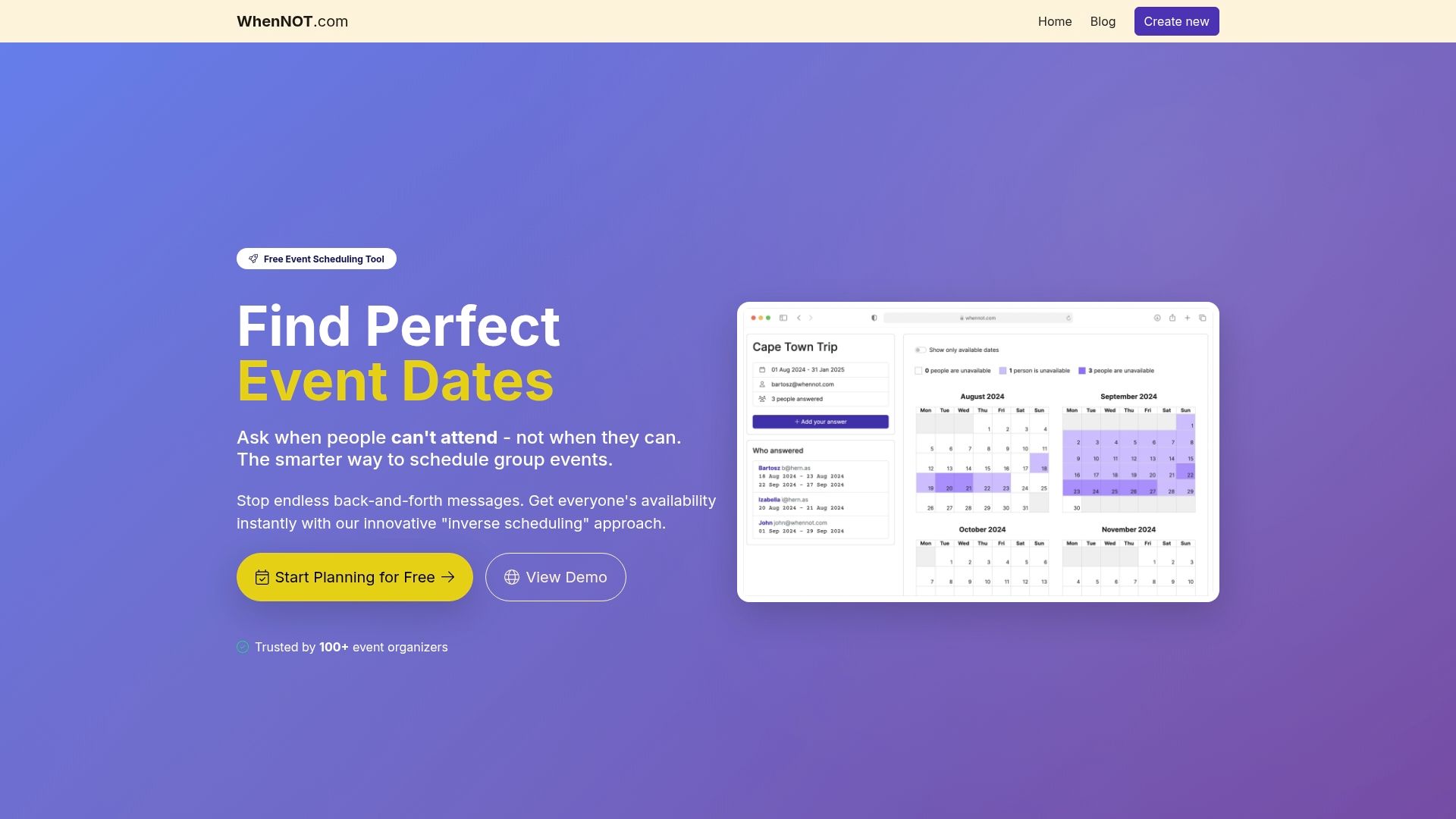
Discover how WhenNOT transforms scheduling by asking participants only when they are not available rather than traditional availability queries. This inverse scheduling approach simplifies planning for multi-day or flexible date events, eliminating confusion. With no sign-ups required, your team marks their busy times effortlessly and you instantly see the best dates for your event. Experience the ease of centralized coordination and efficient scheduling that aligns perfectly with the tips from this article. Start maximizing attendance and engagement today with WhenNOT, your trusted partner for seamless virtual event planning.
Frequently Asked Questions
What should I consider when choosing a virtual event platform for my team?
Choosing the right virtual event platform is crucial for engagement. Evaluate features like interactive tools, customization options, stability, and analytics capabilities to match your team's needs before making a selection.
How can I simplify scheduling for virtual team events?
To simplify scheduling, present clear options and limit choices to avoid decision fatigue. Aim to gather availability swiftly and send confirmations immediately to ensure maximum attendance.
What activities can I implement to boost engagement during virtual events?
Incorporate interactive activities like live polls, Q&A sessions, and breakout discussions to maintain participant focus. Aim to include these interactive elements every 10 to 15 minutes to keep energy levels high.
How can I create a clear agenda for my team event?
A clear agenda outlines specific objectives, discussion topics, and any participant preparations. Share this agenda a few days in advance to prepare your team effectively for their roles and contributions.
What tools can help streamline coordination for virtual events?
Select coordination tools that offer real-time messaging, document sharing, and task management features. Start by identifying your team’s biggest pain point and implement solutions that integrate with their existing workflows.
Why is post-event follow-up important for my team?
Post-event follow-up helps maintain engagement and shows participants their feedback is valued. Send a brief survey shortly after the event to collect insights and analyze feedback for future improvements.