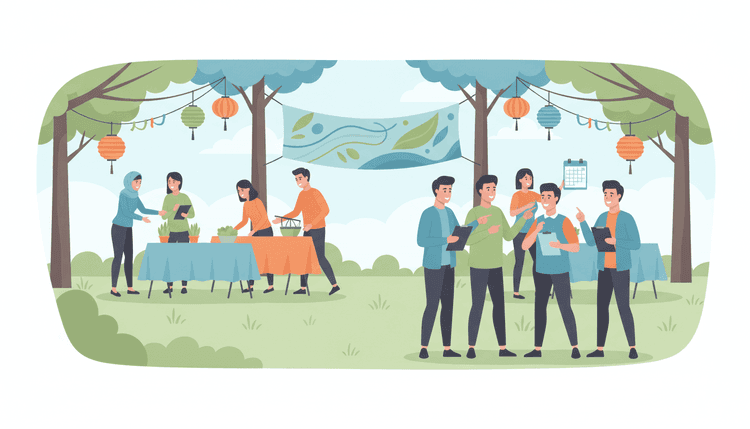
What Does It Take to Organize a Community Event?
Organizing a community event takes a clear purpose, a reliable team, and a realistic timeline. Most successful events share three things: early planning (at least 8 to 12 weeks out), a focused goal, and strong communication with attendees. The good news? You do not need a massive budget or years of experience to pull it off.
Community event management comes down to making decisions in the right order. Rush the venue before you know your audience, and you end up with a space that does not fit. Skip promotion, and your well-planned event draws a thin crowd. The steps below follow a proven sequence that keeps each decision building on the last.
Here is what the full process looks like at a glance:
- Define your purpose and audience
- Build a planning committee
- Pick the perfect date
- Choose a venue and format
- Create your event planning workflow
- Promote and send invitations
- Manage RSVPs and communication
- Execute on event day and follow up
Let's walk through each one.
Step 1: Define Your Event Purpose and Audience
Every great community event starts with two questions: "Why are we doing this?" and "Who is it for?" Answering these first saves you from wasted effort later. A clear purpose shapes every other decision, from the venue size to the marketing message.
Set a specific goal
Vague goals like "bring the community together" sound nice but give you nothing to measure. Instead, aim for something concrete:
- Raise $5,000 for the local food bank
- Introduce 50 new residents to neighborhood resources
- Train 30 small business owners on digital marketing basics
A specific goal tells your team what success looks like and helps you decide where to spend your budget.
Identify your target audience
Your audience determines the tone, timing, and format of the event. Ask yourself:
- Age range: Are you targeting families with young children, working professionals, or retirees?
- Interests: What topics or activities will draw them in?
- Availability: Are weekends or weekday evenings better for this group?
- Accessibility needs: Do attendees need wheelchair access, translation services, or childcare?
Write a one-paragraph audience profile and share it with your planning team. This keeps everyone aligned as decisions come up.
Step 2: Build Your Planning Committee
A single organizer can handle a small meetup, but any event with more than 30 attendees benefits from a planning committee. Spreading responsibilities across a small team prevents burnout and brings in skills you might not have on your own.
Key roles to fill
| Role | Responsibility |
|---|---|
| Event Lead | Owns the timeline, makes final calls, and keeps the team on track |
| Logistics Coordinator | Handles venue, equipment, permits, and day-of setup |
| Marketing Lead | Manages promotion, social media, and invitation distribution |
| Volunteer Coordinator | Recruits, trains, and schedules volunteers |
| Budget Manager | Tracks spending, manages sponsorships, and handles vendor payments |
You do not need five separate people. In smaller events, one person often covers two roles. The important thing is that every responsibility has a name next to it.
Where to find committee members
- Local civic groups and neighborhood associations
- Parent-teacher organizations
- Faith-based organizations
- College student groups looking for service hours
- Coworkers or professional networks
Reach out early. People are more likely to volunteer when they have plenty of lead time and a clear description of what you need from them.
Step 3: Pick the Perfect Date (Without the Back-and-Forth)
Choosing a date sounds simple until you try to coordinate schedules across a planning committee, key speakers, and venue availability. This single decision can stall your entire timeline if you handle it the wrong way.
The traditional approach of sending group texts or email chains asking "What works for everyone?" creates confusion fast. Replies get buried, people forget to respond, and you end up picking a date that half the group cannot make.
Using Inverse Scheduling to Find Availability
A smarter approach is inverse scheduling: instead of asking when people are free, ask when they are NOT available. This method narrows down options faster because people find it easier to name their conflicts than to list every open slot.
Here is how it works:
- List all possible dates within your target timeframe
- Ask each committee member and key participant to mark dates they cannot attend
- The remaining dates with the fewest conflicts become your top choices
WhenNOT makes this process effortless. Create a quick poll, share the link with your planning committee, and let everyone mark their unavailable dates. Within minutes, you see which dates work best for the most people, with zero back-and-forth emails.
This matters especially for planning a community event where you need input from multiple stakeholders: venue managers, guest speakers, sponsors, and volunteers all have different calendars.
Step 4: Choose a Venue and Format
Your venue and format should match your event purpose, audience size, and budget. Making the wrong choice here creates problems that ripple through the rest of your planning.
Venue selection checklist
Consider these factors when evaluating venues:
- Capacity: Can it comfortably hold your expected attendance plus 10 to 15 percent extra?
- Location: Is it accessible by public transit? Is there adequate parking?
- Cost: Does it fit your budget? Are there hidden fees for setup, cleanup, or A/V equipment?
- Amenities: Does it have restrooms, kitchen access, Wi-Fi, and power outlets where you need them?
- Availability: Is it open on your chosen date and time?
- Permits: Does the venue handle permits, or do you need to apply separately?
In-person vs. hybrid vs. virtual
| Format | Best For | Key Consideration |
|---|---|---|
| In-person | Networking, hands-on workshops, celebrations | Requires venue, catering, and physical setup |
| Virtual | Educational sessions, speakers from different cities | Needs reliable streaming platform and tech support |
| Hybrid | Maximizing reach while keeping local energy | Most complex to execute; requires both physical and digital infrastructure |
For most community events, in-person works best because personal connection is the whole point. But if your audience spans a wide geographic area, a hybrid format can extend your reach without losing the in-person energy.
Step 5: Create Your Event Planning Workflow
A workflow turns your to-do list into a timeline with deadlines, owners, and milestones. Without one, tasks slip through the cracks and your team scrambles in the final week.
Build your timeline backward
Start from your event date and work backward:
- 8 to 12 weeks out: Finalize date, venue, and budget. Confirm committee roles.
- 6 to 8 weeks out: Book vendors (catering, A/V, rentals). Begin promotion.
- 4 to 6 weeks out: Open registration. Send invitations to your target audience. Recruit volunteers.
- 2 to 4 weeks out: Confirm headcount with vendors. Finalize the run-of-show. Train volunteers.
- 1 week out: Do a venue walkthrough. Test all equipment. Send reminder messages to attendees.
- Day of: Arrive early. Run through the setup checklist. Brief your team.
Use a shared project tracker
Keep your planning committee aligned with a shared document or project board. Every task should have:
- A clear owner
- A due date
- A status (not started, in progress, done)
This prevents the "I thought you were handling that" problem that derails so many events.
Step 6: Promote and Send Invitations
Even the best-planned event fails if nobody knows about it. Start promotion at least six weeks before the event date, and use multiple channels to reach your audience where they already spend time.
Free and low-cost promotion channels
- Social media: Create an event page on Facebook, post teasers on Instagram, and share updates on community groups
- Email: Send a targeted email blast to your existing contacts and mailing lists
- Flyers and posters: Place them at libraries, coffee shops, community centers, and grocery store bulletin boards
- Local media: Send a press release to community newspapers, radio stations, and local blogs
- Word of mouth: Ask committee members and early registrants to spread the word personally
- Community calendars: Submit your event to local government and nonprofit event calendars
Craft invitations that get responses
Your invitation should answer five questions in under 30 seconds:
- What is the event?
- When and where is it?
- Who is it for?
- Why should they attend?
- How do they register or RSVP?
For a deeper look at invitation formats, check out this guide on essential types of event invitations.
Need fresh ideas for your event itself? Browse this list of group event ideas for creative and seamless planning.
Step 7: Manage RSVPs and Communication
Tracking RSVPs accurately is critical for budgeting, catering orders, seating arrangements, and volunteer staffing. Losing track of your headcount leads to wasted food, empty chairs, or worse, not enough seats.
RSVP best practices
- Use a single RSVP system. Do not let people respond through email, text, and social media separately. Pick one tool and direct everyone there.
- Set a clear deadline. Give attendees a specific RSVP cutoff date, typically 7 to 10 days before the event.
- Send reminders. People forget. Send at least two reminders: one a week before the RSVP deadline and one a few days after they register to confirm details.
- Plan for no-shows. Expect 20 to 30 percent of RSVPs to not show up for free events. For paid events, no-show rates drop to about 5 to 10 percent.
Keep attendees informed
After someone RSVPs, do not go silent. Send updates that build excitement:
- A "what to expect" email one week before the event
- Parking and directions information three days out
- A day-of reminder with last-minute details (weather updates, schedule changes)
If you want attendees to feel comfortable sharing their real availability without social pressure, consider using anonymous scheduling for pre-event coordination.
Step 8: Execute and Follow Up
Event day is where all your planning pays off. The key to a smooth event is a detailed run-of-show document and a team that knows their assignments.
Day-of execution tips
- Arrive early. Get to the venue at least 90 minutes before the event starts.
- Run through your setup checklist. Test microphones, projectors, Wi-Fi, and any other tech before guests arrive.
- Brief your volunteers. Hold a 10-minute huddle to review assignments, emergency procedures, and the schedule.
- Designate a point person. One person should handle all last-minute decisions so your team knows who to ask.
- Take photos and videos. Document the event for follow-up communications and future promotion.
Post-event follow-up
Follow-up is where most organizers drop the ball, but it is one of the most valuable parts of community event management. Good follow-up turns a one-time event into a recurring tradition.
Within 48 hours after the event:
- Send a thank-you message to all attendees, volunteers, and sponsors
- Share photos and highlights on social media and via email
- Collect feedback with a short survey (5 questions or fewer)
- Review your budget and document actual vs. planned spending
- Hold a debrief with your planning committee to capture what worked and what to improve
Community Event Planning Checklist
Use this checklist to stay on track from start to finish:
| Timeline | Task | Owner | Status |
|---|---|---|---|
| 12 weeks out | Define event purpose and target audience | Event Lead | |
| 12 weeks out | Recruit planning committee members | Event Lead | |
| 10 weeks out | Pick the event date using an availability poll | Event Lead | |
| 10 weeks out | Research and book venue | Logistics Coordinator | |
| 8 weeks out | Set budget and identify funding sources | Budget Manager | |
| 8 weeks out | Begin vendor outreach (catering, A/V, rentals) | Logistics Coordinator | |
| 6 weeks out | Launch promotion across all channels | Marketing Lead | |
| 6 weeks out | Send invitations and open registration | Marketing Lead | |
| 4 weeks out | Recruit and assign volunteers | Volunteer Coordinator | |
| 3 weeks out | Confirm headcount with vendors | Budget Manager | |
| 2 weeks out | Finalize run-of-show and print materials | Event Lead | |
| 1 week out | Venue walkthrough and equipment test | Logistics Coordinator | |
| 1 week out | Send attendee reminder with logistics details | Marketing Lead | |
| Day of | Setup, volunteer briefing, event execution | Full Team | |
| Day after | Send thank-you messages and share photos | Marketing Lead | |
| 1 week after | Collect feedback surveys and hold team debrief | Event Lead |
FAQ
How far in advance should I start planning a community event?
Start planning at least 8 to 12 weeks before the event date. Larger events with 200 or more attendees, multiple vendors, or permit requirements may need 4 to 6 months of lead time. The more stakeholders involved, the earlier you should begin.
How much does it cost to organize a community event?
Costs vary widely based on size and format. A small neighborhood gathering might cost under $200 for basic supplies, while a large community festival can run $5,000 to $20,000 or more. Common expenses include venue rental, food, marketing materials, insurance, and equipment. Many community events offset costs through sponsorships, donations, and volunteer labor.
How do I find the best date when multiple people need to be involved?
Use inverse scheduling. Instead of asking when everyone is free, ask when they are NOT available. Tools like WhenNOT let you create a simple poll where participants mark their unavailable dates, and the best options surface automatically.
What is the biggest mistake people make when planning community events?
Skipping the follow-up. Many organizers pour energy into planning and execution but forget to send thank-you messages, collect feedback, or document lessons learned. Follow-up is what transforms a one-time event into an annual tradition and keeps your community engaged.
How do I get volunteers for my community event?
Reach out to local civic groups, faith organizations, school parent associations, and college service-learning programs. Post volunteer opportunities on community social media groups and neighborhood apps. Be specific about time commitments, roles, and any perks (free food, community service credit, event swag).
Do I need event insurance for a community gathering?
For most public events, yes. Event liability insurance protects you if someone gets injured or property gets damaged. Many venues require proof of insurance before they let you book. Policies for small community events typically cost $75 to $200 for a single day.
How can I make my community event more inclusive?
Choose an accessible venue with ramps, elevators, and accessible restrooms. Offer materials in multiple languages if your community is multilingual. Provide options for dietary restrictions in your catering. Consider childcare or family-friendly programming. Use anonymous scheduling tools so participants can share availability without social pressure.
Ready to schedule your next group event without the headache? Find the perfect dates in minutes with WhenNOT.