What Is an Event Planning Workflow?
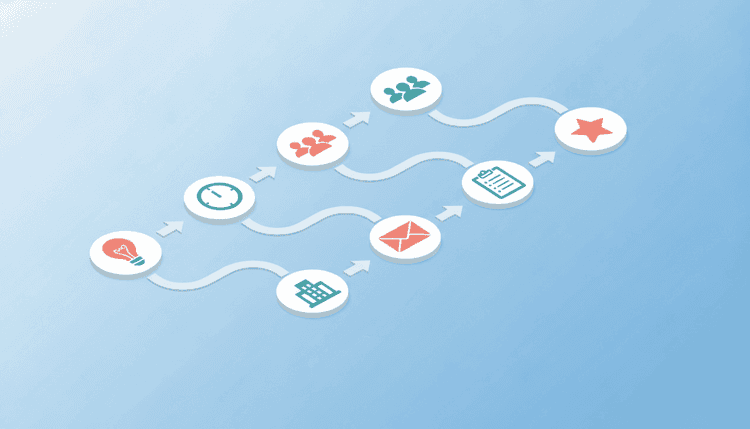
An event planning workflow is a step-by-step sequence of stages that moves your event from idea to execution. It assigns clear owners, maps dependencies between tasks, and keeps every detail on track, whether you are planning a corporate retreat, a neighborhood block party, or a family reunion.
Think of it as the difference between following a recipe and guessing your way through dinner. A workflow gives each stage a clear purpose, a set of tasks, and a logical order. You always know what comes next, who owns it, and when it needs to happen.
Unlike a simple checklist, a workflow connects the stages together. The output of one stage feeds directly into the next, creating momentum instead of scattered to-do items.
Why You Need a Defined Workflow (Not Just a Checklist)
A defined workflow builds accountability, reveals task dependencies, and creates a reusable system you can apply to any future event. Checklists handle simple tasks, but workflows handle the complexity of multiple people, shifting dates, and real budgets that every meaningful event involves. Here is why a workflow beats a simple to-do list every time.
It creates accountability. Each stage has an owner. When responsibilities live inside a shared workflow instead of a single person's notebook, everyone sees what needs to happen and who is handling it.
It prevents bottlenecks. A checklist treats every item as equal. A workflow shows dependencies. You cannot book a venue before you know your date, and you cannot finalize catering before you know your headcount. Workflows make those connections visible.
It saves time on repeat events. Once you build your workflow, you can reuse it. Swap out the details, keep the structure, and cut your planning time in half for the next event. In 2026, AI-powered scheduling tools make this even easier by auto-populating timelines and suggesting vendors based on your past events.
If you have ever scrambled two days before an event because "someone was supposed to handle that," a workflow is the fix. For a countdown-style approach to your timeline, check out this event planning timeline and checklist.
The 7-Stage Event Planning Workflow
This seven-stage framework covers every event type, from corporate conferences and hybrid gatherings to community meetups and personal celebrations. Follow the stages in order, and scale each one to match your event size.
Stage 1: Define Goals and Audience
Every successful event starts with two questions: "What do we want to achieve?" and "Who is this for?"
Your goals shape every downstream decision. A team-building retreat has different needs than a product launch or a birthday party. Write down one to three specific goals. "Bring the remote team together for two days of collaboration" is useful. "Have a fun event" is not.
Next, define your audience:
- Size: Are you planning for 15 people or 500?
- Demographics: Families with kids? Working professionals? A mix?
- Expectations: Do attendees expect a polished experience or a casual gathering?
- Accessibility: Are there dietary restrictions, mobility needs, or language considerations?
- Event format: Will this be fully in-person, virtual, or a hybrid event? Hybrid formats remain popular in 2026, so factor in both on-site and remote attendee needs.
The clearer your goals and audience profile, the faster every other stage moves.
Stage 2: Set Budget and Timeline
Lock down your budget before you start spending. Even a rough number prevents the slow creep of unplanned costs that turns a $500 party into a $1,200 surprise.
Break your budget into categories:
- Venue (rental, permits, insurance)
- Food and drink (catering, DIY, bar service)
- Entertainment or programming (speakers, music, activities)
- Decor and supplies (tables, signage, rentals)
- Marketing and invitations (digital tools, printed materials)
- Tech and streaming (AV gear, hybrid event platform, live-stream setup)
- Contingency (set aside 10 to 15 percent for unexpected costs)
For your timeline, work backward from the event date. Map major milestones to specific weeks:
- 8+ weeks out: Confirm goals, budget, and date
- 6 weeks out: Book venue and key vendors
- 4 weeks out: Send invitations and open RSVPs
- 2 weeks out: Finalize headcount, menu, and logistics
- 1 week out: Confirm all vendors and run through the day-of plan
- Day of: Execute, delegate, and enjoy
For a detailed countdown version of this timeline, see our event planning timeline and checklist.
Stage 3: Find a Date That Works for Everyone
This stage trips up more event planners than any other. You pick a date, send invitations, and then discover that half your key attendees have conflicts. Now you are either rescheduling (awkward) or running the event at half capacity (disappointing).
The fix is simple: find the date before you commit to everything else.
Instead of announcing a date and hoping for the best, poll your attendees on a few options. Ask them which dates work and, just as importantly, which dates do not work. This approach surfaces conflicts early and gives you a date with the highest possible attendance.
WhenNOT makes this step effortless. Create a quick scheduling poll, share the link with your group, and see which dates get the most availability. It takes minutes instead of days of back-and-forth messages, and you get a clear answer instead of a dozen "let me check" replies.
Once you have a confirmed date with strong attendance, every following stage becomes easier. You can book venues with confidence, send invitations with a firm date, and order supplies based on a real headcount.
Stage 4: Book Venue and Vendors
With your date locked in, you can move fast on bookings. Venues and popular vendors fill up quickly, so this stage should follow immediately after your date is confirmed.
For the venue, consider:
- Capacity (match to your expected headcount plus 10 percent buffer)
- Location and accessibility for your audience
- Available amenities (AV equipment, parking, kitchen facilities)
- Hybrid-readiness (reliable Wi-Fi, camera-friendly layout, streaming capabilities)
- Cost versus budget allocation
- Backup options for outdoor events (rain plan)
For vendors, prioritize:
- Catering or food service
- AV and tech support (if needed)
- Photography or videography
- Entertainment or speakers
- Rental equipment (tables, chairs, linens)
Get written confirmations with dates, times, costs, and cancellation policies. A simple shared document or spreadsheet keeps all vendor details in one place.
Stage 5: Promote and Send Invitations
Your promotion strategy depends on your event type. A corporate conference needs a multi-channel campaign. A family reunion needs a group text and a shared calendar invite. Match your effort to your audience.
For any event, your invitation should include:
- What: Event name and brief description
- When: Date, start time, and end time
- Where: Venue name, address, and parking or transit info
- RSVP: A clear deadline and a simple way to respond
- What to bring: Dress code, dishes for potluck, or other contributions
Send invitations four to six weeks before the event for formal gatherings and two to three weeks out for casual ones. Follow up one week before the RSVP deadline with a reminder.
Planning a summer event? Get inspiration from these summer party planning ideas and checklists. For tips on tracking responses and reducing no-shows, check out this guide on event RSVP management. You can also explore different invitation formats to find the right fit for your event style.
Stage 6: Execute Day-Of Logistics
The day of the event is about execution, not planning. If you have followed stages one through five, most decisions are already made. Your job now is to coordinate, troubleshoot, and stay calm.
Create a day-of timeline:
- Setup start time and task assignments
- Vendor arrival windows
- Guest arrival and registration (if applicable)
- Program schedule with buffer time between segments
- Cleanup assignments and venue departure deadline
Assign roles to your team:
- Point person for vendors: Handles deliveries, setup questions, and payments
- Guest greeter: Welcomes attendees and answers questions
- Tech lead: Manages AV, music, presentations, and live-stream feed for remote attendees
- Floater: Fills gaps, solves problems, runs errands
Keep a printed copy of your timeline and key contact numbers. Phone batteries die, apps crash, and Wi-Fi fails. Paper does not.
Stage 7: Post-Event Review
The most overlooked stage is the most valuable one for your next event. Within 48 hours of the event, gather feedback and document what happened.
Collect feedback:
- Send a short survey (three to five questions) to attendees
- Ask your team what went well and what they would change
- Note any vendor issues or standout performances
Review your numbers:
- Final attendance versus expected headcount
- Actual spending versus budget
- Key metrics tied to your original goals (leads generated, satisfaction scores, funds raised)
Document lessons learned:
- What would you repeat?
- What would you skip or change?
- Where did the workflow break down?
Save this review alongside your workflow template. The next time you plan a similar event, you will start with proven insights instead of guesses.
Workflow Comparison: Traditional vs. AI-Assisted Planning in 2026
Event planning tools have changed fast. In 2026, AI-powered scheduling and automation handle much of the manual coordination that used to eat up hours. This comparison shows where traditional and AI-assisted approaches differ at each workflow stage, so you can pick the right tools for your event.
| Workflow Stage | Traditional Approach | AI-Assisted Approach (2026) |
|---|---|---|
| Define Goals and Audience | Manual brainstorming, stakeholder meetings | AI suggests goals based on past event data; audience segmentation tools auto-profile attendees |
| Set Budget and Timeline | Spreadsheets, manual calculations | AI auto-generates budget templates from past events and flags overspend risks in real time |
| Find a Date | Email chains, manual calendar comparison | Smart polling tools like WhenNOT aggregate availability instantly and surface the best date |
| Book Venue and Vendors | Manual research, phone calls, RFPs | AI-curated vendor recommendations based on budget, location, and reviews |
| Promote and Send Invitations | Manual design and distribution | AI-generated invitation copy, automated follow-ups, and send-time optimization |
| Execute Day-Of | Printed run sheets, walkie-talkies | Real-time task tracking apps, automated vendor check-in reminders, live dashboards |
| Post-Event Review | Manual surveys, spreadsheet analysis | Automated feedback collection, AI-generated insight reports, trend analysis across events |
Workflow Stages by Event Type
Not every event needs the same level of effort at each stage. Use this comparison table to see where to focus based on your event type.
| Workflow Stage | Corporate Event | Community Event | Personal Celebration | Hybrid Event |
|---|---|---|---|---|
| Define Goals and Audience | Detailed stakeholder alignment, KPIs, brand guidelines | Community needs assessment, inclusivity focus | Simple guest list, informal goals | Dual-audience planning (in-person + remote) |
| Set Budget and Timeline | Formal budget approval, 3 to 6 month lead time | Grant or fundraising dependent, 2 to 4 months | Personal funds, 2 to 8 weeks | Add streaming/tech budget line, 3 to 5 months |
| Find a Date | Executive calendar coordination, board schedules | Avoid community conflicts, school calendars | Poll close friends and family | Account for multiple time zones |
| Book Venue and Vendors | RFP process, contracts, insurance requirements | Public spaces, local vendor partnerships | Home or casual venue, DIY catering | Venue with strong Wi-Fi, streaming gear rental |
| Promote and Send Invitations | Multi-channel marketing, registration platform | Flyers, social media, community boards | Group text, digital invitations | Separate join links for remote attendees |
| Execute Day-Of | Professional event staff, detailed run-of-show | Volunteer coordination, flexible schedule | Small team, relaxed flow | Tech lead manages live stream and chat |
| Post-Event Review | ROI analysis, stakeholder report, attendee survey | Community feedback session, impact report | Informal "what worked" conversation | Compare in-person vs. remote engagement metrics |
For a deeper look at organizing community-focused events, read this complete community event planning guide.
Common Workflow Mistakes and How to Avoid Them
Even experienced planners fall into these traps. Knowing the most common mistakes helps you build a tighter workflow from the start and avoid costly last-minute scrambles. Here is how to sidestep the most common ones.
Skipping the date-finding stage. Picking a date without checking availability is the number one reason events have low turnout. Always poll your group first. Tools like WhenNOT make it quick and painless.
Starting with the venue instead of the goals. A stunning venue means nothing if it does not serve your event's purpose. Define goals first, then find a space that supports them.
Ignoring the budget contingency. Things go wrong. Prices change. A 10 to 15 percent contingency fund is not optional; it is your safety net.
Treating the checklist as the workflow. A checklist tells you what to do. A workflow tells you when, why, and in what order. Use both, but lead with the workflow.
Skipping the post-event review. You will forget the details within a week. Document them while the experience is fresh so your next event benefits from everything you learned.
Over-centralizing decisions. One person should not own every task. Assign stage owners and trust them to execute. Your workflow is the accountability structure.
Ignoring hybrid attendees. In 2026, many events include a remote component. If you offer a virtual option, treat it as a first-class experience with dedicated tech support and engagement, not an afterthought.
Free Event Planning Workflow Template
Use this ready-to-copy template to plan your next event. Each checklist stage maps to the 7-stage framework above, so you can track progress, assign owners, and make sure nothing falls through the cracks from first idea to final review.
Stage 1: Define Goals and Audience
- Write one to three event goals
- Define target audience profile
- Confirm event type and format (in-person, virtual, or hybrid)
- Identify key stakeholders or decision-makers
Stage 2: Set Budget and Timeline
- Set total budget
- Break budget into categories (include tech/streaming if hybrid)
- Create milestone timeline (work backward from event date)
- Assign budget owners for each category
Stage 3: Find a Date
- Identify three to five potential dates
- Poll attendees for availability using WhenNOT
- Confirm final date based on highest attendance
- Share confirmed date with all stakeholders
Stage 4: Book Venue and Vendors
- Research and shortlist venues
- Visit or review top venue options
- Book venue and sign contract
- Identify and contact vendors
- Confirm all vendor bookings in writing
Stage 5: Promote and Send Invitations
- Design and write invitation content
- Choose invitation format and delivery method
- Send invitations (4 to 6 weeks out for formal, 2 to 3 weeks for casual)
- Set RSVP deadline and follow-up reminders
- Track responses and update headcount
Stage 6: Execute Day-Of Logistics
- Create detailed day-of timeline
- Assign team roles (vendor liaison, greeter, tech lead, floater)
- Prepare printed timeline and contact list
- Confirm all vendors 48 hours before
- Run setup and execute event
Stage 7: Post-Event Review
- Send attendee feedback survey within 48 hours
- Debrief with planning team
- Compare actual spend versus budget
- Document lessons learned
- Save workflow template for future events
FAQ
Got questions about event planning workflows? These answers cover the most common topics, from choosing the right tools to handling hybrid events and AI automation in 2026.
What is the difference between an event planning workflow and a checklist?
A checklist is a flat list of tasks with no particular order or dependency. A workflow organizes those tasks into connected stages where each stage builds on the previous one. The workflow shows you the sequence, dependencies, and decision points, not just the items.
How far in advance should I start my event planning workflow?
For large corporate events, start three to six months ahead. Community events need two to four months. Personal celebrations like birthday parties or family reunions work well with two to eight weeks of lead time. The key is starting early enough to complete the date-finding and venue-booking stages without rushing.
Can I use this workflow for virtual events?
Yes. The same seven stages apply to virtual events. You will swap "book venue" for "choose a virtual platform" and "day-of logistics" will focus on tech setup, screen sharing, and attendee engagement instead of physical space management. The workflow structure stays the same.
What is the most important stage in the event planning workflow?
Finding a date that works for your key attendees (Stage 3) has the biggest impact on event success. A perfect venue and flawless logistics mean little if half your target audience cannot attend. Start with availability, then build everything else around the confirmed date.
How do I handle last-minute changes to my event workflow?
Build buffer time into your timeline at every stage. When changes happen, go back to the affected stage and work forward through the remaining stages. Having a documented workflow makes it easy to see which downstream tasks need adjusting, rather than trying to remember everything from scratch.
What tools do I need for event planning?
You need a scheduling tool to find the best date (like WhenNOT), a shared document or project management app for your workflow template, and a communication channel for your planning team. Keep it simple. More tools create more friction.
Can AI tools automate parts of my event planning workflow?
Yes. In 2026, AI scheduling tools can auto-suggest optimal dates based on group availability, generate budget templates from past events, and draft invitation copy in seconds. The biggest time-saver is automated date-finding: tools like WhenNOT collect everyone's availability in one place and surface the best options without manual comparison. AI handles the repetitive coordination so you can focus on creative and strategic decisions.
How do I plan a hybrid event with both in-person and remote attendees?
Follow the same 7-stage workflow but add a hybrid layer at each stage. During goal-setting, define the experience for both audiences. In budgeting, add a line for streaming tech and a virtual platform. When finding a date, consider time zones for remote attendees. On the day, assign a dedicated tech lead to manage the live stream, chat moderation, and remote Q&A. Treat remote attendees as full participants, not passive viewers.
Ready to schedule your next group event without the headache? Find the perfect dates in minutes with WhenNOT.