
Scheduling tools promise to make coordinating events and group tasks painless. Yet despite all the shiny features, people often spend hours struggling with clunky interfaces and confusing menus. Here is the twist. Research shows that innovative healthcare scheduling platforms have slashed appointment booking times by up to 40 percent, proving that the real power of these tools lies not in how many features they have, but in how effortlessly people can use them.
Table of Contents
- What Is Tool Usability In Scheduling?
- Why Tool Usability Matters For Effective Scheduling
- Key Concepts Of Usability In Scheduling Tools
- How Tool Usability Enhances Event Coordination
- Real-World Examples Of Usability Impact In Scheduling
Quick Summary
| Takeaway | Explanation |
|---|---|
| Intuitive navigation is essential. | Users should effortlessly access and use scheduling features without needing extensive training. |
| Clear visual design boosts clarity. | Simple layouts reduce cognitive load, making information easier to understand and engage with. |
| Minimize steps to enhance efficiency. | Reducing the number of actions required streamlines the scheduling process, saving users time and frustration. |
| User-friendly design promotes collaboration. | Smooth, intuitive tools enhance participation levels and strengthen team interactions for better outcomes. |
| Measure usability for continuous improvement. | Regular assessments of user satisfaction and performance can help refine tools to meet evolving needs. |
What is Tool Usability in Scheduling?
Tool usability in scheduling represents the core design principles that determine how effectively users can interact with and leverage digital scheduling platforms to coordinate events, manage time, and streamline group planning. At its fundamental level, usability focuses on creating intuitive interfaces and workflows that minimize user frustration while maximizing efficiency.
Below is a table summarizing the core components of scheduling tool usability, capturing the essential characteristics discussed in the article.
| Component | Description |
|---|---|
| Intuitive Navigation | Users can understand and use features without needing extensive training or technical expertise. |
| Clear Visual Design | Information is presented simply, minimizing cognitive load and making schedules easy to interpret. |
| Efficient Interaction | The number of required steps for scheduling tasks is minimized, streamlining the process. |
| Predictable Pathways | Actions follow clear, expected sequences, helping users avoid confusion and mistakes. |
| Immediate Feedback | The tool provides understandable responses to user actions in real-time. |
Core Components of Scheduling Tool Usability
Understanding tool usability involves examining several critical elements that transform a complex scheduling process into a seamless experience. Usability experts emphasize that successful scheduling tools must address multiple interdependent factors:
- Intuitive Navigation: Users should be able to understand and utilize the tool's features without extensive training or technical expertise
- Clear Visual Design: Information presentation must be straightforward, with minimal cognitive load required to interpret schedules
- Efficient Interaction: Minimizing steps required to complete scheduling tasks
Practical Implications of High Usability
Good scheduling tool usability directly impacts user productivity and satisfaction. When a platform reduces complexity, users spend less time wrestling with technology and more time actually coordinating events.
This table compares the practical impacts of low versus high usability in scheduling tools, emphasizing outcomes described throughout the article.
| Usability Level | User Experience | Efficiency | Collaboration |
|---|---|---|---|
| Low Usability | Frustrating, confusing | Time-consuming, error-prone | Hinders group coordination and morale |
| High Usability | Intuitive, satisfying | Time-saving, streamlined processes | Promotes engagement and teamwork |
Consider group event planning: A highly usable scheduling tool should allow participants to quickly communicate availability, identify optimal meeting times, and confirm plans with minimal back-and-forth communication.
This means reducing cognitive friction, eliminating unnecessary clicks, and presenting information in a clear, immediate manner.
User Experience Principles
The role of tool usability in scheduling extends beyond mere functionality. It encompasses psychological aspects of user interaction, understanding how people naturally think about time, availability, and coordination. By designing interfaces that align with human cognitive patterns, scheduling tools can dramatically improve user engagement and adoption.
Key design considerations include reducing decision fatigue, providing clear visual feedback, and creating pathways that feel natural and intuitive. The most successful scheduling tools anticipate user needs, offering intelligent suggestions and minimizing potential points of confusion or error.
Why Tool Usability Matters for Effective Scheduling
Tool usability is not just a technical consideration but a critical factor that determines the success of group scheduling efforts. When scheduling tools are complex or counterintuitive, they create barriers that can derail collaborative planning and waste significant time and energy.
The Cost of Poor Scheduling Tool Design
Researchers examining human-computer interaction demonstrate that inefficient scheduling interfaces directly contribute to organizational productivity loss. Poor usability introduces unnecessary complexity that transforms what should be a straightforward task into a frustrating experience. Complicated scheduling tools can consume hours of potential productive time, forcing participants to navigate unintuitive interfaces instead of focusing on actual event coordination.
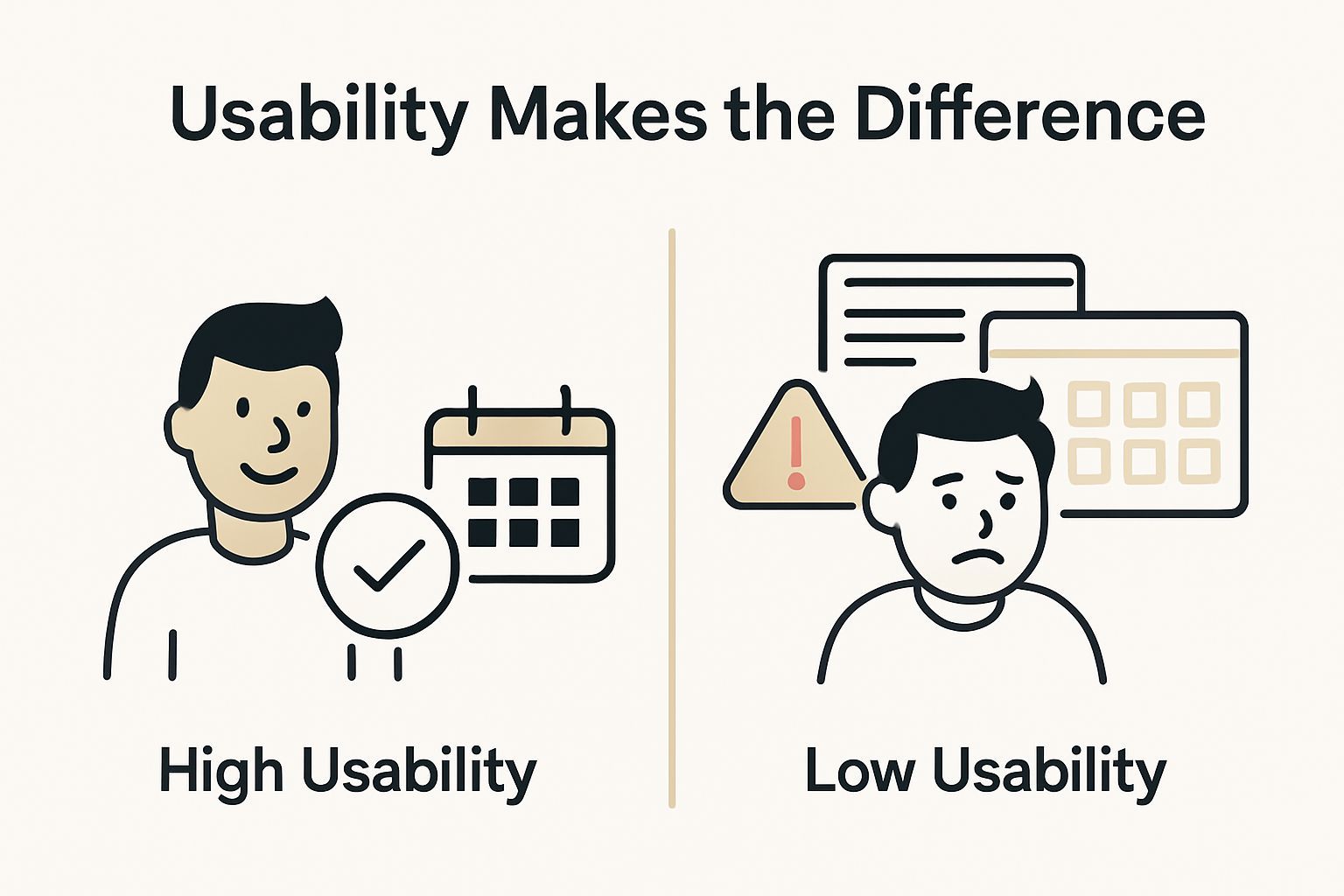
Key challenges of low-usability scheduling tools include:
- Requiring multiple steps to perform simple actions
- Presenting overwhelming or confusing visual interfaces
- Demanding technical expertise to complete basic scheduling tasks
Psychological Impact of User-Friendly Design
Beyond technical efficiency, scheduling tool usability profoundly impacts user psychology. When tools feel intuitive and responsive, users experience reduced stress and increased confidence in their planning process. Smooth scheduling experiences encourage greater participation and collaboration.
Consider the mental load of coordinating a multi-person event: participants must track individual availabilities, communicate preferences, and reach consensus. A highly usable tool simplifies these complex interactions, transforming potentially overwhelming coordination into a seamless, almost effortless process.
Strategic Importance of Intuitive Scheduling
Effective scheduling tools are not just about saving time but creating a positive user experience that promotes continued engagement. Organizations and groups that prioritize user-friendly scheduling platforms see improved communication, faster decision making, and higher overall satisfaction.
The most successful scheduling solutions anticipate user needs, presenting information clearly and offering intelligent recommendations that reduce cognitive friction. By focusing on human-centered design principles, these tools turn scheduling from a dreaded administrative task into a smooth, almost invisible process that empowers users to collaborate more effectively.
Key Concepts of Usability in Scheduling Tools
Understanding usability in scheduling tools requires a holistic approach that goes beyond surface-level design. These tools must effectively bridge human cognitive processes with technological capabilities, creating seamless experiences that transform complex coordination challenges.
Fundamental Design Principles
Researchers in human-computer interaction have identified critical usability dimensions that define successful scheduling platforms. Effective scheduling tools are built on foundational principles that prioritize user experience. These principles ensure that technology serves human needs rather than creating additional barriers.
Key design principles include:
- Minimizing cognitive load through intuitive interface design
- Creating clear, predictable interaction pathways
- Providing immediate, understandable feedback for user actions
Cognitive Ergonomics in Scheduling
Cognitive ergonomics examines how scheduling tools can align with natural human information processing. This means designing interfaces that feel like extensions of users' mental models, reducing the mental effort required to coordinate events. The most successful tools anticipate user needs before they become explicit challenges.
Consider the mental workflow of scheduling: users must simultaneously track personal availability, understand group constraints, and negotiate potential meeting times. Efficient scheduling methods transform this complex cognitive task into an almost intuitive process.
User Experience Measurement
Measuring usability goes beyond aesthetic considerations. It involves quantitative and qualitative assessments of how effectively users can accomplish their scheduling objectives. Successful tools are evaluated not just by their features, but by how seamlessly they integrate into users' existing workflows.
Effective usability measurement considers multiple dimensions: learning speed, error frequency, user satisfaction, and the time required to complete scheduling tasks. By continuously refining these metrics, scheduling tools can evolve to meet increasingly sophisticated user expectations, creating more intelligent and responsive planning experiences.
How Tool Usability Enhances Event Coordination
Event coordination represents a complex dance of individual schedules, preferences, and logistical constraints. Tool usability transforms this intricate process from a potential nightmare of miscommunication into a streamlined, collaborative experience that empowers groups to plan effectively.
Reducing Communication Friction
Collaborative technology researchers demonstrate that highly usable scheduling tools dramatically reduce communication overhead. Effective tools eliminate the endless back-and-forth emails, text messages, and phone calls that traditionally consume hours of planning time. By creating transparent, accessible platforms, these tools enable participants to view, update, and confirm schedules with minimal effort.
Key communication advantages include:
- Instantaneous schedule visibility across participants
- Real-time update capabilities
- Centralized information repositories
Cognitive Load Optimization
Usable scheduling tools act as cognitive multipliers, extending human planning capabilities. They transform complex coordination challenges into intuitive, manageable interactions. By anticipating user needs and presenting information clearly, these platforms reduce the mental energy required to synchronize multiple schedules.
Consider group vacation planning or multi-participant project meetings: user-friendly scheduling solutions allow participants to communicate availability effortlessly, identifying optimal time windows without exhaustive negotiation.
Collaborative Potential Unleashed
Beyond mere scheduling, usable tools unlock deeper collaborative potential. They create shared spaces where participants can not only coordinate times but also exchange context, share preparatory materials, and build collective understanding.
 The most advanced scheduling platforms transcend simple calendar management, becoming dynamic collaboration environments that adapt to diverse group dynamics.
By minimizing technical barriers and focusing on human-centered design, these tools enable more meaningful interactions. They recognize that successful coordination is not just about finding a time, but about creating opportunities for genuine connection and productive engagement.
Real-World Examples of Usability Impact in Scheduling
Scheduling tools have transformed from complex, frustrating interfaces to intelligent platforms that dramatically simplify coordination across various professional and personal contexts. Real-world applications demonstrate how thoughtful usability design can revolutionize time management and group interactions.
Healthcare Coordination Breakthroughs
Medical scheduling research reveals profound impacts of usable scheduling tools. Innovative healthcare platforms have reduced appointment booking times by up to 40%, dramatically improving patient experiences and administrative efficiency. These tools streamline complex scheduling requirements, allowing medical professionals to focus more on patient care and less on administrative logistics.
Key improvements in healthcare scheduling include:
- Simplified appointment booking processes
- Reduced administrative overhead
- Enhanced patient communication channels
Corporate Team Collaboration
In corporate environments, scheduling usability directly influences productivity and team dynamics. Modern scheduling tools transform how teams coordinate across different time zones and work arrangements. Automated scheduling solutions enable seamless integration of remote work, flexible hours, and complex project timelines.
Consider multinational corporations where team members span multiple continents: usable scheduling tools bridge communication gaps, providing transparent visibility into team availability and eliminating endless email chains about potential meeting times.
Educational and Academic Coordination
Academic institutions demonstrate another powerful application of scheduling usability. Course registration, research collaboration, and administrative planning become significantly more efficient when tools prioritize user experience. Intelligent scheduling platforms help students, professors, and administrative staff navigate complex scheduling ecosystems with unprecedented ease.
These real-world examples illustrate a fundamental truth: exceptional scheduling tools are not just about technology, but about understanding and simplifying human coordination processes.
The table below highlights key real-world domains and the usability improvements seen with scheduling tools, as discussed in the article.
| Domain | Usability Impact | Notable Outcomes |
|---|---|---|
| Healthcare | Simplified bookings, reduced admin overhead | Appointment time cut by up to 40%, better patient experiences |
| Corporate | Transparent scheduling, integrated remote work | Eliminated email chains, improved global coordination |
| Education | Streamlined registration, collaboration improvements | Easier course signups, more efficient academic planning |
Ready to Experience Effortless Scheduling?
If managing group events feels overwhelming and old scheduling tools leave you frustrated, you are not alone. The article highlights how confusing interfaces and time-consuming processes derail productivity and collaboration. WhenNOT was created to solve these very pain points by placing tool usability at the forefront. Instead of fighting with clunky forms and chaotic invites, you can now simplify coordination using an intuitive approach focused on when you are not available. This aligns directly with core usability principles discussed earlier, helping reduce cognitive load and streamline communication.
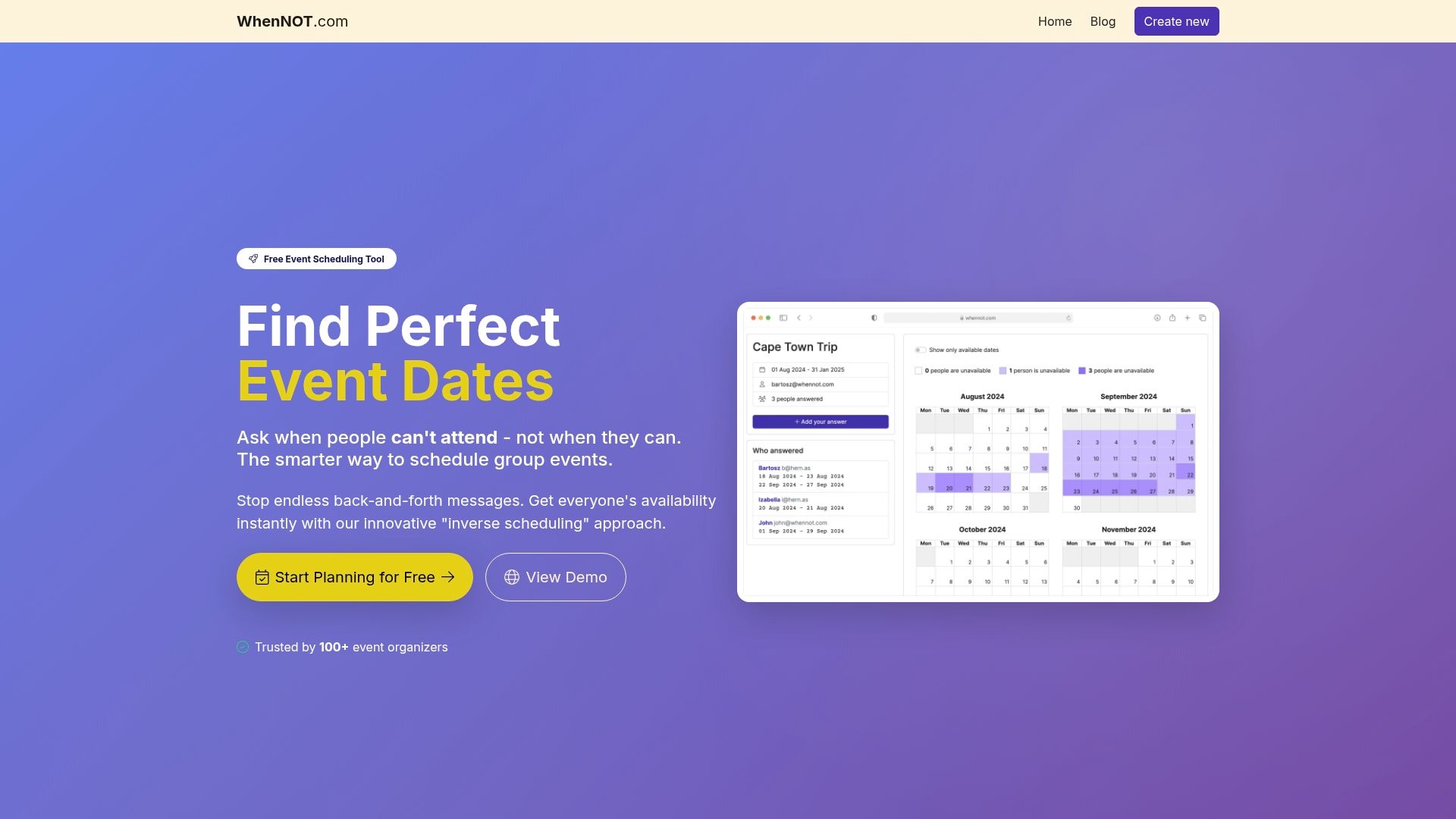
Discover how WhenNOT makes group scheduling faster and easier. There is no account or sign-up required for your participants. Privacy and accessibility are built into every feature. See how our user-friendly scheduling solution can transform your next event by minimizing stress and maximizing time savings. Try it today and find the best dates with no hassle—move your group planning forward right now.
Frequently Asked Questions
What is tool usability in scheduling?
Tool usability in scheduling refers to the design principles that facilitate user interaction with digital scheduling platforms, ensuring that schedules can be coordinated effectively and efficiently without frustration.
Why is high usability important for scheduling tools?
High usability is crucial as it directly impacts user productivity and satisfaction, transforming scheduling from a burdensome task into a seamless process that encourages collaboration and reduces time spent on logistics.
How do cognitive ergonomics affect scheduling tool design?
Cognitive ergonomics focuses on designing scheduling tools that align with human cognitive processes, reducing mental effort and making the scheduling process feel intuitive and natural for users.
What are some real-world impacts of usable scheduling tools?
Usable scheduling tools have led to significant improvements in various fields, such as healthcare, where appointment booking times were reduced by up to 40%, enhancing both patient experiences and administrative efficiency.