
Busy American event planners know that group scheduling can quickly become a headache when managing retreats or multi-day gatherings. Juggling dozens of calendars, shifting priorities, and last-minute changes leaves little room for error. With over 65 percent of North American organizations reporting wasted hours on manual scheduling, finding an efficient system is crucial. This guide cuts through the confusion and clarifies what availability calendars and group scheduling methods actually mean for large-scale event coordination.
Table of Contents
- Defining Availability Calendars and Key Terms
- Traditional vs. Inverse Scheduling Methods
- How Availability Calendars Facilitate Group Events
- Common Challenges With Scheduling Tools
- Essential Privacy and Security Considerations
Key Takeaways
| Point | Details |
|---|---|
| Availability Calendars Enhance Coordination | These tools allow participants to share their availability seamlessly, reducing communication overhead and scheduling conflicts. |
| Inverse Scheduling Optimizes Planning | This approach uses algorithms to identify optimal meeting times based on participants' constraints, improving scheduling efficiency. |
| Privacy and Security Are Essential | Effective scheduling tools must balance accessibility with robust privacy measures to protect user information while fostering collaboration. |
| Participant Engagement Is Crucial | Teams should adopt standardized onboarding processes to ensure consistent updates and effective use of scheduling tools. |
Defining Availability Calendars and Key Terms
An availability calendar represents a sophisticated digital scheduling tool designed to help groups coordinate their time and activities efficiently. Unlike traditional calendars that simply track personal schedules, these advanced systems allow multiple participants to indicate their potential presence, unavailability, and scheduling preferences simultaneously. When integrated into event planning workflows, availability calendars enable complex coordination strategies that transcend basic time tracking.
At its core, an availability calendar functions as a collaborative platform where participants can communicate their scheduling constraints without extensive back-and-forth communication. Team members can mark blocks of time they are unavailable, creating a visual representation of collective scheduling opportunities. This approach is particularly powerful for corporate retreats, academic research projects, and multi-day community events where participants have varied commitments and complex schedules.
Key terminology associated with availability calendars includes time blocking (marking specific periods as unavailable), group synchronization (aligning multiple participants' schedules), and inverse scheduling (identifying optimal meeting times by highlighting when participants are not busy). These innovative features transform traditional calendar systems from passive recording tools into dynamic coordination mechanisms that streamline event planning processes.
Pro tip: When using availability calendars, encourage participants to update their schedules promptly and comprehensively to maximize the tool's effectiveness and reduce scheduling conflicts.
Traditional vs. Inverse Scheduling Methods
Traditional scheduling methods have long relied on manual processes that assign events to predefined time slots, often creating inefficiencies and potential conflicts. These conventional approaches typically require participants to manually coordinate availability, leading to extensive email exchanges and complex negotiation processes. In contrast, inverse scheduling techniques optimize resource allocation through dynamic algorithmic approaches that fundamentally transform how groups plan and coordinate events.
The key distinction between traditional and inverse scheduling lies in their fundamental approach to time management. Traditional methods force participants to find common availability by comparing individual calendars, which can be time-consuming and frustrating. Inverse scheduling flips this paradigm by using visual tools like availability bars that display user preferences throughout the day, allowing for more adaptive and flexible event coordination. This method prioritizes participants' constraints and preferences, creating a more user-centric scheduling experience.
Modern event planning increasingly recognizes the limitations of traditional scheduling. Advanced systems now incorporate intelligent algorithms that can automatically identify optimal meeting times by analyzing collective unavailability, rather than manually searching for shared openings. These innovative approaches reduce scheduling friction, minimize communication overhead, and provide a more intuitive way for groups to coordinate complex multi-participant events across different time zones and scheduling constraints.
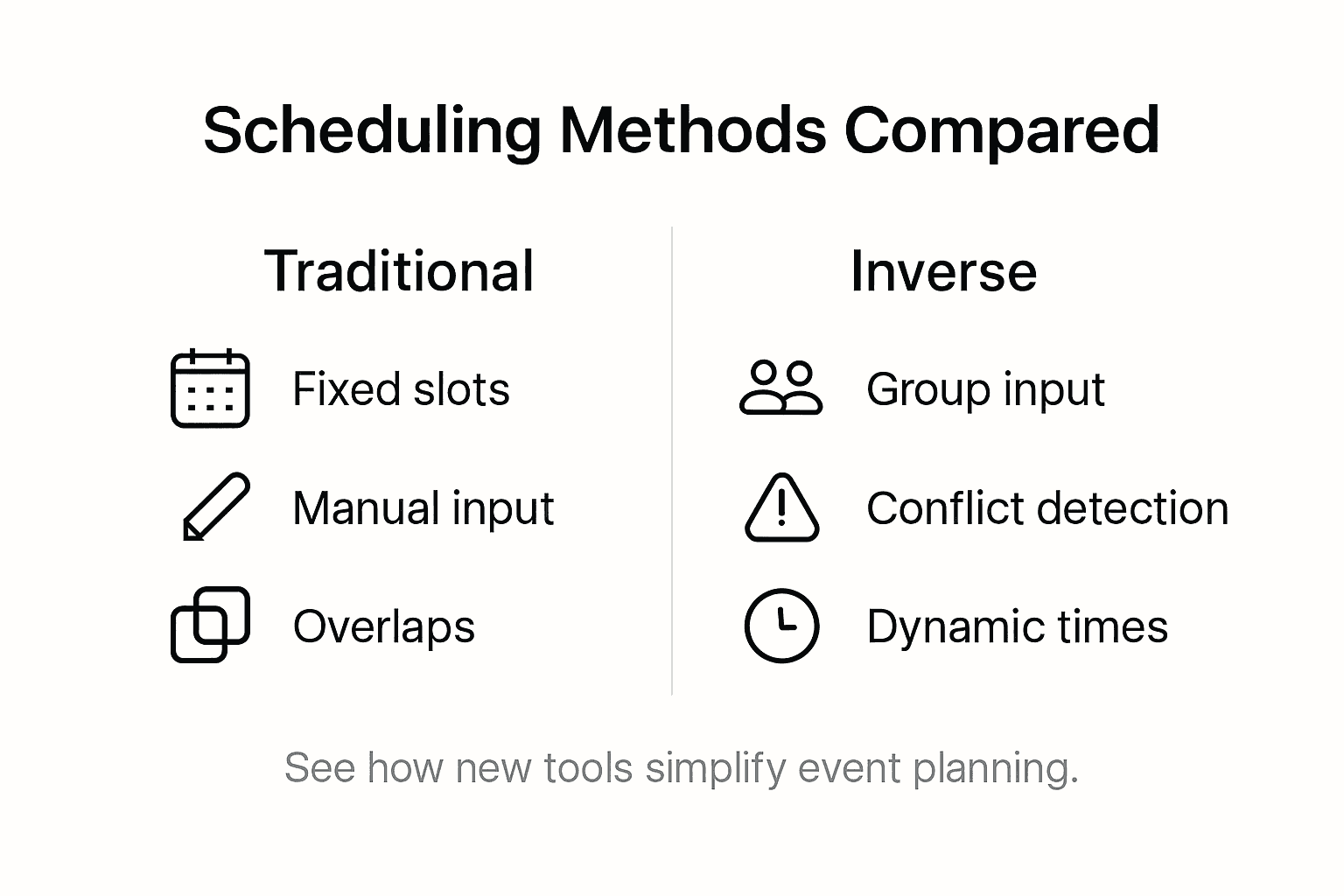
Here's a comparison of traditional vs. inverse scheduling methods to clarify key differences:
| Aspect | Traditional Scheduling | Inverse Scheduling |
|---|---|---|
| Coordination Method | Manual, time slot selection | Algorithm-driven, visual tools |
| Communication Demand | High, many messages | Low, direct constraint input |
| Flexibility | Limited, rigid time blocks | High, adapts to preferences |
| Efficiency | Can be slow, tedious | Fast, automated suggestions |
Pro tip: When transitioning to inverse scheduling methods, communicate the new approach clearly to all participants and provide brief training to ensure smooth adoption and maximum effectiveness.
How Availability Calendars Facilitate Group Events
Availability calendars have revolutionized group event planning by providing a streamlined method for coordinating complex schedules across multiple participants. Group scheduling platforms consolidate individual schedules into a single comprehensive view, enabling teams to quickly identify overlapping free times and potential meeting windows. This approach eliminates the traditional time-consuming process of manually comparing individual calendars, reducing scheduling friction and communication overhead.
The technological infrastructure of modern availability calendars goes far beyond simple time tracking. Collaborative scheduling tools now incorporate intelligent algorithms that automatically highlight potential conflicts, suggest optimal meeting times, and provide real-time updates. These platforms aggregate multiple event schedules into one accessible system, supporting coordinated planning across diverse and distributed groups. Such capabilities are especially crucial for organizations with remote teams, cross-functional projects, or participants spread across different time zones.
Beyond basic scheduling, availability calendars serve as powerful coordination mechanisms for complex group events. They allow participants to communicate scheduling constraints transparently, set personal availability preferences, and create flexible planning environments that respect individual time management needs. By transforming scheduling from a negotiation process to an automated, collaborative experience, these tools dramatically reduce the administrative burden associated with event planning and increase overall group productivity.
Pro tip: Encourage all group participants to update their availability calendars consistently and set clear expectations about response times to maximize the tool's effectiveness.
Common Challenges With Scheduling Tools
Scheduling tools, despite their technological advancements, continue to face significant hurdles in effectively managing complex group events. Automated scheduling systems must navigate intricate challenges involving resource limitations, conflicting participant demands, and individual scheduling preferences. These challenges create substantial friction in the event planning process, often resulting in prolonged coordination efforts and potential participant frustration.
One of the most persistent challenges is balancing optimal resource allocation with individual user constraints. Scheduling complexity emerges when tools attempt to reconcile diverse participant needs, time zones, and personal availability. Advanced scheduling platforms must develop sophisticated algorithms that can dynamically adjust to changing participant schedules, unexpected conflicts, and varying priority levels. This requires not just technological sophistication, but also an intuitive user interface that makes complex scheduling decisions feel seamless and straightforward.

Participant adoption and engagement represent another critical challenge for scheduling tools. Many teams struggle with inconsistent calendar updates, varying levels of technological comfort, and resistance to new scheduling methodologies. Effective scheduling solutions must overcome these barriers by providing user-friendly interfaces, clear communication protocols, and tangible benefits that demonstrate the tool's value in reducing administrative overhead and streamlining event coordination. The most successful platforms will be those that can simplify complex scheduling processes while respecting individual scheduling autonomy.
Pro tip: Implement a standardized onboarding process that educates team members about the scheduling tool's features and establishes clear expectations for calendar maintenance and responsiveness.
Essential Privacy and Security Considerations
Privacy and security represent critical dimensions of modern scheduling tools, demanding sophisticated approaches to protecting user information while maintaining functional collaboration. Scheduling platforms must carefully balance data accessibility with robust confidentiality protections, ensuring that shared availability information remains secure and ethically managed. This delicate equilibrium requires comprehensive strategies that safeguard individual privacy without compromising the core purpose of scheduling coordination.
The core challenge lies in designing granular access controls that allow participants to share scheduling information selectively. Advanced scheduling tools now offer nuanced permissions that enable users to reveal free/busy status without exposing sensitive event details. These sophisticated mechanisms empower individuals to maintain precise control over their personal information, deciding exactly what scheduling data becomes visible to different participants or groups. Such approaches transform privacy from a binary choice into a flexible, customizable experience that respects individual boundaries.
Effective privacy strategies in scheduling tools extend beyond simple permission settings. Organizations must implement comprehensive data protection protocols that include encryption, secure authentication methods, and transparent data usage policies. This means developing systems that not only protect scheduling information from external threats but also provide clear, understandable guidelines about how participant data will be collected, stored, and potentially shared. The most trustworthy scheduling platforms will prioritize user agency, offering comprehensive privacy controls that allow individuals to understand and manage their digital scheduling footprint.
The table below summarizes privacy and security strategies for scheduling tools:
| Strategy | Purpose | Example Implementation |
|---|---|---|
| Granular Access Controls | Limit info visibility | Show only free/busy, not details |
| Data Encryption | Protect sensitive calendar data | End-to-end encrypted connections |
| Custom Permission Settings | User manages who sees what | Per-event sharing controls |
| Transparent Data Policies | Build trust, clarify usage | Visible privacy statements |
Pro tip: Regularly audit and update your scheduling tool's privacy settings, creating a personal protocol for what information you're comfortable sharing across different professional and personal contexts.
Simplify Your Group Event Planning with Smart Availability Calendars
The article highlights the common struggles of coordinating complex group schedules and the power of availability calendars combined with inverse scheduling to resolve these challenges. If you have ever felt overwhelmed by endless messages trying to find mutual availability or faced difficulties balancing individual constraints and privacy concerns, you are not alone. The key concepts like time blocking, group synchronization, and inverse scheduling provide a fresh perspective but need the right tool to be truly effective.
WhenNOT takes these innovative scheduling ideas and turns them into a practical, user-friendly solution designed specifically for multi-day and flexible date events. By allowing participants to mark when they are not busy instead of when they are free, WhenNOT eliminates tedious back-and-forth communication and instantly visualizes crowd availability, streamlining event planning. Its emphasis on privacy ensures you share only what is needed with no account requirements, making it accessible for all group members.
Experience a new way to coordinate with ease and speed using inverse scheduling principles. Whether organizing a corporate retreat, family gathering, or group travel, choose a tool that matches the dynamic needs of modern event planning.
Discover how effortless scheduling can be with WhenNOT
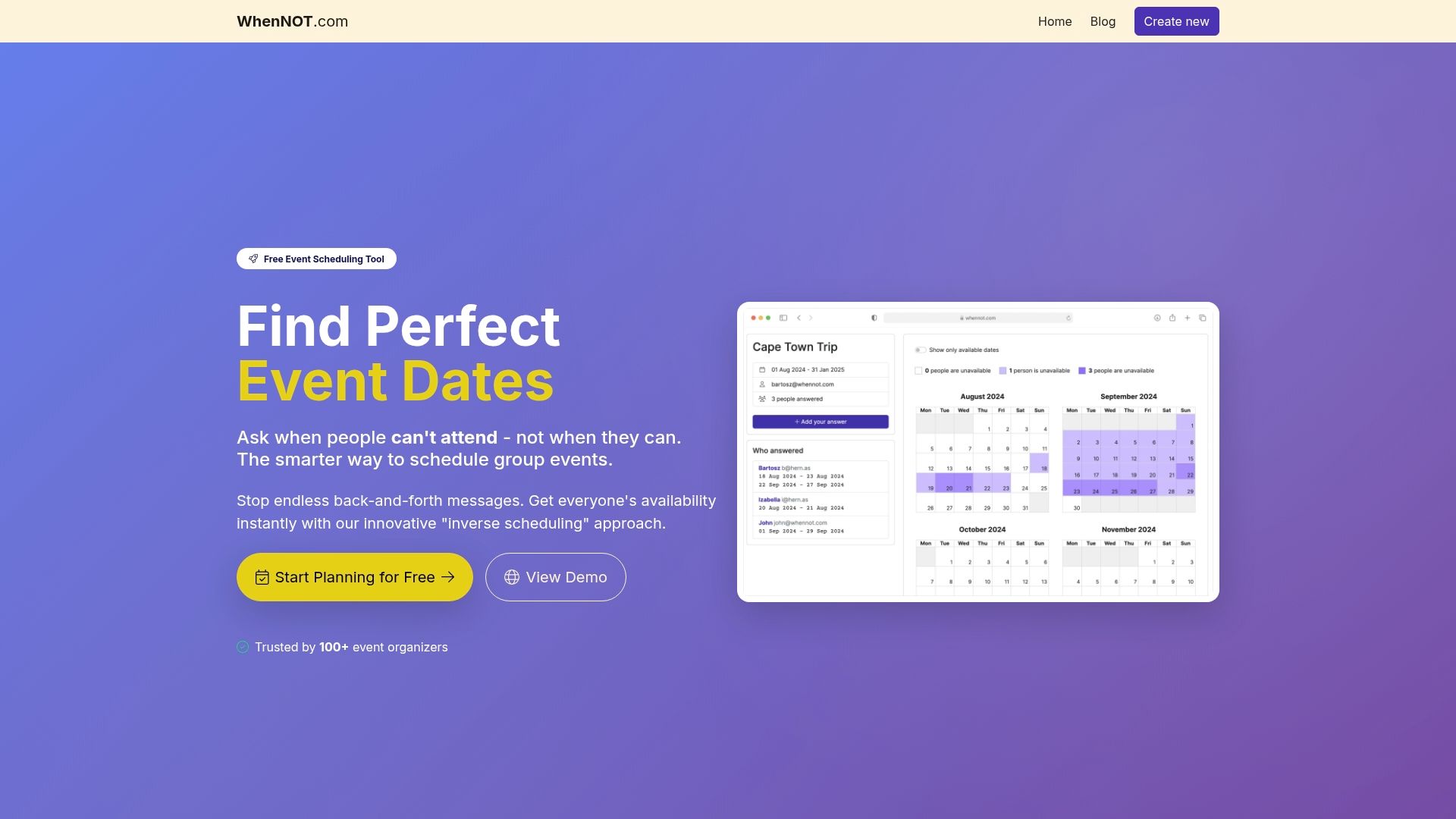 Ready to take control of your event planning? Visit WhenNOT now to create your own availability calendar and start finding the perfect dates for your group without the hassle. Don't let scheduling frustrations slow you down—make your next event easier and faster to organize today.
Frequently Asked Questions
What is an availability calendar?
An availability calendar is a digital scheduling tool that allows multiple participants to indicate their potential presence and unavailability, streamlining the coordination of group activities.
How do availability calendars improve event planning?
Availability calendars reduce scheduling friction by consolidating individual schedules, highlighting overlapping free times, and minimizing the communication overhead typically involved in manual scheduling processes.
What are the key benefits of using inverse scheduling over traditional scheduling methods?
Inverse scheduling uses algorithm-driven, visual tools to dynamically adapt to participant constraints, offering greater flexibility and efficiency compared to outdated manual methods that require extensive communication.
How can I encourage my team to effectively use an availability calendar?
To maximize the effectiveness of an availability calendar, encourage team members to consistently update their availability and provide clear expectations regarding response times for scheduling updates.